The doctor isn't home. That's the first thing to know. He's left his
castles unlocked, more or less, and you've let yourself in.
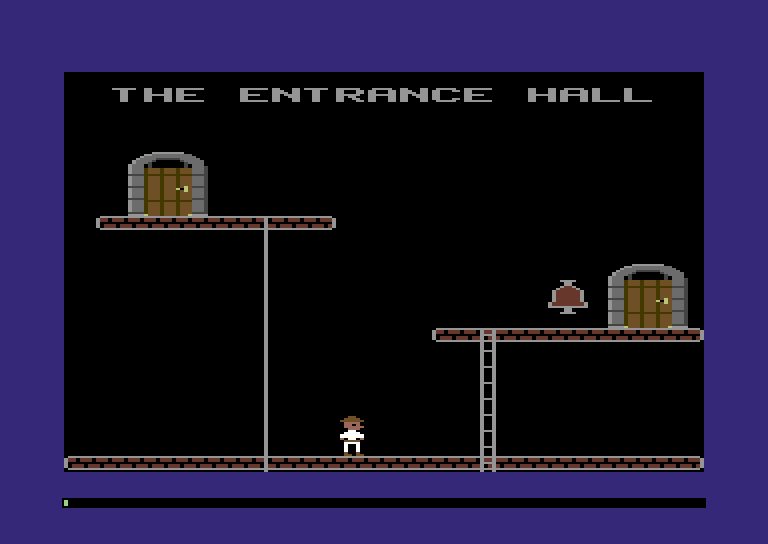
Each castle is a set of rooms seen side on, like a doll's house with the
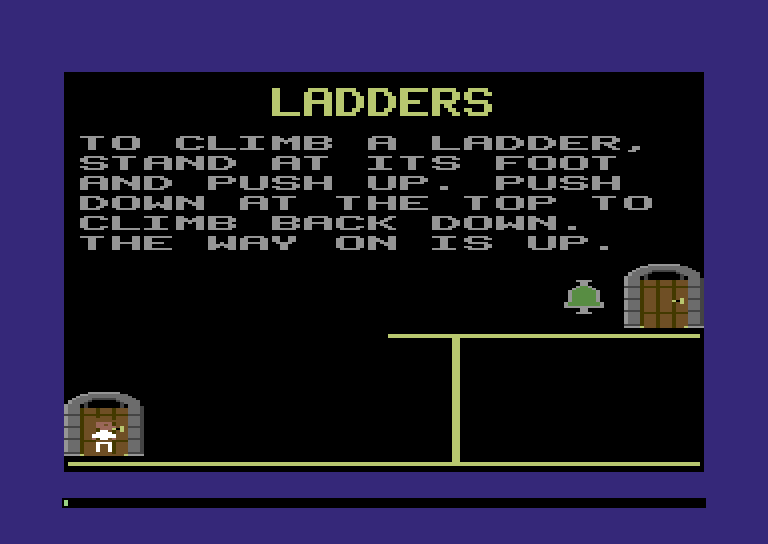
front wall taken off: stone floors, ladders, sliding poles you drop down
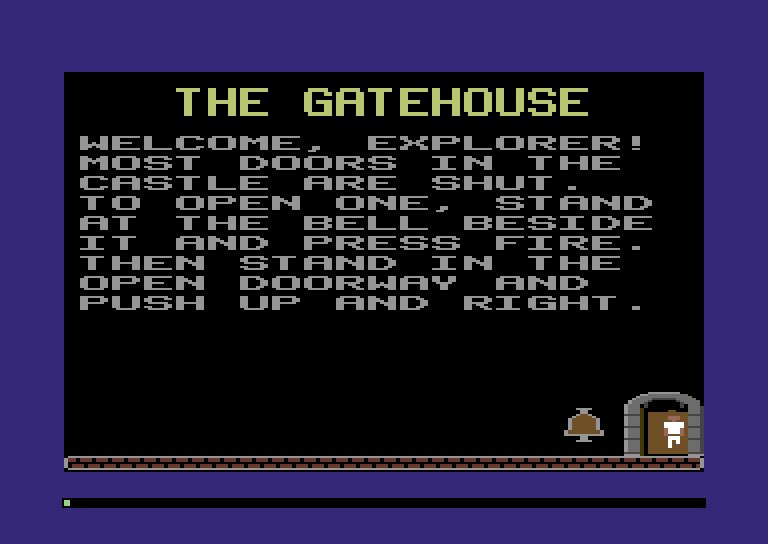
with a satisfying whoosh, and shut doors that grind open when you ring
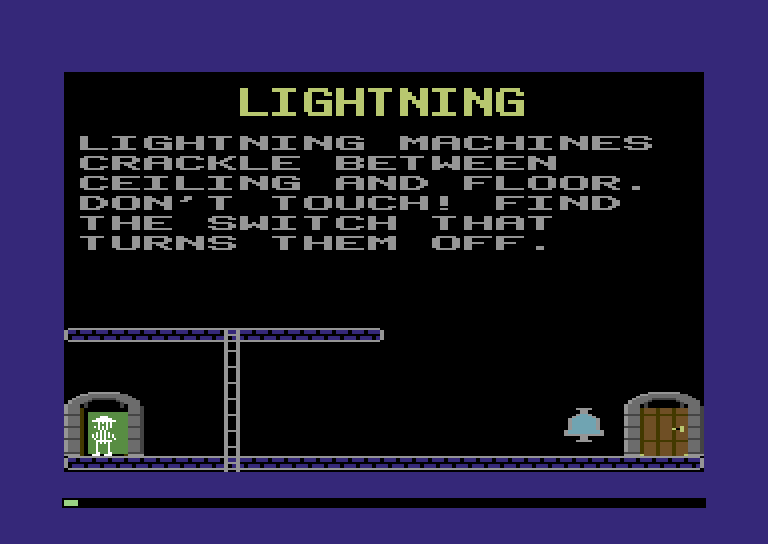
the doorbell beside them. The doctor's inventions crackle and hum
along the way, and a couple of residents would rather you left. You can't
fight them. You can lure Frankenstein's monster onto a trapdoor, which
is one of the great small pleasures in all of gaming.
The best part is that two of you can play at once, each with a joystick.
One of you holds down the switch that turns a forcefield off while the
other runs through it. It's a
cooperative puzzle game from an era that mostly didn't make those, and
it's still great. Find the exit and you've escaped.
You're going to build all of it.
The machine: the Comet 64
You're writing for the Comet 64, a home computer from 1984. It's a
capable little machine with hard limits, and those limits are the rules
you'll be designing around:
Limit
What it means
64 KB of memory
Code, castle, screen and monsters all fit in 65,536 bytes.
1 MHz processor
About a million tiny steps, called cycles, a second. We measure work in cycles.
50 frames a second
19,656 cycles per frame to read the joysticks, move everyone and redraw.
8 hardware sprites
Eight free-moving pictures over the background, total.
4 colours per 8×8 cell
The 320×200 screen is cut into 8×8-pixel squares called cells. Each cell gets three colours of its own, plus one background colour shared by the whole screen.
3 voices
The SOUND chip plays three notes at once, music and effects together.
Every design decision in this game comes back to that table. Why is the
castle stored as tightly packed bytes instead of a tidy list of objects?
The 64 KB row. Why does the game work so hard never to need a
ninth sprite? The 8-sprite row.
Squeezing a whole castle under these numbers is the fun part. Think of a
level's time limit: nobody plays a platformer and complains that the
clock exists, because the clock is what makes it a game. You also get to
watch your score: a work meter on screen shows how many of each
frame's 19,656 cycles your code used.
You don't build the Comet 64; you write the game that runs on it. The
machine comes in the box, along with a web page that runs it in your
browser (the shell) and a headless runner, which runs your game
from the command line with no window at all. It also comes with a programmer's reference card,
machine/REFERENCE.md, the way every
computer of the era came with a thick manual of addresses and registers.
Keep it open in a tab from Chapter 1 on.
How this site works
Each chapter adds one big piece of the game and ends with it running.
Every listing is shown in full, in the order you type it, so at the
end of each chapter your project matches its finished code, the
checkpoint in code/chNN/.
Think of the boxes along the way as your strategy guide: tips, what the
new code costs, the bugs everyone hits, and secret passages: optional side trips you
can skip without breaking anything. Each chapter ends with a Boss Battle (the
commands to run and what you should see) and a Warp Zone (the
finished checkpoint, if you're stuck or want to skip ahead). Some
chapters run the game live on the page, with switches that turn an
optimisation off so you can see what goes wrong without it.
What you need
Zig 0.16.zig version should print 0.16.0 or a later 0.16
release. Zig changes fast, so other versions may not build these
listings.
A web browser and a static web server
(python3 -m http.server is fine).
An editor with Zig support, if you can get one (ZLS shows errors
as you type). Optional.
code/
  machine/      the Comet 64 and its reference card
  starter/      the starter kit: your game, before Chapter 1
Chapter checkpoints (ch01.zip, ...) unzip into the same place.
Power on
Time to flip the switch. Copy the starter kit to code/my-creep/, next
to machine/, because the build looks for the Comet 64 at ../machine:
cd code
cp -r starter my-creep
rm -rf my-creep/.zig-cache my-creep/zig-out my-creep/web
cd my-creep
Everything from here on happens in code/my-creep/. Three files matter:
src/main.zig     your game: boot() and frame()
build.zig        hooks your game up to the Comet 64
build.zig.zon    says where the Comet 64 lives (../machine)
First, the headless runner. It powers the machine on, runs your game
with no window, and saves the last frame as a picture:
zig build run -- --frames 100
After a slow first build you should see:
ran 100 frames (100 calls to frame)
cycles: max 0 (0%), avg 0 (0%) of 19656
overruns: 0, loading pauses: 0
last frame: frames/frame_00099.ppm
In two seconds of game time your game used 0 of the 19,656 cycles in
each frame. Correct: frame doesn't do anything yet.
The picture is a PPM file in frames/, which most image viewers open.
Now the real thing, in a browser:
zig build wasm
python3 -m http.server -d web
That compiles your game to game.wasm and puts it in a web/ folder,
along with the shell page that runs it. Open http://localhost:8000 and there's the Comet 64: a
purple border around a black screen, and a thin dark bar in the bottom
border. That's the work meter, sitting empty, because your game isn't
doing any work yet. Click the screen so it gets your key presses (arrows or W A S D plus
Space are joystick 1).
Finally, zig build test runs your tests (none yet) and runs 100
frames to check the game gets through them without crashing. It prints nothing when
everything passes.
The machine is on and it's running your code. Every room, monster and
doorbell in the castle grows from here.
Plug in and play
The starter kit
The game exactly as it stands at the end of this chapter. Click the screen, then use the arrow keys or WASD and Space. IJKL and Return drive joystick 2.
Off
Chapter 1
It's Alive!
Plug in, power up
Think back to the first time a game answered you. You pushed the stick
and a little figure on the screen moved, right away, exactly as far as
you pushed. It's so basic that it's easy to forget: that's the moment a
game comes alive. Everything else (the ladders, the doors, the monsters) sits on top
of that one loop: read the stick, move the figure, draw it, fifty times a
second.
That's this chapter. By the end of it, the Comet 64 will be running that
loop with code you wrote, and you'll know what every line does to the
machine.
Open your my-creep project from the Prologue. First, one bit of
housekeeping: the starter kit names its game starter, and this isn't a
starter kit any more. It's Dr. Creep.
That's the last time we touch build.zig. Everything from here on
happens in src/.
65,536 bytes in a row
Here's the whole of the starter's src/main.zig:
zig
//! Your game. The Comet 64 calls `boot` once when it powers on, then//! `frame` fifty times a second, forever.constmachine=@import("machine");constMachine=machine.Machine;// Two VIDEO chip registers. Each holds a colour number (0-15).constborder_color=0xD020;constbackground_color=0xD021;pubfnboot(m:*Machine)void{m.poke(border_color,4);// purplem.poke(background_color,0);// black}pubfnframe(m:*Machine)void{_=m;}
Two functions. The machine calls boot once, at power-on, and frame
fifty times a second after that. Both get m: *Machine, "a pointer to a Machine":
like passing an object to a function in JavaScript, they get the machine
itself, not a copy. (Chapter 2 shows what a pointer really is.) And
boot calls one function, twice: m.poke(address, value).
To see what that means, I want to show you my favourite line in the
whole Comet 64. It's from the machine's own definition, in machine/src,
and it's the most important line in there:
zig · snippet
ram:[0x10000]u8=@splat(0),
That's an array of 65,536 bytes, all starting at zero. That's all the
memory the computer has. Your game's data, the castle, the picture on
the screen, the joystick, the chips that make the picture: every one of
them lives somewhere in that one array. No hidden heap, no operating
system, no back room. One row of bytes.
An address is an index into it, from 0 to 65,535. "Poke 4 into
0xD020" means "set ram[0xD020] to 4"; "peek at 0xDC01" means "read
ram[0xDC01]". The 1980s names stuck around because they're good names.
A byte, and why it stops at 255
Each element of ram is a u8: an unsigned 8-bit integer, which is
Zig for "a byte". Eight bits, each a 0 or a 1, can be arranged
2×2×2×2×2×2×2×2 = 256 ways, so a u8 holds any whole number from 0
to 255, and nothing else.
Each bit is worth twice the one to its right, the way each decimal digit
is worth ten times the one to its right. Add up the bits that are on:
all eight is 255. 256 would need a ninth bit.
The 255 limit sounds like trivia. It isn't: before this chapter is out,
it stops our explorer in his tracks. In JavaScript you almost never think
about how big a number can get. On the Comet 64 nearly every number is a
byte, and a byte runs out at 255.
Counting in hex
You've seen #FF8800 in CSS. That's hexadecimal, base 16: the digits
0–9, then A (10) up to F (15). Zig writes it with 0x, like
JavaScript. The Comet 64's reference card writes $ instead, the way
programmers of its day did: $D020 on the card is 0xD020 in code.
Why bother? Because one hex digit is exactly four bits:
Hex
Bits
Hex
Bits
0
0000
8
1000
1
0001
9
1001
2
0010
A
1010
3
0011
B
1011
4
0100
C
1100
5
0101
D
1101
6
0110
E
1110
7
0111
F
1111
So two hex digits are one byte, $00 to $FF, and four are one
address, $0000 to $FFFF. You can read bits straight off the hex:
$A5 is 10100101. It pays off most with addresses:
hardwarereservedthe game'sfree
All 65,536 bytes, $0000 at the top. In decimal the region boundaries look like random numbers; in hex they're round ones.
The structure jumps out: $D000–$DFFF is hardware, and the border
colour is register $20 of the VIDEO chip at $D000. The first two
digits name a 256-byte page of memory ($D0), the last two a spot in
it ($20). Give it an hour and decimal addresses will start to look
strange to you.
Open the reference card, machine/REFERENCE.md,
at section 2, the memory map, and keep it in a tab. It's the machine's
floor plan, and we'll be in and out of it all chapter.
A colour is a byte at an address
Back to boot, and the line that puts 4 at $D020. The card's section
4 says $D020 is the border colour register, and colour 4 is purple.
That's all there is to it. There isn't a setBorderColour function anywhere
in the machine. There's a byte, and the chip looks at it:
Every time it draws the border, the VIDEO chip reads $D020 and looks the number up in the palette (card section 10).
Try it. Change the 4 to a 6, run zig build wasm, reload the page
(with the Prologue's web server still running), and the border turns
blue. One number, one byte, one colour. This is the big idea of the
chapter, and of the whole machine: the hardware is memory. The screen,
the sprites and the joysticks are all bytes at fixed addresses, and you
work them by reading and writing those bytes. Once that clicks, the
Comet 64 stops being a black box for good.
Now let's tidy up. The machine names every address in machine.hw (the
card's Zig-name column), and machine.Color names the sixteen colours;
@intFromEnum turns a colour name into its number.
src/main.zig (replace the whole file)
zig
//! Your game. The Comet 64 calls `boot` once when it powers on, then//! `frame` fifty times a second, forever.constmachine=@import("machine");constMachine=machine.Machine;constColor=machine.Color;consthw=machine.hw;pubfnboot(m:*Machine)void{m.poke(hw.border,@intFromEnum(Color.blue));m.poke(hw.background,@intFromEnum(Color.black));}pubfnframe(m:*Machine)void{_=m;}
Same result, but the next reader (you, in three weeks) doesn't need the
card open. From here on, addresses in game code are always named. A bare
0xD020 sends the reader to the card; hw.border says what it is.
Laying a floor
A castle room needs a floor, and the floor is our first look at the
screen itself. Chapter 2 covers the screen properly; for now, three facts
from the card's section 3:
The display is 320 × 200 pixels, cut into a grid of cells, each
one a square of 8 × 8 pixels. That makes 40 cells across and 25 rows
of cells down.
The bitmap, 8,000 bytes from $E000, holds the pixels, 8 bytes
per cell: one byte for each of the cell's 8 pixel rows, top to bottom.
A byte of $FF turns every pixel in its row on. The bitmap stores
the cells left to right along a row, then moves down to the next row,
so one row of cells is 40 × 8 = 320 bytes.
Colour RAM, 1,000 bytes from $D800, has one byte per cell: the
colour of the pixels that are on in that cell.
The floor is the bottom row of cells, row 24. Painting it takes two
writes: 320 bytes of $FF into the bitmap, and 40 bytes of grey into
colour RAM.
write 1 · bitmap40 cells × 8 bytes = 320 bytes of $FF$E000 + 24 × 320 = $FE00, up to $FF3F
write 2 · colour RAM40 cells × 1 byte = 40 bytes of 12$D800 + 24 × 40 = $DBC0, up to $DBE7
Both writes end on the last byte of their plane, a good sign the sums are right: the floor really is the bottom row.
src/room.zig (new file)
zig
//! The room: for now, a floor along the bottom of the screen.constmachine=@import("machine");constMachine=machine.Machine;constColor=machine.Color;consthw=machine.hw;/// The floor is the bottom row of cells, row 24 of 0-24.constfloor_row=24;constcells_per_row=40;constbytes_per_cell=8;/// Display row (0-199) of the floor's top line.pubconstfloor_top=floor_row*8;// 192/// Where the floor starts in the bitmap and in colour RAM.constfloor_pixels=hw.bitmap+floor_row*cells_per_row*bytes_per_cell;// $FE00constfloor_colors=hw.color_ram+floor_row*cells_per_row;// $DBC0pubfnpaint(m:*Machine)void{// $FF gives all four pixels of a bitmap byte the code 11, and code 11// pixels take their colour from colour RAM.m.fill(floor_pixels,cells_per_row*bytes_per_cell,0xFF);m.fill(floor_colors,cells_per_row,@intFromEnum(Color.grey));}
Zig works out those sums while it compiles. The comments show the
results, so you can check them against the card. m.fill(address, count, value) sets count
bytes in a row to value. (The comment's "four pixels" and "code 11"
are Chapter 2's business: on this screen pixels come in side-by-side
pairs, the dotted lines in the close-up.) Only pub declarations are visible outside a file, so
paint and floor_top are public and the rest is the room's own.
src/main.zig (add the import below hw, and call room.paint in boot)
Build and reload: a strip of grey stone runs along the bottom of the
black display. It's not much of a castle yet, but every pixel of it is a
byte you put there.
Fifty times a second
Each call to frame is one frame: one picture on the screen. There's
no "move left for half a second" call anywhere. Motion is an illusion
built out of tiny changes: each frame the game reads the joystick, moves
the explorer one pixel, and the screen shows him one pixel further along.
Do that fifty times a second and the eye sees him walk. Every game of the
era was a flip-book.
Here's the catch, and it's the rule this whole tutorial is played by:
a frame has a time limit. Everything frame does has to fit into
one fiftieth of a second, on a processor that is slow by today's
standards, so the budget is real and you can run out of it. The work
meter, the thin bar in the bottom border, shows how much of each frame
your code used: green, then yellow when it's tight, then red when a frame
goes over. Chapter 2 teaches you to read it properly.
A JavaScript game has a frame budget too, about 16 ms, but a modern
machine gets so much done in that time that you rarely think about it.
The Comet 64 gets far less done in its fiftieth of a second: where the
browser gives you a ballroom, this is a broom cupboard. So every chapter has a
second job besides "make it work": make it fit. (boot is free: the meter starts counting with the
first frame.)
The memory map
The explorer needs a position that survives from one frame to the next.
In most languages you'd reach for a global, var player_x: u8 = 160;.
Zig would compile it happily. We never write it, and the rule is
absolute for the whole tutorial: all of the game's changing state
lives in m.ram.
Constants (tables, pictures, the castle you ship) can be Zig consts,
part of the program image on the disk. Anything that changes gets an
address.
Why so strict? A Zig var lives at an address the compiler picks, and
you never see it. On a 64 KB machine that's dangerous: if a byte isn't
listed in the memory map, sooner or later you'll put something else in
the same byte, and the two will quietly overwrite each other. The rule
has a bonus, too. With
all the state in m.ram, the widgets can show it live, tests can check
it, and you never wonder where something is: it's wherever the map says.
So we keep every address the game uses in one file, map.zig: the
game's memory map. Think of it as a seating chart for memory: every
byte has a name card, and no two things get the same seat. It grows every chapter, and Zig checks it while it
compiles, so two things can never end up in the same place. This
chapter's entry is the player: four bytes at $0200, the first free
address above the processor's stack (the processor's own scratch space).
$0200player_x
$0201player_y
$0202player_color
$0203player_last_stick
The player, four bytes in a row. Every piece of code that wants to know where he is reads it from here.
The rest of the code imports map.zig, so open the side quest and type
it in now. It also shows how Zig catches two regions sharing a byte.
Side QuestType in the memory map
The map lists every region of memory the game uses: the game's own, and
the hardware's. The hardware's regions are in there so that the check
below catches anything of ours that lands on top of them. This chapter's
plan:
Address
Bytes
What
$0100–$01FF
256
the processor's stack (reserved: hands off)
$0200–$0203
4
the player
$0800–$77FF
28 KB
the program image (reserved)
$C000–$C7FF
2 KB
sprite frames
$CFF8–$CFFF
8
sprite pointers
$D000–$D02E
47
the VIDEO chip
$D800–$DBE7
1,000
colour RAM
$DC00–$DC02
3
input ports
$E000–$FF3F
8,000
the bitmap
src/map.zig (new file)
zig
//! The game's memory map: every stretch of memory the game uses, and//! what it's for. Nothing the game remembers lives anywhere else.consthw=@import("machine").hw;pubconstRegion=struct{name:[]constu8,first:u16,last:u16,};// ---- the game's own memory ----------------------------------------------/// Everything the game knows about the player, four bytes in a row.pubconstplayer=Region{.name="player",.first=0x0200,.last=0x0203};pubconstplayer_x=player.first+0;// sprite X, 24 (left edge) to 255pubconstplayer_y=player.first+1;// sprite Y, 50 (top edge) and downpubconstplayer_color=player.first+2;// palette number, 1-15pubconstplayer_last_stick=player.first+3;// joystick 1 as it read last frame// ---- memory the hardware gives us ---------------------------------------conststack=Region{.name="stack (reserved)",.first=hw.stack,.last=hw.stack+256-1};constprogram=Region{.name="program image",.first=hw.program,.last=hw.program_end-1};constsprite_frames=Region{.name="sprite frames",.first=hw.sprite_data,.last=hw.sprite_data+32*64-1};constsprite_pointers=Region{.name="sprite pointers",.first=hw.sprite_pointers,.last=hw.sprite_pointers+8-1};constvideo_chip=Region{.name="VIDEO chip",.first=hw.video_chip,.last=hw.spriteColor(7)};constcolor_ram=Region{.name="colour RAM",.first=hw.color_ram,.last=hw.color_ram+1000-1};constinput_ports=Region{.name="input ports",.first=hw.joy2,.last=hw.key};constbitmap=Region{.name="bitmap",.first=hw.bitmap,.last=hw.bitmap+8000-1};/// The whole map, in address order.pubconstregions=[_]Region{stack,player,program,sprite_frames,sprite_pointers,video_chip,color_ram,input_ports,bitmap,};// Checked while the game compiles: two regions sharing a byte is a build// error, not a mystery bug three chapters from now.comptime{for(regions,0..)|a,i|{if(a.last<a.first)@compileError("memory map: "++a.name++" ends before it starts");for(regions[i+1..])|b|{if(a.first<=b.lastandb.first<=a.last)@compileError("memory map: "++a.name++" overlaps "++b.name);}}}
Addresses are u16: sixteen bits, 0 to 65,535, exactly enough to
name every byte. The Comet 64 has 64 KB because its addresses are 16
bits wide.
Each region records its first and last byte, the way the card writes
ranges, and the player's field addresses count from its start, so moving
the player is a one-line change. We'll keep that convention for the rest
of the tutorial: a
Region named for what it holds, fields named region_field, all in
map.zig.
The comptime block runs while Zig compiles your game, not while it
runs, so it costs the Comet 64 nothing. It compares every pair of regions
(two ranges overlap when each starts before the other ends), and if two
share a byte, @compileError stops the build. Give the monsters a table
at $01F0 one day without checking the map, and instead of a game that
crashes only on Tuesdays you get:
New syntax, in passing: [_]Region{...} lets the compiler count the
array's length; for (regions, 0..) |a, i| walks it with each index
alongside; regions[i + 1 ..] is a slice, the rest of the array after
i; ++ joins compile-time strings. //! comments describe the file,
/// comments the declaration below.
A sprite is 63 bytes
Now for the star of the show.
You know sprites from the player's side: figures that glide over the
background without smudging it, and flicker when too many crowd onto one
line. You don't draw them into the bitmap: you hand the VIDEO chip a
picture and a position, and it draws them every frame, for free. Change
the position, and next frame the sprite is somewhere else. No wonder
every game of the era used them for whatever moved.
Here's the catch, and it's a big one: the VIDEO chip has exactly eight
sprites, for the whole machine. Think of them as eight slots,
numbered 0 to 7, each a fixed set of registers: X, Y, colour, one bit of
the "on" byte at $D015, and a sprite pointer that picks its
picture. Anything that moves on the screen has to be in one of them, and
our explorer takes slot 0. That limit shapes the whole game: everything
in the castle that moves shares those eight, and later chapters budget
them as carefully as time.
A sprite's picture (card section 5) is 24 × 21 pixels. In a hires
sprite each pixel is one bit: 1 is the sprite's colour, 0 is
see-through. That's the chapter's fourth idea, the bit as an on/off
switch. Three bytes a row, 21 rows: 63 bytes. And here's a lovely
consequence: because each bit is a pixel, we can write the picture so
you can see it. Zig has binary literals (0b00111100 is $3C), so if
we write three of them per line, one line per row, the 1s draw him.
The picture doesn't go in the slot. It goes in sprite memory
($C000–$C7FF), cut into 64-byte blocks: 63 bytes rounded up, 32 blocks numbered 0 to 31.
A slot's sprite pointer, at $CFF8 plus the slot number, holds the
number of the block to show. Change that one byte and the slot shows a
different picture: that's how sprites animate.
The VIDEO chip's eight sprite slots. Slot 0 is the player's, and its pointer at $CFF8 holds 0, so it shows block 0.
src/player.zig (new file)
zig
//! Player 1: a hires sprite you steer with joystick 1.constmachine=@import("machine");constMachine=machine.Machine;constColor=machine.Color;consthw=machine.hw;constjoy=machine.joy;constvideo=machine.video;constmap=@import("map.zig");constroom=@import("room.zig");/// The player's picture: 21 rows of 24 pixels, three bytes a row, one bit/// per pixel. A 1 is a pixel in the sprite's colour; a 0 is see-through.constpicture=[63]u8{0b00000000,0b00000000,0b00000000,0b00000000,0b00111100,0b00000000,0b00000000,0b01111110,0b00000000,0b00000001,0b11111111,0b10000000,0b00000000,0b01111110,0b00000000,0b00000000,0b01011010,0b00000000,0b00000000,0b01111110,0b00000000,0b00000000,0b00111100,0b00000000,0b00000000,0b00011000,0b00000000,0b00000001,0b11111111,0b10000000,0b00000011,0b01111110,0b11000000,0b00000011,0b01111110,0b11000000,0b00000011,0b01111110,0b11000000,0b00000000,0b01111110,0b00000000,0b00000000,0b01111110,0b00000000,0b00000000,0b01100110,0b00000000,0b00000000,0b01100110,0b00000000,0b00000000,0b01100110,0b00000000,0b00000000,0b01100110,0b00000000,0b00000000,0b01100110,0b00000000,0b00000000,0b11100111,0b00000000,};/// Which of the VIDEO chip's eight sprite slots (0-7) is the player's.constplayer_sprite=0;/// Which sprite block (0-31) holds his picture. Block 0 is the 64 bytes/// at $C000.constplayer_block=0;/// How far the sprite may go. X stops at 255 because that's the most a/// byte can hold; the right-hand strip of the screen needs a ninth bit.constmin_x=video.sprite_origin_x;constmax_x=255;constmin_y=video.sprite_origin_y;constmax_y=video.sprite_origin_y+room.floor_top-21;// boots on the floorpubfnstart(m:*Machine)void{m.load(hw.sprite_data+player_block*64,&picture);m.poke(hw.sprite_pointers+player_sprite,player_block);m.poke(hw.sprite_enable,0b0000_0001);// bit 0 on: sprite 0 is shownm.poke(map.player_x,160);m.poke(map.player_y,max_y);m.poke(map.player_color,@intFromEnum(Color.white));m.poke(map.player_last_stick,0xFF);// nothing held}
Squint at picture and you can see him: a brimmed hat, two eyes (the 0s in row 5), arms out, two legs, and boots on the bottom row.
start sets everything up once, at power-on:
m.load copies picture into block 0 (block N starts at
$C000 + N × 64), and the next line puts that block's number in slot
0's pointer. &picture passes the table's address rather than a copy:
in front of a name, & means "address of". (Between two values it
means bitwise AND, which we'll need for the joystick.)
$D015 switches slots on, one bit per slot. 0b0000_0001 sets
bit 0: slot 0 on, the rest off. Eight slots, eight bits, one byte:
many of the VIDEO chip's registers work this way. (Zig ignores _ inside a number;
it's there so you can read the bits.)
Then the player's four bytes, including player_last_stick, which
we'll come to.
Sprite coordinates count from above and left of the display, so a
sprite can slide in from off-screen: X = 24, Y = 50 (min_x, min_y) is
the display's top-left. max_y stands his boots on the line above the
floor: 50 + 192 − 21 = 221.
And max_x is 255, because the player's X is a byte. The right edge is
at X = 320, which the VIDEO chip reaches with a ninth bit per sprite in
$D010. We're not using it yet, so our explorer will stop three quarters
of the way across, at an invisible wall made of arithmetic. Remember that
wall.
src/main.zig (add the import below room, and call player.start in boot)
Build and reload. The floor's there. The explorer isn't.
That's not a bug in the picture. start never told the VIDEO chip where to draw slot 0, or in what
colour. Its position registers at $D000 and $D001 are still 0, off in
the border where sprites don't show (and his colour is 0: black on
black). His position is in our memory, at $0200. Something has to
copy it into the chip.
Racing the beam
The copying happens every frame, and there's one rule about when it
happens. The reason is one of my favourite things about these machines:
the picture on the screen isn't a photo. It's painted while you watch.
A beam sweeps down the tube one line at a time, 312 lines from top to
bottom, fifty times a second, and the VIDEO chip draws each line from
memory as it is when the beam passes. Your frame starts with the
beam at the very top, and the more work your code does, the further down
the beam gets:
Lap 1: write first
Fire was pressed, so this frame he turns from white to red. frame() starts with the beam at line 0, above the border, and show() writes the new colour straight away. The beam reaches him long after: he's red from hat to boots.
Lap 2: write late
The same frame, with a big job before show(). The colour changes at line 95, with the beam partway down him. The rows above it were already drawn white; the rest come out red. That's a tear.
the beam, slowed right downframe() running, and where it writesnot drawn yet: still last frame's picture
Slowed right down: the real beam makes each trip in a fiftieth of a second. Pause it anywhere to look.
So: write hardware registers at the start of frame. Anything
written before the beam reaches the display is in place for the whole
picture. Write late and you get the second lap: a tear, the figure
you've seen split in two for a frame, like a magic trick gone wrong. The
habit that prevents it fits in four words: hardware first, then think.
Write the registers, then do the game's thinking.
src/player.zig (add below start)
zig
/// Copy the player's position and colour into the VIDEO chip.pubfnshow(m:*Machine)void{m.poke(hw.spriteX(player_sprite),m.peek(map.player_x));m.poke(hw.spriteY(player_sprite),m.peek(map.player_y));m.poke(hw.spriteColor(player_sprite),m.peek(map.player_color));}
hw.spriteX(n) and friends give slot n's register addresses, so
hw.spriteX(player_sprite) is $D000. Three peeks and three pokes are
done long before the beam gets anywhere near him.
src/main.zig (replace frame)
zig
pubfnframe(m:*Machine)void{// Hardware first. The beam reaches the top of the display 3,213// cycles into the frame; registers written before then can't tear.player.show(m);}
The comment in frame puts a number on the beam's head start;
Chapter 2 shows how to read numbers like that.
Build and reload, and there he is: white, standing on the grey floor.
It's alive! Well, it's standing there. Walking comes next.
Reading the joystick
Now let's give him somewhere to go.
From the player's side, a joystick is a stick and a button. From the
machine's side, it's five switches, each pressed or not: one bit each,
packed into one byte. Joystick 1 is at $DC01 (hw.joy1), and the
top three bits are always 1. Here's the twist: a switch reads 0 while
it's pressed, and 1 when it isn't. It sounds backwards, and it is.
That's just how the wiring works: pressing the stick connects the
switch's wire to 0 volts. The name for this is active-low. So an untouched stick reads $FF, and holding left
drops bit 2 to give $FB.
Joystick 1 at $DC01, bit by bit. The pressed switches are the 0s.
So "is left held?" means "is bit 2 a 0?" To look at one bit and ignore
seven, use &, bitwise AND: each bit of the result is 1 only where
both inputs have a 1. AND the port with a mask that has only bit 2
set, and every other bit is forced to 0:
  holding left:         port  1111 1011   ($FB)
                      & mask  0000 0100   (joy.left)
                      =       0000 0000   zero: left is held

  not holding left:     port  1111 1111   ($FF)
                      & mask  0000 0100   (joy.left)
                      =       0000 0100   not zero: left is free
The machine names the five masks: machine.joy.up, .down, .left,
.right and .fire. We'll put the active-low test in one tiny
function, so the twist is handled in exactly one place.
src/player.zig (add at the end of the file)
zig
/// Read joystick 1 and move the player one pixel in each direction held.pubfnsteer(m:*Machine)void{conststick=m.peek(hw.joy1);varx=m.peek(map.player_x);vary=m.peek(map.player_y);if(held(stick,joy.left)andx>min_x)x-=1;if(held(stick,joy.right)andx<max_x)x+=1;if(held(stick,joy.up)andy>min_y)y-=1;if(held(stick,joy.down)andy<max_y)y+=1;m.poke(map.player_x,x);m.poke(map.player_y,y);m.work(40);// the tests, sums and branches above}/// Is this switch held? Joystick switches read 0 while they're pressed.fnheld(stick:u8,switch_bit:u8)bool{returnstick&switch_bit==0;}
steer moves the position one pixel for each direction held, within the
limits, and writes it back. Two directions held is a diagonal, for free.
x and y are var locals, which is fine: the rule is about state that
survives between frames. A local is scratch paper, gone when steer
returns, and anything worth remembering goes back to $0200 before we
leave.
The m.work(40) is us being honest with the meter: peek and poke
report their own time, and that line tells it roughly what the tests and
sums cost on top. Chapter 2 shows how to read those numbers.
src/main.zig (replace frame)
zig
pubfnframe(m:*Machine)void{// Hardware first. The beam reaches the top of the display 3,213// cycles into the frame; registers written before then can't tear.player.show(m);// Then the game itself. What it decides shows up next frame.player.steer(m);}
The order is the beam rule at work: show copies the position steer
worked out last frame, safely before the beam arrives, then steer
works out the next one. The picture is a fiftieth of a second behind the
stick, and no player alive can feel it.
Build, reload, click the screen and push the arrow keys. He moves!
Walk him around: up, down, diagonally, back to the floor. That's a stick you pushed and a figure that answered, and you
wrote every byte in between.
Now walk him right. He stops three quarters of the way across, in the
middle of nowhere, nose against nothing at all. There's the wall made of
arithmetic: X is a byte, and a byte stops at 255. Without the x < max_x check,
x += 1 at 255 would try to make 256, and Zig would stop the game with
panic: integer overflow. Chapter 4 shows how the 1984 game gets past
it.
Fire!
Fire is bit 4 of the same byte, and we already have held. So changing
colour on fire should be one line: "if fire is held, pick the next
colour". Right?
Think it through frame by frame. A quick tap lasts about a tenth of a
second, which is five frames, so he'd change colour five times per tap. Hold the button and he strobes
through the palette fifty times a second, a one-man disco. The port tells
you whether the button is down; we want to know whether it went
down.
So remember last frame's stick. A press is "held now, and not held last
frame". That's what player_last_stick at $0203 is for: steer stores
the port byte at the end, and reads it back next frame as before.
src/player.zig (replace steer)
zig
/// Read joystick 1 and move the player one pixel in each direction held./// A fresh press of fire picks the next colour.pubfnsteer(m:*Machine)void{conststick=m.peek(hw.joy1);constbefore=m.peek(map.player_last_stick);varx=m.peek(map.player_x);vary=m.peek(map.player_y);if(held(stick,joy.left)andx>min_x)x-=1;if(held(stick,joy.right)andx<max_x)x+=1;if(held(stick,joy.up)andy>min_y)y-=1;if(held(stick,joy.down)andy<max_y)y+=1;// Held now but not last frame: that's a press. Without this check,// holding fire would change colour fifty times a second.if(held(stick,joy.fire)and!held(before,joy.fire)){constc=m.peek(map.player_color);m.poke(map.player_color,if(c==15)1elsec+1);// 0 is black, like the background}m.poke(map.player_x,x);m.poke(map.player_y,y);m.poke(map.player_last_stick,stick);m.work(40);// the tests, sums and branches above}
After 15 the colour wraps around to 1. It skips 0, black, which would
make him vanish against the black background. In Zig if is an expression, so if (c == 15) 1 else c + 1 is
JavaScript's c === 15 ? 1 : c + 1.
Remember that start set player_last_stick to $FF? Memory powers on
as zeros, and to a joystick byte zero means every switch held. Left
alone, the first frame would think all five switches had been held a
moment ago, and a release check would see five releases that never
happened. $FF is what an idle stick reads, so the first frame has an
honest "before" to compare against.
Build and reload. Tap Space: white, red, cyan, purple, one colour per
tap, however long you hold it. The disco is closed.
A test that plays the game
zig build test already plays 100 frames to check the game doesn't
crash. Not crashing is a low bar. Let's test that it does what we said.
src/main.zig (add std at the top of the imports, and the
map import after hw)
test"the stick steers the sprite and fire changes its colour"{constm=trystd.testing.allocator.create(Machine);deferstd.testing.allocator.destroy(m);m.boot(@This());constx=m.ram[map.player_x];constcolor=m.ram[map.player_color];m.input=.{.joy1=machine.joy.left|machine.joy.fire};_=m.runFrame(@This());trystd.testing.expectEqual(x-1,m.ram[map.player_x]);trystd.testing.expectEqual(color+1,m.ram[map.player_color]);// Still holding fire: same colour. The sprite registers caught up._=m.runFrame(@This());trystd.testing.expectEqual(color+1,m.ram[map.player_color]);trystd.testing.expectEqual(x-1,m.ram[hw.spriteX(0)]);}
The test powers on a whole Comet 64, holds left and fire (m.input
takes the same joy masks), and checks the player's bytes. A second
frame checks the colour didn't change again, and that show copied
the new position into the chip. Because all the state lives in m.ram, a test reads it
straight out of memory, with no special hooks. That's the first payoff
of the all-state-in-m.ram rule.
The whole of main.zig, to check yours against:
src/main.zig (complete)
zig
//! Your game. The Comet 64 calls `boot` once when it powers on, then//! `frame` fifty times a second, forever.conststd=@import("std");constmachine=@import("machine");constMachine=machine.Machine;constColor=machine.Color;consthw=machine.hw;constmap=@import("map.zig");constroom=@import("room.zig");constplayer=@import("player.zig");pubfnboot(m:*Machine)void{m.poke(hw.border,@intFromEnum(Color.blue));m.poke(hw.background,@intFromEnum(Color.black));room.paint(m);player.start(m);}pubfnframe(m:*Machine)void{// Hardware first. The beam reaches the top of the display 3,213// cycles into the frame; registers written before then can't tear.player.show(m);// Then the game itself. What it decides shows up next frame.player.steer(m);}test"the stick steers the sprite and fire changes its colour"{constm=trystd.testing.allocator.create(Machine);deferstd.testing.allocator.destroy(m);m.boot(@This());constx=m.ram[map.player_x];constcolor=m.ram[map.player_color];m.input=.{.joy1=machine.joy.left|machine.joy.fire};_=m.runFrame(@This());trystd.testing.expectEqual(x-1,m.ram[map.player_x]);trystd.testing.expectEqual(color+1,m.ram[map.player_color]);// Still holding fire: same colour. The sprite registers caught up._=m.runFrame(@This());trystd.testing.expectEqual(color+1,m.ram[map.player_color]);trystd.testing.expectEqual(x-1,m.ram[hw.spriteX(0)]);}
Plug in and play
Checkpoint ch01
The game exactly as it stands at the end of this chapter. Click the screen, then use the arrow keys or WASD and Space. IJKL and Return drive joystick 2.
Off
Chapter 2
Ghosts in the Bitmap
Four pixels to a byte
Remember Chapter 1's floor? We filled 320 bitmap bytes with $FF, and
the comment said "four pixels, code 11". Time to find out what that
means, because every picture in the game depends on it.
Picture an old game on a machine like this one. The pixels are chunky,
wider than they are tall. Colour comes in little square patches, and a
patch doesn't always line up with the edge of the thing it's colouring.
Both of those come from the way the Comet 64 stores a picture. The card
calls it the multicolour bitmap (card section 3).
First, the chunky pixels. The screen is 320 dots across and 200
down. But the Comet 64 never stores a single dot. It stores dots in
side-by-side pairs, and both dots in a pair are always the same
colour. So there are really only 160 pixels across, each one two dots
wide and one dot tall. We call them fat pixels.
Next, how many bits a fat pixel gets. Each one gets two bits.
Two bits can only spell four things: 00, 01, 10 and 11. A byte
is eight bits, so one byte holds four fat pixels in a row. The
leftmost of the four uses the top two bits (bits 7 and 6), the next one
bits 5 and 4, and so on down to bits 1 and 0.
Then, the colour. The Comet 64 has 16 colours, and two bits can't
count to 16. So the two bits aren't a colour. They're a code, like
the numbers in a paint-by-numbers picture. The picture says "paint this
spot 2", and a key printed beside it says what colour 2 is. The
Comet 64 keeps a separate key for every small square of the screen.
Those squares are called cells. A cell is 8 × 8 dots: 4 fat pixels
across and 8 rows down. The screen is a grid of 40 cells across and 25
down. Each cell's key is two bytes: one in the screen plane (which
starts at $CC00) and one in colour RAM (which starts at $D800).
Here's where each code looks up its colour:
Code
Where its colour comes from
00
the background colour, one for the whole screen ($D021)
01
the cell's screen-plane byte, high half (its top four bits)
code 000background $D021: black, for the whole screencode 019Ascreen plane $CC00 + cell, high half: browncode 109Athe same byte, low half: pinkcode 110Fcolour RAM $D800 + cell: light grey
Byte $6C in a cell with the walkway's colours: screen plane $9A, colour RAM $0F.
So a cell can show four colours: the background, which every cell
shares, plus three of its own. That's the "4 colours per 8×8 cell"
rule, and it's why colour on these machines comes in square patches.
It also saves a lot of memory. A whole screen of colour fits in 10,000
bytes: 8,000 of bitmap, 1,000 of screen plane and 1,000 of colour RAM.
Now Chapter 1's floor makes sense. $FF is 11 11 11 11: four fat
pixels, all code 11, all painted whatever colour the cell's
colour-RAM byte says. One byte drew four pixels, and one more byte
coloured the whole cell. (A browser canvas spends four bytes on
each pixel.)
Look again at the screen-plane byte. It holds two colours, one in
each half. The 16 colours are numbered 0 to 15, and any number up to 15
fits in four bits, so one byte has room for two of them. That's the
chapter's first new idea: packing several values into one byte.
Once you start looking for it, you'll see it everywhere on this
machine.
Claiming the memory
Time to stake out some territory. This chapter needs a lot more memory
than the last: tables, a text buffer, a home for the pictures. New rows
in bold:
Address
Bytes
What
$0100–$01FF
256
the processor's stack (reserved)
$0200–$0205
6
the player (two new bytes)
$0206–$0207
2
the game: which screen we're on, and a clock
$0300–$035F
96
text: a lookup table, one letter's shape, a string buffer
$0800–$66FF
24 KB
the program image (reserved)
$6700–$67FF
256
the star map
$6800–$77FF
4 KB
the shape table
$BB00–$BC8F
400
the row table
$C000–$C7FF
2 KB
sprite frames
$CC00–$CFE7
1,000
the screen plane
$CFF8–$CFFF
8
sprite pointers
$D000–$D02E
47
the VIDEO chip
$D800–$DBE7
1,000
colour RAM
$DC00–$DC02
3
input ports
$E000–$FF3F
8,000
the bitmap
The star map and shape table are built into the program, like Chapter 1's
explorer picture. Boot copies them to $6700 and $6800, just above
the program image.
src/map.zig (replace the whole file)
zig
//! The game's memory map: every stretch of memory the game uses, and//! what it's for. Nothing the game remembers lives anywhere else.consthw=@import("machine").hw;pubconstRegion=struct{name:[]constu8,first:u16,last:u16,};// ---- the game's own memory ----------------------------------------------/// Everything the game knows about the player, six bytes in a row.pubconstplayer=Region{.name="player",.first=0x0200,.last=0x0205};pubconstplayer_x=player.first+0;// sprite X, 24 (left edge) to 255pubconstplayer_y=player.first+1;// sprite Y, 50 (top edge) and downpubconstplayer_color=player.first+2;// palette number, 1-15pubconstplayer_last_stick=player.first+3;// joystick 1 as it read last framepubconstplayer_block=player.first+4;// sprite block the VIDEO chip shows: 0 or 8pubconstplayer_frame=player.first+5;// shape ID of the picture in that block/// Which screen the game is on, and a clock.pubconstgame=Region{.name="game",.first=0x0206,.last=0x0207};pubconstgame_mode=game.first+0;// a main.Modepubconstgame_tick=game.first+1;// goes up by one every frame, and wraps/// Text: a lookup table, the shape each letter is built in, and a string.pubconsttext=Region{.name="text",.first=0x0300,.last=0x035F};pubconsttext_widen=text.first+0x00;// 16 bytes: 4 glyph bits -> 4 fat pixelspubconsttext_glyph=text.first+0x10;// one letter as a 2x8 shape: 23 bytespubconsttext_buffer=text.first+0x30;// a string to printpubconsttext_buffer_size=text.last-text_buffer+1;// 48 letters/// Built-in tables, copied to the top of the program image at boot.pubconststars=Region{.name="star map",.first=0x6700,.last=0x67FF};pubconstshape_table=Region{.name="shape table",.first=0x6800,.last=hw.program_end-1};/// Where each of the 200 bitmap rows starts: two bytes per row.pubconstrow_table=Region{.name="row table",.first=0xBB00,.last=0xBB00+200*2-1};// ---- memory the hardware gives us ---------------------------------------conststack=Region{.name="stack (reserved)",.first=hw.stack,.last=hw.stack+256-1};constprogram=Region{.name="program image",.first=hw.program,.last=stars.first-1};constsprite_frames=Region{.name="sprite frames",.first=hw.sprite_data,.last=hw.sprite_data+32*64-1};constscreen_plane=Region{.name="screen plane",.first=hw.screen,.last=hw.screen+1000-1};constsprite_pointers=Region{.name="sprite pointers",.first=hw.sprite_pointers,.last=hw.sprite_pointers+8-1};constvideo_chip=Region{.name="VIDEO chip",.first=hw.video_chip,.last=hw.spriteColor(7)};constcolor_ram=Region{.name="colour RAM",.first=hw.color_ram,.last=hw.color_ram+1000-1};constinput_ports=Region{.name="input ports",.first=hw.joy2,.last=hw.key};constbitmap=Region{.name="bitmap",.first=hw.bitmap,.last=hw.bitmap+8000-1};/// The whole map, in address order.pubconstregions=[_]Region{stack,player,game,text,program,stars,shape_table,row_table,sprite_frames,screen_plane,sprite_pointers,video_chip,color_ram,input_ports,bitmap,};// Checked while the game compiles: two regions sharing a byte is a build// error, not a mystery bug three chapters from now.comptime{for(regions,0..)|a,i|{if(a.last<a.first)@compileError("memory map: "++a.name++" ends before it starts");for(regions[i+1..])|b|{if(a.first<=b.lastandb.first<=a.last)@compileError("memory map: "++a.name++" overlaps "++b.name);}}}
zig build still builds the Chapter 1 game: nothing it used has moved.
One fat pixel
The card gives the address of the byte holding fat pixel (x, y):
+1the next line down, inside a cell+8the same line, one cell to the right (the outlined row: display row 3)+320the same line, one row of cells down (40 cells × 8 bytes)
Chapter 1's cell layout. A row of pixels isn't one run of bytes: fat pixel (6, 3) is $E000 + 0 × 320 + 1 × 8 + 3 = $E00B.
Here's the first version, straight from the card. The machine has no
multiply instruction, so × 40 is a call to m.mul8, the card's multiply
routine, at 120 cycles. Keep an eye on that number. It's about to
cause trouble.
src/screen.zig (new file)
zig
//! The bitmap: finding a pixel's byte, setting one fat pixel, and drawing//! shapes from the shape table.constmachine=@import("machine");constMachine=machine.Machine;consthw=machine.hw;constmap=@import("map.zig");/// The address of the first byte of bitmap row `y` (0-199), worked out/// the way the reference card writes it.pubfnrowAddress(m:*Machine,y:u8)u16{m.work(12);// y / 8, y % 8, the * 8 and the addsreturnhw.bitmap+m.mul8(y/8,40)*8+y%8;}/// The bitmap byte that holds fat pixel (x, y). x runs 0-159.fnpixelByte(m:*Machine,x:u8,y:u8)u16{m.work(6);// x / 4 * 8: three shiftsreturnrowAddress(m,y)+@as(u16,x/4)*8;}/// How far fat pixel x's two bits sit from the right of its byte: 6 for/// the leftmost pixel of the four, then 4, 2 and 0.fnpixelShift(x:u8)u3{return@intCast(6-(x%4)*2);}/// Set fat pixel (x, y) to colour code 0-3, leaving the other three/// pixels in its byte alone.pubfnplot(m:*Machine,x:u8,y:u8,code:u2)void{constaddr=pixelByte(m,x,y);constshift=pixelShift(x);constmask=@as(u8,0b11)<<shift;constold=m.peek(addr);m.poke(addr,(old&~mask)|@as(u8,code)<<shift);m.work(12);// the shifts, the mask and the OR}/// The colour code (0-3) of fat pixel (x, y).pubfncodeAt(m:*Machine,x:u8,y:u8)u2{constaddr=pixelByte(m,x,y);m.work(8);// the shiftreturn@truncate(m.peek(addr)>>pixelShift(x));}/// Wipe the screen: every pixel code 00, every cell's colours 0.pubfnclear(m:*Machine)void{m.fill(hw.bitmap,8000,0);m.fill(hw.screen,1000,0);m.fill(hw.color_ram,1000,0);}// ---- tests ----------------------------------------------------------------conststd=@import("std");test"plot sets one fat pixel and leaves its neighbours alone"{constm=trystd.testing.allocator.create(Machine);deferstd.testing.allocator.destroy(m);m.*=.{};m.ram[hw.bitmap+8+3]=0b11_11_11_11;// row 3 of cell 1: fat pixels 4-7plot(m,6,3,0b01);trystd.testing.expectEqual(0b11_11_01_11,m.ram[hw.bitmap+8+3]);trystd.testing.expectEqual(0b01,codeAt(m,6,3));trystd.testing.expectEqual(0b11,codeAt(m,7,3));}
Shifts: sliding bits along
<< and >> shift a number's bits left or right, as in JavaScript.
0b11 << 4 slides the two 1s four places left: 0b0011_0000. Bits that fall off the end are gone, and
the gaps fill with 0s. Shifting left by one doubles a number and right
halves it, so x / 4 is x >> 2 and × 8 is << 3: a few cycles each,
no multiply. Zig turns / 4 into a shift for you.
pixelShift says where fat pixel x's bits sit: the leftmost pixel of a
byte is 6 places from the right, each one after it two places less. So
x = 6, the third pixel in its byte (pixels 4 to 7 share one), is at
shift 2.
Masks: changing two bits and no others
The smallest thing the machine can write is a byte, and the byte holds
three other pixels. So plot reads the byte, changes two bits, and
writes it back. For plot(m, 6, 3, 0b01) on a byte of all 1s:
  the byte now         1111 1111
  mask = 0b11 << 2     0000 1100    the two bits that belong to pixel 6
  ~mask                1111 0011    ~ flips every bit
  byte & ~mask         1111 0011    pixel 6 cleared, the others kept
  code << 2            0000 0100    the new code, slid into place
  ... | (code << 2)    1111 0111    = $F7: three 11s and a 01
AND keeps a bit only where both sides have a 1, so & ~mask clears the
pixel's two bits. OR (|) sets a bit where either side has a 1, so it
drops the new code in without disturbing anything else. Clear with AND,
set with OR: that's how you change one value packed among others, on
any machine, in any language. If you keep one line from this chapter,
keep that one. codeAt reads instead of writing: it
shifts the pixel's two bits down to the bottom of the byte and keeps
only those.
clear writes 10,000 bytes at 8 cycles each: 80,000 cycles, four
whole frames. Remember that number; it matters a few sections from now.
A sky full of stars
Every good title screen has something moving on it, so the player knows
the machine hasn't crashed while they go and find the joystick. Ours
gets a night sky, and a night sky needs stars that twinkle.
That gives plot something to do every frame: 128 stars, one fat pixel
each. Every cell gets the same three colours (dark grey, light grey,
white), and every eighth frame each star steps through codes 00, 01, 10,
11 (off, dim, bright, brightest), each star one step behind the one
before it.
src/title.zig (new file)
zig
//! The title screen: the castle by moonlight, and a sky full of stars.constmachine=@import("machine");constMachine=machine.Machine;constColor=machine.Color;consthw=machine.hw;constmap=@import("map.zig");constscreen=@import("screen.zig");pubconststar_count=128;/// Where the stars are: x then y for each, scattered while the game/// compiles, keeping clear of the cells the words and the moon use.pubconststar_map:[star_count*2]u8=blk:{@setEvalBranchQuota(100_000);// compile-time loops are capped; this raises the capvarout:[star_count*2]u8=undefined;varseed:u32=1984;varn=0;while(n<star_count){seed=seed*%1103515245+%12345;constx:u8=@intCast((seed>>8)%160);consty:u8=@intCast((seed>>20)%128);constrow=y/8;constcol=x/4;constbusy=(row==5andcol>=6andcol<34)or// THE CASTLES OF(row==7andcol>=11andcol<29)or// DR. CREEP(row==13andcol>=10andcol<30)or// PRESS FIRE(row<3andcol>=31andcol<34);// the moonif(busy)continue;out[n*2]=x;out[n*2+1]=y;n+=1;}break:blkout;};/// Draw the title screen. Call it with the display blanked.pubfndraw(m:*Machine)void{screen.clear(m);// The stars' colours, in every cell: dark grey, light grey, white.m.fill(hw.screen,1000,@as(u8,@intFromEnum(Color.dark_grey))<<4|@intFromEnum(Color.light_grey));m.fill(hw.color_ram,1000,@intFromEnum(Color.white));}/// Every frame, replot the stars. Every eighth frame each one moves a step/// through off, dim, bright and brightest, a little out of step with the last.pubfntwinkle(m:*Machine)void{constphase=m.peek(map.game_tick)>>3;// a new step every 8 framesvari:u8=0;while(i<star_count):(i+=1){constat=map.stars.first+@as(u16,i)*2;constx=m.peek(at);consty=m.peek(at+1);screen.plot(m,x,y,@truncate(phase+%i));m.work(6);// the loop}}
Zig works out every top-level const while it compiles, so scattering
128 stars (and throwing away any that land where the words or the moon
will go) costs the Comet 64 nothing. The blk: label names the block,
and break :blk out ends it with out as its value. Boot copies the
256 bytes to $6700.
In draw, dark_grey << 4 | light_grey packs two colours into one
screen-plane byte. In twinkle, phase is the clock divided by eight,
phase +% i gives each star its own place in the cycle (+% wraps past
255 instead of stopping the game), and @truncate keeps a code from 0 to 3.
Now main.zig. The game has screens, so it remembers which one it's on
in game_mode at $0206. Power-on memory is zero, and mode zero is
draw_title, so that's where it starts. The explorer sits out for a few
sections.
src/main.zig (replace the whole file)
zig
//! Your game. The Comet 64 calls `boot` once when it powers on, then//! `frame` fifty times a second, forever.constmachine=@import("machine");constMachine=machine.Machine;constColor=machine.Color;consthw=machine.hw;constmap=@import("map.zig");constscreen=@import("screen.zig");consttitle=@import("title.zig");/// What the game is doing. Power-on memory is 0, so it starts by drawing/// the title screen.constMode=enum(u8){draw_title,title,draw_room,room};/// Meter buckets, so the meter can say where each frame went.constbucket_drawing=1;constbucket_sprites=2;pubfnboot(m:*Machine)void{m.poke(hw.border,@intFromEnum(Color.blue));m.poke(hw.background,@intFromEnum(Color.black));m.load(map.stars.first,&title.star_map);}pubfnframe(m:*Machine)void{switch(mode(m)){.draw_title=>{m.poke(hw.control,0);// blank first, inside the first 3,213 cyclesm.bucket(bucket_drawing);title.draw(m);setMode(m,.title);// the display comes back on next frame},.title=>{m.poke(hw.control,machine.display_on);// before the beam reaches the displaym.bucket(bucket_drawing);title.twinkle(m);},.draw_room,.room=>{},// later in this chapter}m.bucket(0);m.poke(map.game_tick,m.peek(map.game_tick)+%1);}fnmode(m:*Machine)Mode{return@enumFromInt(m.peek(map.game_mode));}fnsetMode(m:*Machine,new:Mode)void{m.poke(map.game_mode,@intFromEnum(new));}
If game_mode ever held a 4, @enumFromInt would find no such Mode and
stop the game, where JavaScript would hand you undefined and carry on.
Drawing a screen is a loading pause
Chapter 1 promised that once we started drawing, the meter would have
something to say. It's about to say a lot. title.draw clears 10,000
bytes and fills 2,000 more: 96,000 cycles, nearly five frames. So draw_title
follows the card's advice (section 6): switch the display off first
thing, while the beam is still above the display, and do the work. The
meter then counts the frame as a loading pause (a grey bar), not an
overrun (a red one).
Then the satisfying part: leave the display off. Remember the beam
from Chapter 1, drawing the picture from the top of the screen to the
bottom, fifty times a second. A long frame like this one finishes while
the beam is halfway down. Switch the display on right then, and the
player would see the picture appear from the middle down. Instead the next frame
switches it on first thing, before the beam reaches the display, and the
player sees one clean cut from blank to finished. It costs one extra
write, four cycles, and every room change in the game will work this
way.
m.bucket(id) sends the cycles that follow to one of the meter's
buckets: from now on 1 is drawing, 2 sprites, 0 everything else. Run it:
zig build run -- --frames 100
ran 100 frames (49 calls to frame)
cycles: max 96020 (488%), avg 23545 (119%) of 19656
  bucket 0: max 16, avg 16
  bucket 1: max 96004, avg 23529
overruns: 48, loading pauses: 1
last frame: frames/frame_00099.ppm
48 overruns, and only 49 calls to frame in 100 frames: each call
runs past the end of its frame and uses up the next one too, so the sky
twinkles at half speed. Open the game in the browser and there are the stars, twinkling away over a red
meter and a red stripe across the border. That's not a title screen;
that's a slideshow.
So what's eating the frame? Add up the cost of one star. The peeks,
pokes, shifts and loop come to about 40 cycles. Then rowAddress
charges 132, and 120 of those are the multiply. That's 172 cycles a
star, and 22,020 for all 128. The whole frame only has 19,656. Seventy
percent of the cost is that one mul8 call per star.
The Lookup Table Power-Up
Okay, this is my favourite trick in the whole chapter.
Look at (y / 8) × 320. The row number y can only be one of 200
values, 0 to 199. So the game keeps asking the same 200 questions,
fifty times a second, and always gets the same answers. That's wasted
work. Instead, work out all 200 answers once, at boot, and write them
down in a list. From then on, just look them up. It's the times
table you learned at school: nobody works out 7 × 8 from scratch every
time.
That list is the row table: 200 addresses at $BB00, two bytes
each. We can build it without a single multiply. Walk down the screen
one row at a time and add a small step each time:
Each entry is a row's first byte, low byte first. Down a cell is +1; from a cell's last line to the top of the one below is +313.
src/screen.zig (add above rowAddress)
zig
/// Build the row table: the address of the first byte of each of the 200/// bitmap rows. Done once, at boot, without a single multiply.pubfnstart(m:*Machine)void{varaddr:u16=hw.bitmap;vary:u16=0;while(y<200):(y+=1){m.poke16(map.row_table.first+y*2,addr);// The next line down inside a cell is the next byte. Below a// cell's last line comes the top of the cell underneath, 320 bytes// on from this cell's top line: 313 on from its last.addr+=if(y%8==7)313else1;}}
src/screen.zig (replace rowAddress)
zig
/// The address of the first byte of bitmap row `y` (0-199).pubfnrowAddress(m:*Machine,y:u8)u16{m.work(4);// doubling y: one shiftreturnm.peek16(map.row_table.first+@as(u16,y)*2);}
peek16 reads a two-byte address, low byte first (Chapter 3 says why),
for 8 cycles. Doubling y is one shift, so finding a row went from 132
cycles to 12. The table gets a test against the card's formula:
src/screen.zig (replace everything from // ---- tests down)
zig
// ---- tests ----------------------------------------------------------------conststd=@import("std");test"the row table agrees with the reference card's formula"{constm=trystd.testing.allocator.create(Machine);deferstd.testing.allocator.destroy(m);m.*=.{};start(m);for(0..200)|y|{constcard:u16=@intCast(hw.bitmap+(y/8)*320+y%8);trystd.testing.expectEqual(card,rowAddress(m,@intCast(y)));}}test"plot sets one fat pixel and leaves its neighbours alone"{constm=trystd.testing.allocator.create(Machine);deferstd.testing.allocator.destroy(m);m.*=.{};start(m);m.ram[hw.bitmap+8+3]=0b11_11_11_11;// row 3 of cell 1: fat pixels 4-7plot(m,6,3,0b01);trystd.testing.expectEqual(0b11_11_01_11,m.ram[hw.bitmap+8+3]);trystd.testing.expectEqual(0b01,codeAt(m,6,3));trystd.testing.expectEqual(0b11,codeAt(m,7,3));}
src/main.zig (in boot, add after the hw.background line)
zig
screen.start(m);
Run the same command:
ran 100 frames (96 calls to frame)
cycles: max 96020 (488%), avg 7606 (38%) of 19656
  bucket 0: max 16, avg 16
  bucket 1: max 96004, avg 7590
overruns: 0, loading pauses: 1
last frame: frames/frame_00099.ppm
No overruns, full speed. A title frame is now 6,676 cycles, 34%, and
the meter is green and a third of the way across. Same stars, same
pixels, same picture. We didn't make the stars any cleverer. We only
stopped working out the same 200 answers fifty times a second.
One table for every picture
Every walkway is the same few bricks, repeated. Every ladder is the
same rung, over and over. Every door is the same door, in every castle.
So rooms aren't stored as pictures. Each piece is stored once, like
a rubber stamp, and a room is a list that says where to stamp them.
The shape table holds every piece and gives each a number, its
shape ID. Room pieces, sprite frames and even letters go through it:
The directory, then each shape: a header, its pixels, and (room shapes only) a screen-plane and a colour-RAM byte per cell.
Shapes are all different sizes, so there's no way to find shape 7 by
working out "7 times the size of a shape". Instead, the table starts
with a directory: a list of where each shape begins, like the
contents page of a book. Finding any shape is one read: look up its
number in the directory, then go to that address. The castle file
that Chapter 3 loads stores its pictures the same way, so one drawing
routine serves both.
Drawing pictures as text
We're not typing pixels in hex. A picture is a list of strings, one
character per fat pixel, and Zig turns it into bytes while compiling.
Here's the top of the art file and a piece of walkway:
src/art.zig (new file: the beginning, and the walkway)
zig · snippet
//! The game's pictures, drawn as text. One string per row of fat pixels://! '.' is code 00 (the background), '1', '2', '3' are codes 01, 10, 11.//! For a room shape, the three colours say what those codes look like.//! For a sprite frame, 10 is the sprite's own colour and 01 and 11 are//! the two colours every multicolour sprite shares.constColor=@import("machine").Color;constshapes=@import("shapes.zig");constroom=shapes.room;constframe=shapes.frame;constmirror=shapes.mirror;// ---- room pieces ------------------------------------------------------------/// Floors, ladders and poles share colours, so they can cross each other/// without fighting over a cell.conststone=[3]Color{.brown,.pink,.light_grey};pubconstwalkway=room(stone,&.{"3333","2221","2221","1111","2122","2122","1111",});
room attaches the three colours: brown mortar, pink brick, a light grey
top edge. Squint and you can see the brickwork, the bricks offset row to
row. The rest of art.zig is about 370 lines of pictures; copy it
from the checkpoint (code/ch02/src/art.zig, see the Warp Zone) into
your src/. Now the code that turns strings into the table:
src/shapes.zig (new file)
zig
//! The shape table: every picture in the game (room pieces, letters and//! sprite frames) in one table, found by ID.//!//! In memory the table starts with a directory, a two-byte pointer per//! shape, and then the shapes themselves. Each shape is//!//! width (bytes) height (rows) flags pixels: width * height bytes//!//! and a room shape then carries its colours: one screen-plane byte per//! cell, then one colour-RAM byte per cell, width * ceil(height / 8) each.conststd=@import("std");constmachine=@import("machine");constMachine=machine.Machine;constColor=machine.Color;constmap=@import("map.zig");constart=@import("art.zig");/// Every shape, by ID. Each name except `glyph` has a picture of the same/// name in art.zig. New shapes go at the end: the walk counts on the/// explorer's frames being in a row, and IDs will be stored in castles.pubconstId=enum(u8){glyph,// built by text.zig, one letter at a timewalkway,walkway_left,walkway_right,ladder,pole,door,window,torch,moon,tower,wall,explorer_right_0,explorer_right_1,explorer_right_2,explorer_right_3,explorer_left_0,explorer_left_1,explorer_left_2,explorer_left_3,};/// A picture as art.zig draws it: one string per row, one character per/// fat pixel. '.' is code 00, and '1', '2', '3' are codes 01, 10, 11.pubconstArt=struct{flags:u8=0,/// Room shapes: the colours for codes 01, 10 and 11. Sprite frames/// have none (their colours are the sprite's).colors:?[3]Color=null,rows:[]const[]constu8,};/// A room shape: drawn into the bitmap, with these colours in every cell.pubfnroom(colors:[3]Color,rows:[]const[]constu8)Art{return.{.colors=colors,.rows=rows};}/// A sprite frame: a multicolour sprite picture, at most 12 fat pixels/// wide and 21 rows tall. Code 10 takes the sprite's own colour.pubfnframe(color:Color,rows:[]const[]constu8)Art{return.{.flags=@intFromEnum(color),.rows=rows};}/// The same picture facing the other way.pubfnmirror(comptimea:Art)Art{comptime{varrows:[a.rows.len][]constu8=undefined;for(a.rows,0..)|row,r|{varflipped:[row.len]u8=undefined;for(row,0..)|ch,i|flipped[row.len-1-i]=ch;constdone=flipped;rows[r]=&done;}constdone=rows;return.{.flags=a.flags,.colors=a.colors,.rows=&done};}}/// Turn a picture into the bytes the shape table holds. Every mistake in/// the art is a compile error.fnpack(comptimename:[]constu8,comptimea:Art)[]constu8{comptime{constheight=a.rows.len;constpixels=a.rows[0].len;if(pixels%4!=0)@compileError(std.fmt.comptimePrint("shape {s}: {d} fat pixels wide; shapes are whole bytes of 4",.{name,pixels}));constwidth=pixels/4;if(a.colors==nulland(width>3orheight>21))@compileError("shape "++name++": sprite frames are at most 12 fat pixels by 21 rows");varout:[]constu8=&.{width,height,a.flags};for(a.rows,0..)|row,r|{if(row.len!=pixels)@compileError(std.fmt.comptimePrint("shape {s}: row {d} is {d} fat pixels wide, not {d}",.{name,r,row.len,pixels}));for(0..width)|b|{varbyte:u8=0;for(row[b*4..][0..4])|ch|{constcode:u8=switch(ch){'.'=>0b00,'1'=>0b01,'2'=>0b10,'3'=>0b11,else=>@compileError(std.fmt.comptimePrint("shape {s}: row {d} has '{c}'; use . 1 2 3",.{name,r,ch})),};byte=byte<<2|code;// leftmost pixel ends up in the top bits}out=out++[_]u8{byte};}}if(a.colors)|c|{constcells=width*((height+7)/8);constscreen_byte=@as(u8,@intFromEnum(c[0]))<<4|@intFromEnum(c[1]);out=out++[_]u8{screen_byte}**cells++[_]u8{@intFromEnum(c[2])}**cells;}returnout;}}/// The whole table, directory first, built while the game compiles. The/// pointers in the directory are addresses in the Comet 64's memory:/// where each shape will be once boot copies the table into place.pubconsttable:[]constu8=build();fnbuild()[]constu8{comptime{@setEvalBranchQuota(200_000);// compile-time loops are capped; this raises the capconstids=std.enums.values(Id);vardirectory:[]constu8=&.{};varshapes:[]constu8=&.{};varat:u16=map.shape_table.first+ids.len*2;for(ids)|id|{// The glyph is built at run time, in the text region.constwhere=if(id==.glyph)map.text_glyphelseat;directory=directory++[_]u8{where&0xFF,where>>8};// low byte firstif(id==.glyph)continue;constbytes=pack(@tagName(id),@field(art,@tagName(id)));shapes=shapes++bytes;at+=bytes.len;}constall=directory++shapes;if(all.len>map.shape_table.last-map.shape_table.first+1)@compileError("the shape table doesn't fit in its region");constdone=all[0..all.len].*;return&done;}}/// Where shape `id` lives: follow its pointer in the directory.pubfnaddress(m:*Machine,id:Id)u16{m.work(4);// doubling the IDreturnm.peek16(map.shape_table.first+@as(u16,@intFromEnum(id))*2);}test"a picture packs into width, height, flags, pixels and colours"{constbytes=comptimepack("test",room(.{.red,.green,.blue},&.{"123.....","33333333",}));trystd.testing.expectEqualSlices(u8,&.{2,2,0,// 2 bytes wide, 2 rows, no flags0b01_10_11_00,0b00_00_00_00,// row 00b11_11_11_11,0b11_11_11_11,// row 10x25,0x25,// screen plane, per cell: red (2) high, green (5) low0x06,0x06,// colour RAM, per cell: blue (6)},bytes);}
This file does all its real work while the game compiles.
Id numbers every shape from 0: walkway is 1, explorer_left_3
is 19.
pack turns a picture into bytes. Each four characters become a byte
(byte << 2 | code: shift what you have left two places and OR the next
code into the gap). Then come the colours. A comptime block runs
entirely at compile time, so every check in it is a compile error,
not a crash.
build packs each picture in ID order and writes the directory.
@field(art, @tagName(id)) is the neat part: @tagName turns .walkway
into the string "walkway", and @field finds the declaration of that
name in art.zig, so a shape with no picture doesn't build. Each
directory entry is a real Comet 64 address, worked out before the game
ever runs. glyph's entry points to $0310, a spare shape that the text code
overwrites with each letter just before drawing it.
address, the only part that runs at play time, follows one pointer.
Copy the table into place at boot:
src/main.zig (add below the screen import)
zig
constshapes=@import("shapes.zig");
src/main.zig (in boot, add before the star map's m.load)
zig
m.load(map.shape_table.first,shapes.table);
The blitter
Now the heart of the chapter: the routine that stamps a shape onto the
screen. Programmers of the era called it a blitter ("bit-block
transfer"), and every room, every letter and every piece of the castle
goes through it. It takes a shape ID and the top-left corner:
x in fat pixels (0–159), y in rows (0–199). x is rounded down to a
multiple of 4, as in the 1984 game, so every shape byte lands on exactly
one screen byte, with no shifting.
src/screen.zig (add the import below map)
zig
constshapes=@import("shapes.zig");
src/screen.zig (add below clear)
zig
/// Draw room shape (or glyph) `id` with its top-left corner at fat pixel/// (x, y); sprite frames have no colours, so they don't belong here. x is/// rounded down to a multiple of 4, because shapes sit on whole bitmap/// bytes. Anything past the right or bottom edge of the screen is cut off.pubfndrawShape(m:*Machine,id:shapes.Id,x:u8,y:u8)void{varsrc=shapes.address(m,id);constwidth=m.peek(src);constheight=m.peek(src+1);src+=3;// past width, height and flagsconstcolumn=x/4;// The pixels, a row at a time, ORed over whatever is already there.varrow:u16=0;while(row<height):(row+=1){constline=y+row;if(line<200){vardst=rowAddress(m,@intCast(line))+@as(u16,column)*8;vari:u16=0;while(i<widthandcolumn+i<40):(i+=1){m.poke(dst,m.peek(dst)|m.peek(src+i));dst+=8;// the same line of the next cell alongm.work(4);}}src+=width;}// The colours: rows of cells, one screen-plane byte and one colour-RAM// byte per cell. A shape that doesn't start on a cell's top line// reaches one more row of cells, which gets the last row's colours.constcell_rows=(height+7)/8;constreach=cell_rows+@intFromBool(y%8!=0);constscreen_src=src;constcolor_src=src+cell_rows*width;// The top line of a cell row is bitmap + row * 320; one eighth of// the distance from the bitmap's start is row * 40, the cell number.varcell=(rowAddress(m,y&0b1111_1000)-hw.bitmap)/8+column;varr:u16=0;while(r<reachandy/8+r<25):(r+=1){constfrom=@min(r,cell_rows-1)*width;vari:u16=0;while(i<widthandcolumn+i<40):(i+=1){m.poke(hw.screen+cell+i,m.peek(screen_src+from+i));m.poke(hw.color_ram+cell+i,m.peek(color_src+from+i));m.work(4);}cell+=40;}}
It keeps track of two addresses. src is where it's reading, in the
shape table. dst is where it's writing, on the screen. src starts at
the shape, reads the width and height, and steps past the header. Then,
for each row of the shape, dst starts at that row's screen address.
Each byte is copied from src to dst. After each byte, dst jumps 8
ahead, which is the same line of the next cell along (remember, a cell
is 8 bytes stacked top to bottom). Both addresses only ever move forward
through memory.
The pixels are ORed on, not copied. OR only ever turns bits on, so
a ladder drawn across a walkway lands on top of the bricks instead of
punching holes in them. (That's also why a room starts with clear:
anything left over would show through.) The colours that follow are
copied, because a cell can only have one set.
To copy the colours, the blitter needs to know which cell the shape
starts in. Cells are numbered 0 to 999, left to right and top to bottom,
the same way the screen plane and colour RAM count them. The row table
can find that number without a multiply too:
y & 0b1111_1000 clears the bottom three bits of y. That rounds it
down to the top row of its cell.
The row table says where that row starts: $E000 + cell row × 320.
Take away $E000 and divide by 8. That leaves cell row × 40, the
number of the first cell in that row of cells.
One table, two jobs. A shape that starts partway down a cell spills
into one more row of cells, and anything past the edges is cut off.
What a pointer really is
Look at what that code did with addresses. It read one out of a table,
added to it, and stepped along memory with it. An address you can store,
pass around and do sums on: that's a pointer. That's the whole
secret, and it's what Chapter 1 promised this chapter would show you.
Zig's pointers are the same idea, built into the language: m: *Machine
is the address of the machine's state. A Zig pointer carries a type, so
the compiler checks every use, and it won't let you add to a *Machine
(it points at one thing, so there's no "next" one to step to). Our u16 addresses are the kind you do sums
on, and the memory map's names say what they point at.
Now the castle:
src/title.zig (in draw, add after the colour-RAM fill)
zig
screen.drawShape(m,.moon,124,4);// The castle: two towers, and a wall with a door in it.screen.drawShape(m,.tower,8,136);screen.drawShape(m,.tower,140,136);varx:u8=20;while(x<140):(x+=4){if(x<76orx>=88)screen.drawShape(m,.wall,x,168);}screen.drawShape(m,.door,76,168);
Build and reload. A moon hangs over the stars, and a grey castle with lit
windows stands along the bottom of the screen. Look closely at the wall:
it leaves a gap where the door goes, and not only for looks. The wall
and the door have different colours, and a cell keeps only one set. Draw
the door over the wall and the wall's pixels in those cells would turn
the door's colours. That's the 4-colours-per-cell rule made visible.
It's also why the room's walkways, ladders and poles all share one set
of colours: they cross each other.
Words in the bitmap
The title needs a title. Our display is always in bitmap mode, so letters
are drawn into it like everything else. The character ROM (card section 7) has 256 glyphs,
8 × 8, one bit per pixel. m.charRom('A') returns a *const [8]u8, a
pointer to the letter's eight bytes.
A glyph is the picture of one letter. As in the 1984 game, each
glyph bit becomes one fat pixel: a 1 becomes code 01 and a 0 becomes
code 00. A glyph row is 8 bits, so it becomes 8 fat pixels, which is two
bitmap bytes, and the letters come out broad and chunky.
Converting bits one at a time would take 64 shifts and tests per
letter. But look at it in groups of four: four glyph bits always become
exactly one bitmap byte. Four bits can only make 16 different patterns,
so all 16 answers fit in a small table. The row table trick again:
That's the widen table, 16 bytes at $0300. A glyph row's high four
bits (bits >> 4) look up its left byte and its low four (bits & 0x0F)
its right. The letter goes into the glyph scratch shape at $0310 and
is drawn with drawShape, so text gets the same blitter, clipping and
colours as every other picture.
How does the game know where a string ends? A JavaScript string
carries its length around with it. The 1984 game doesn't spend a byte
on that. Every printable character is below $80, so its top bit (bit
7) is always 0. The game borrows that spare bit: the last letter of a
string has bit 7 set to 1. It's like a full stop that takes up no
room. I love this one. The castle file stores all its text this way.
src/text.zig (new file)
zig
//! Text: letters from the character ROM, blown up into the bitmap one//! glyph bit to one fat pixel, and drawn through the shape table.constmachine=@import("machine");constMachine=machine.Machine;constColor=machine.Color;constmap=@import("map.zig");constscreen=@import("screen.zig");/// The glyph shape's pixels start after its width, height and flags.constglyph_pixels=map.text_glyph+3;constglyph_screen=glyph_pixels+2*8;// then two screen-plane bytesconstglyph_colors=glyph_screen+2;// and two colour-RAM bytes/// Build the widen table, and the glyph shape's header.pubfnstart(m:*Machine)void{// Entry n is four glyph bits (the bits of n) as four fat pixels: a 1// bit becomes code 01, a 0 bit code 00. So 0b1011 becomes 01 00 01 01.varn:u8=0;while(n<16):(n+=1){varbyte:u8=0;varbit:u3=4;while(bit>0){bit-=1;byte=byte<<2|((n>>bit)&1);}m.poke(map.text_widen+n,byte);}m.poke(map.text_glyph+0,2);// 2 bytes wide: 8 fat pixelsm.poke(map.text_glyph+1,8);// 8 rows tallm.poke(map.text_glyph+2,0);// no flags}/// Print the string at `addr` with its top-left corner at fat pixel/// (x, y). Letters are 8 fat pixels wide. The string ends at the first/// byte with bit 7 set, which is its last letter; letters that would run/// off the right edge of the screen are left out.pubfndraw(m:*Machine,x:u8,y:u8,color:Color,addr:u16)void{// Glyph pixels are code 01, whose colour is the high half of the// screen-plane byte.constink=@as(u8,@intFromEnum(color))<<4;m.poke(glyph_screen,ink);m.poke(glyph_screen+1,ink);m.poke(glyph_colors,0);m.poke(glyph_colors+1,0);varat=addr;varleft=x;while(true):({at+=1;left+=8;}){constletter=m.peek(at);constglyph=m.charRom(letter&0x7F);vardst:u16=glyph_pixels;for(glyph)|bits|{m.poke(dst,m.peek(map.text_widen+(bits>>4)));// left halfm.poke(dst+1,m.peek(map.text_widen+(bits&0x0F)));// right halfdst+=2;m.work(10);// the shift, the mask, the loop}screen.drawShape(m,.glyph,left,y);if(letter&0x80!=0orleft>=160-8)break;// the end, or the edge}}/// Print a string from the program: copy it into the text buffer, then/// draw it from there.pubfnsay(m:*Machine,x:u8,y:u8,color:Color,comptimewords:[]constu8)void{constbytes=comptimeterminated(words);m.load(map.text_buffer,&bytes);draw(m,x,y,color,map.text_buffer);}/// `words` with bit 7 set on its last letter, the way the game stores/// every string.pubfnterminated(comptimewords:[]constu8)[words.len]u8{comptime{if(words.len==0)@compileError("an empty string has no last letter to mark");if(words.len>map.text_buffer_size)@compileError("\""++words++"\" is too long for the text buffer");for(words)|c|{if(c>=0x80)@compileError("\""++words++"\" uses bit 7, which marks the end");}}varbytes=words[0..words.len].*;bytes[bytes.len-1]|=0x80;returnbytes;}test"the last letter carries the end mark"{conststd=@import("std");trystd.testing.expectEqualSlices(u8,&.{'H','I','!'|0x80},&terminated("HI!"));}
draw walks a string by address: draw a letter, step at one byte
and left 8 fat pixels, and stop after the letter with bit 7 set, or at
the right edge. (The : ({ ... }) after while is the step that runs
each time round, but not after a break.) letter & 0x7F masks bit 7
off before asking the ROM. In Chapter 3, draw reads text straight out
of the castle file.
say is for strings typed into the program. At compile time,
terminated sets bit 7 on the last letter (and refuses bad strings);
then say copies the string into the text buffer and draws it from
there.
Build the widen table at boot, and put the words on the title:
src/main.zig (add below the shapes import)
zig
consttext=@import("text.zig");
src/main.zig (in boot, add after screen.start(m);)
Build and reload. There's your title screen! The stars keep clear of
the words because star_map steered round them from the start. Take a
moment with it: the moon, the castle, every letter and every star went
through code you wrote in this chapter.
Into the Entrance Hall
Press fire and the castle doors should open. For now the room is shapes
placed by hand; the castle file takes over in Chapter 3. A walkway is a
left end, some middle pieces and a right end; a ladder or a pole is one
piece stacked every eight rows.
src/room.zig (replace the whole file)
zig
//! The room: floors, a ladder, a pole and doors, placed by hand and drawn//! from the shape table.constmachine=@import("machine");constMachine=machine.Machine;constscreen=@import("screen.zig");consttext=@import("text.zig");/// Display row (0-199) of the top of the floor the explorer walks on.pubconstfloor_top=192;// the bottom row of cells, as in Chapter 1/// Draw the whole room. Far too big for one frame: call it with the/// display blanked.pubfndraw(m:*Machine)void{screen.clear(m);text.say(m,12,8,.light_grey,"THE ENTRANCE HALL");screen.drawShape(m,.window,64,32);screen.drawShape(m,.window,116,64);screen.drawShape(m,.torch,40,40);screen.drawShape(m,.torch,96,96);screen.drawShape(m,.torch,24,144);walkway(m,8,72,15);// upper leftwalkway(m,92,128,15);// middle rightwalkway(m,0,floor_top,40);// the floor, wall to wallscreen.drawShape(m,.door,16,72-32);screen.drawShape(m,.door,136,128-32);ladder(m,104,128,floor_top);pole(m,48,72,floor_top);}/// A walkway `pieces` bytes long: a left end, a middle, a right end.fnwalkway(m:*Machine,x:u8,y:u8,pieces:u8)void{screen.drawShape(m,.walkway_left,x,y);vari:u8=1;while(i<pieces-1):(i+=1)screen.drawShape(m,.walkway,x+i*4,y);screen.drawShape(m,.walkway_right,x+(pieces-1)*4,y);}/// A ladder from `top` down to `bottom`, eight rows at a time.fnladder(m:*Machine,x:u8,top:u8,bottom:u8)void{vary=top;while(y<bottom):(y+=8)screen.drawShape(m,.ladder,x,y);}/// A pole from `top` down to `bottom`.fnpole(m:*Machine,x:u8,top:u8,bottom:u8)void{vary=top;while(y<bottom):(y+=8)screen.drawShape(m,.pole,x,y);}
floor_top stays 192, where Chapter 1's floor was. The ladder and pole
go last, so their rails are ORed over the bricks, in the same colours.
The title needs to notice a fire press, the moment the button goes
down, not every frame it's held. That's Chapter 1's Edge Detector, now
packaged as a function next to held. It stores this frame's stick for
next time, so call it once a frame.
src/player.zig (add at the end of the file)
zig
/// Was fire pressed this frame? (Held now, and not last frame.) It also/// remembers this frame's stick for next time, so call it once a frame.pubfnpressedFire(m:*Machine)bool{conststick=m.peek(hw.joy1);constbefore=m.peek(map.player_last_stick);m.poke(map.player_last_stick,stick);m.work(10);returnheld(stick,joy.fire)and!held(before,joy.fire);}
pubfnframe(m:*Machine)void{switch(mode(m)){.draw_title=>{m.poke(hw.control,0);// blank first, inside the first 3,213 cyclesm.bucket(bucket_drawing);title.draw(m);setMode(m,.title);// the display comes back on next frame},.title=>{m.poke(hw.control,machine.display_on);// before the beam reaches the displaym.bucket(bucket_drawing);title.twinkle(m);m.bucket(0);if(player.pressedFire(m))setMode(m,.draw_room);},.draw_room=>{m.poke(hw.control,0);m.bucket(bucket_drawing);room.draw(m);m.bucket(bucket_sprites);player.start(m);setMode(m,.room);},.room=>{// Hardware first. The beam reaches the top of the display 3,213// cycles into the frame; registers written before then can't tear.m.poke(hw.control,machine.display_on);m.bucket(bucket_sprites);player.show(m);// Then the game itself. What it decides shows up next frame.player.steer(m);},}m.bucket(0);m.poke(map.game_tick,m.peek(map.game_tick)+%1);}
Build, reload and press Space: a blink under a grey meter bar, then the
Entrance Hall, all at once. And there's Chapter 1's explorer on its
floor. He still floats up and down if you push the stick, still flashes
through colours when you press fire, and never moves his legs. Let's fix
all three.
A walk cycle
Multicolour sprites
Chapter 1's explorer was a hires sprite: one bit per pixel, one
colour. A multicolour sprite works like the bitmap, two bits per
pixel, 12 fat pixels across (card section 5). Code 00 is see-through, 10
is the sprite's own colour, and 01 and 11 are two colours shared by every
multicolour sprite, set in $D025 and $D026. The explorer's coat is
his own colour (white); skin (pink) and hat, belt and boots (orange) are
shared.
His frames live in the shape table as sprite frames: no colour cells,
at most 12 fat pixels by 21 rows. Here's the first:
src/art.zig (part of the file you copied: the first frame)
zig · snippet
/// The explorer's coat is the sprite's own colour (code 10). Code 01 is/// skin and code 11 is his hat, belt and boots: the two shared colours.pubconstexplorer_right_0=frame(.white,&.{"........","...33...","..3333..",".333333.","..1111..","..11.1..","..11111.","...111..","...22...","..2222..",".222222.",".222222.",".1.22.1.","..3333..","..2222..","..2..2..","..2..2..","..2..2..","..2..2..","..3..3..","..33.33.",});
Frames 1 to 3 swing the arms and legs through a stride. The four
left-facing frames aren't drawn at all: mirror reverses every row at
compile time. Eight frames from four drawings.
The flags byte
A sprite frame's third byte, its flags, is the most tightly packed
byte in the game so far. It holds five values:
The low four bits are the sprite's colour (.white is 1), and bits 4 to
7 are on/off switches, all off for us. Read it back with masks:
flags & 0x0F is the colour; flags & 0x10 is non-zero for a hires frame.
src/sprites.zig (new file)
zig
//! Sprite frames: pictures in the shape table, unpacked into a sprite//! block when they're needed.constmachine=@import("machine");constMachine=machine.Machine;consthw=machine.hw;constshapes=@import("shapes.zig");/// A sprite frame's flags byte.pubconstflag_color:u8=0b0000_1111;// the sprite's own colourpubconstflag_hires:u8=0b0001_0000;// set: hires; clear: multicolourpubconstflag_behind:u8=0b0010_0000;// goes behind foreground pixelspubconstflag_tall:u8=0b0100_0000;// double heightpubconstflag_wide:u8=0b1000_0000;// double width/// Unpack sprite frame `id` into sprite block `block`: three bytes a row/// for 21 rows, with see-through filling whatever the frame doesn't/// cover. Returns the frame's flags.pubfnunpack(m:*Machine,id:shapes.Id,block:u8)u8{varsrc=shapes.address(m,id);constwidth=m.peek(src);constheight=m.peek(src+1);constflags=m.peek(src+2);src+=3;vardst=hw.sprite_data+@as(u16,block)*64;varrow:u8=0;while(row<21):(row+=1){vari:u8=0;while(i<3):(i+=1){m.poke(dst+i,if(i<widthandrow<height)m.peek(src+i)else0);}if(row<height)src+=width;dst+=3;m.work(8);// the tests and the loop}returnflags;}
unpack copies a frame into the 63-byte block the VIDEO chip wants,
padding with see-through zeros. Each explorer frame is 45 bytes in the
table, and only the one on screen needs a block.
The Double Buffer Power-Up
Here's the catch. Unpacking a frame takes about 630 cycles of writes.
Meanwhile the VIDEO chip reads the sprite's block line by line, as the
beam passes over the explorer. If the game is halfway through rewriting
that block when the beam arrives, the beam draws the top of him from the
old frame and the bottom from the new one. He tears in two.
Today the unpack finishes long before the beam gets there. But in a
room full of monsters it will happen later in the frame, close enough
for the beam to catch it. The fix is like a flip-book with two pages:
draw on the page nobody is looking at, then turn the page. So each
sprite gets two blocks:
frame Nframe N + 1raster line
two blocks
$CFF8 ← 0$CFF8 ← 8
unpack → block 8
block 0shownhidden
beam
block 8hiddenshown
beamunpack
on screen
beambeam
show() has pointed sprite 0 at block 0. The beam sweeps down.
The beam reaches him: it reads block 0, a row a line.
Busy frame: the next stride is unpacked into block 8 (0 ^ 8). The beam never reads it.
He's drawn whole from block 0. Block 8 waits, finished.
Line 0: show() writes 8 to $CFF8. One byte, and the flip is done.
The beam sweeps down to him.
It reads block 8: the new stride, whole.
Block 0 is the hidden one now (8 ^ 8): the next unpack goes there.
one block
$CFF8 ← 0$CFF8 ← 0
unpack → block 0
block 0shown
beambeamunpack
on screentorn at the knees
beambeam
One block: sprite 0 shows block 0, so the unpack must go there too.
The beam reaches him: it reads block 0, a row a line.
The unpack rewrites block 0 under the beam, about two rows a line. At row 16 it overtakes.
Above his knees, the old stride; below, the new. Torn.
Line 0: $CFF8 ← 0 again. There's nowhere else to point.
The beam sweeps down to him.
Block 0 is finished now, so he's whole again, a frame late.
Every busy frame that changes his stride tears him like this.
top to bottomone frame's 312 raster lines; the black area is the display, lines 51–250$CFF8 ← nshow() points sprite 0 at block n, on line 0^ 8the hidden block is the shown one ^ 8: 0 and 8 differ only in bit 3banda busy frame's unpack: 630 cycles, lines 230–240, while the beam crosses himslow motiona frame really lasts 1/50 s; the lines around him are slowed down most
Unpack into the block the beam isn't reading, and flip the pointer, one byte, at the top of the next frame.
The explorer uses blocks 0 and 8, and player_block at $0204 says
which one is showing. 0 is 0000_0000 and 8 is 0000_1000, differing
only in bit 3. block ^ 8 is exclusive OR: it flips the bits set in
8 and leaves the rest, so 0 becomes 8 and 8 becomes 0. A light switch
for bit 3.
src/player.zig (replace the whole file)
zig
//! Player 1: a multicolour sprite who walks the floor with joystick 1.constmachine=@import("machine");constMachine=machine.Machine;constColor=machine.Color;consthw=machine.hw;constjoy=machine.joy;constvideo=machine.video;constmap=@import("map.zig");constroom=@import("room.zig");constshapes=@import("shapes.zig");constsprites=@import("sprites.zig");/// Which of the VIDEO chip's eight sprite slots (0-7) is the player's./// He shows block 0 or block 8, whichever one isn't being rewritten.constplayer_sprite=0;/// How far the sprite may go. X stops at 255 because that's the most a/// byte can hold; the right-hand strip of the screen needs a ninth bit.constmin_x=video.sprite_origin_x;constmax_x=255;constfloor_y=video.sprite_origin_y+room.floor_top-21;// boots on the floor/// The first frame of each walk: four frames facing right, then four left.constright_0=@intFromEnum(shapes.Id.explorer_right_0);constleft_0=@intFromEnum(shapes.Id.explorer_left_0);comptime{if(left_0!=right_0+4or@intFromEnum(shapes.Id.explorer_left_3)!=left_0+3)@compileError("the explorer's eight frames must be in a row in shapes.Id");}/// Once, at power-on.pubfnstart(m:*Machine)void{m.poke(hw.sprite_multicolor,0b0000_0001);// sprite 0 is multicolourm.poke(hw.sprite_mc0,@intFromEnum(Color.pink));// code 01: skinm.poke(hw.sprite_mc1,@intFromEnum(Color.orange));// code 11: hat, belt, bootsm.poke(map.player_last_stick,0xFF);// nothing heldm.poke(map.player_block,8);// so the first frame goes into block 0}/// Into the room: on the floor, facing right, visible.pubfnenter(m:*Machine)void{m.poke(map.player_x,160);m.poke(map.player_y,floor_y);setFrame(m,.explorer_right_0);m.poke(hw.sprite_enable,0b0000_0001);// bit 0 on: sprite 0 is shown}/// Copy the player's position, colour and frame into the VIDEO chip.pubfnshow(m:*Machine)void{m.poke(hw.spriteX(player_sprite),m.peek(map.player_x));m.poke(hw.spriteY(player_sprite),m.peek(map.player_y));m.poke(hw.spriteColor(player_sprite),m.peek(map.player_color));m.poke(hw.sprite_pointers+player_sprite,m.peek(map.player_block));}/// Walk left or right along the floor, a pixel a frame, stepping through/// the walk cycle as he goes.pubfnsteer(m:*Machine)void{conststick=m.peek(hw.joy1);varx=m.peek(map.player_x);constnow=m.peek(map.player_frame);varfirst:u8=if(now>=left_0)left_0elseright_0;varwalking=false;if(held(stick,joy.left)andx>min_x){x-=1;first=left_0;walking=true;}elseif(held(stick,joy.right)andx<max_x){x+=1;first=right_0;walking=true;}// Bits 2 and 3 of x count 0, 1, 2, 3 as he walks, a new frame every// four pixels. Standing still, he stands on frame 0.conststep=if(walking)(x>>2)&0b11else0;constnext=first+step;if(next!=now)setFrame(m,@enumFromInt(next));m.poke(map.player_x,x);m.work(40);// the tests, sums and branches above}/// Show frame `id` from the next frame on. It's unpacked into the block/// the VIDEO chip *isn't* showing, so the beam never sees it half done;/// `show` points the chip at it at the top of the next frame.fnsetFrame(m:*Machine,id:shapes.Id)void{consthidden=m.peek(map.player_block)^8;// 0 <-> 8constflags=sprites.unpack(m,id,hidden);m.poke(map.player_color,flags&sprites.flag_color);m.poke(map.player_block,hidden);m.poke(map.player_frame,@intFromEnum(id));}/// Was fire pressed this frame? (Held now, and not last frame.) It also/// remembers this frame's stick for next time, so call it once a frame.pubfnpressedFire(m:*Machine)bool{conststick=m.peek(hw.joy1);constbefore=m.peek(map.player_last_stick);m.poke(map.player_last_stick,stick);m.work(10);returnheld(stick,joy.fire)and!held(before,joy.fire);}/// Is this switch held? Joystick switches read 0 while they're pressed.fnheld(stick:u8,switch_bit:u8)bool{returnstick&switch_bit==0;}
What's new:
start (at boot) makes sprite 0 multicolour, sets the shared
colours, and starts player_block at 8 so the first frame goes into
block 0. enter puts him on the floor and switches him on.
show copies the sprite pointer too: that's the flip.
steer walks left or right only. The walk frame comes straight
out of x: (x >> 2) & 0b11 counts 0, 1, 2, 3 as x goes up by
four, so his feet keep pace with the floor. Walking left, x goes
down, so the frames count 3, 2, 1, 0; a stride looks right played in
either order.
setFrame is the double buffer: ^ 8 finds the hidden block,
unpack fills it, and it becomes the shown one.
The fire colour cycle is gone: in the castle, the fire button will work
the things in the rooms. Last, main.zig:
src/main.zig (at the end of boot, after the star map's m.load)
zig
player.start(m);
src/main.zig (in frame, in the .draw_room branch, replace player.start(m);)
zig
player.enter(m);
Build and reload, press fire, and walk. He walks! Arms swinging, legs
striding, turning to face whichever way you push. Take him up and down
the hall a few times.
A test that walks
Finish with a test that plays the game: title, fire, room, then four
pixels right, which should be a new walk frame in the other block.
src/main.zig (add std at the top of the imports)
zig
conststd=@import("std");
src/main.zig (add at the end of the file)
zig
test"fire on the title screen opens the room, and the explorer walks"{constm=trystd.testing.allocator.create(Machine);deferstd.testing.allocator.destroy(m);m.boot(@This());_=m.runFrame(@This());// draws the titletrystd.testing.expectEqual(machine.FrameKind.loading,m.last.kind);trystd.testing.expectEqual(@intFromEnum(Mode.title),m.ram[map.game_mode]);m.input=.{.joy1=machine.joy.fire};_=m.runFrame(@This());// the pressm.input=.{};_=m.runFrame(@This());// draws the roomtrystd.testing.expectEqual(@intFromEnum(Mode.room),m.ram[map.game_mode]);constx=m.ram[map.player_x];constblock=m.ram[map.player_block];// Four pixels right is a new frame of the walk, in the other block.m.input=.{.joy1=machine.joy.right};for(0..4)|_|_=m.runFrame(@This());trystd.testing.expectEqual(x+4,m.ram[map.player_x]);trystd.testing.expect(m.ram[map.player_block]!=block);trystd.testing.expectEqual(@intFromEnum(shapes.Id.explorer_right_1),m.ram[map.player_frame]);}
zig build test runs it, along with the tests in the files main.zig
imports.
Plug in and play
Checkpoint ch02
The game exactly as it stands at the end of this chapter. Click the screen, then use the arrow keys or WASD and Space. IJKL and Return drive joystick 2.
Off
Chapter 3
Haunted Blueprints
The castle is the level
Think about what a castle disk gives you: fourteen castles, each a
different maze with different machines in different places, and one
program that plays them all. Nobody wrote fourteen programs. They wrote
one engine and fourteen castles, and a castle isn't code at all. It's a
few thousand bytes of description: a red room; a walkway along the
bottom, forty pieces long; a door on the right that leads to room 1.
That's the big idea of this chapter, and maybe of the whole game: data
is the program. The engine knows how to draw a ladder; the castle says
where the ladders go. Change the bytes and you have a different game
without touching a line of code. By the end of this chapter, room.zig
won't have a single room built into its code.
In JavaScript you'd keep the castle as JSON and JSON.parse it. It reads
well. Here's what it costs: the Training Castle with every field named is
about 21,000 bytes, a third of the Comet's memory, before parsing has
built a single object. The castle file says the same in 4,323 bytes with
no names at all, because a byte's position tells you what it means: the
third byte is always the castle marker. The game never converts the file
into objects. It reads each value straight out of memory when it needs it.
The header: 256 bytes and a magic number
A castle file starts with a 256-byte header at $7800, the first free
byte above the program image. Only a few fields are set:
Offset
Bytes
What
$00
2
the castle's size in bytes, header included
$02
1
$80, which says "this is a castle"
$03
2
the room each player starts in (player 1, then player 2)
$05
2
the door each player starts at
$07
2
each player's lives
$5F
2
where the final room's objects are, or 0 if there's no final room
The rest is spare. While you play, the game keeps its notes there (which
room you're in, the clock, your keys). That's why the header takes 256
bytes when its fields need only a dozen.
Low byte first
Chapter 2 promised to explain why two-byte values go low byte first. A
castle of $0154 bytes stores its size like this:
This is called little-endian: the little end goes first. It looks
backwards, because people write the big digits on the left. But it
suits a processor that reads one byte at a time. Think about adding 3
to an address on paper. You start with the right-hand column, the
small digits, and carry into the next. The processor does the same: it
adds to the low byte first, then carries into the high byte. With the
low byte stored first, it can start adding as soon as it has read one
byte. m.peek16 puts the halves back
together: peek(a) | peek(a + 1) << 8.
The room directory
Right after the header, at $7900, comes the room directory: 8 bytes
per room, so room n's entry is at $7900 + n × 8. Its last two bytes
say where that room's objects start:
The Training Castle in memory. Each directory entry points at its room's stream; the header points at the final room's.
One entry, field by field. Nothing reads the two skip bytes (see the end of the chapter).
How does the game know where the directory stops? There's no room count
anywhere. An entry's first byte is its colour, and no colour byte has
bit 6 set. So the castle puts a byte with bit 6 set after the last
entry: $40 if the castle has a final room, $FF if not. It's Chapter 2's bit-7 string trick again: a
sentinel, a value that means "stop here", tucked into a bit
the data never uses.
A struct is a row of bytes
Here's where Zig gets to describe those 8 bytes for us. In JavaScript, the engine
decides how an object is stored, and you never see it. So there's no
way to take 8 bytes of memory and say "read these as an object with
these fields". Zig can do exactly that with an extern struct. Its
fields sit in memory in the order you wrote them, one after the other,
like boxes on a shelf. So if you declare the entry as an extern
struct, @sizeOf(Entry) is 8, @offsetOf(Entry, "objects") is 6, and
the declaration is an exact picture of the format. (A plain struct, like the Walker
coming up, makes no such promise; Zig may reorder its fields.)
One catch. A u16 field has to start at an even offset (that rule is its
alignment). Put a u16 right after a single u8 and Zig inserts an
unused padding byte before it, so from there on every field sits one
byte later than the castle format says:
Top: a JavaScript object is found by name; an extern struct is bytes in order. Bottom: one padding byte puts objects on the wrong bytes.
The castle packs its bytes tight. For example, the final-room field is
two bytes starting at $5F, an odd offset. So in our structs,
every two-byte castle value is written as [2]u8 (two separate bytes,
which never get padding) and read with m.peek16. m.view, the
reference card's typed pointer into memory (section 9), refuses padded
types at compile time, so you find out from the compiler instead of by
reading garbage:
error: m.view(room.Squeezed): field room.Squeezed.objects would start at byte 2, but the fields before it only fill 1: Zig inserts padding to align a u16. Use [2]u8 for it (and m.peek16), or move it
When the layout lines up, m.view(Entry, address) hands you a typed
pointer, so entry.map_y means "the byte at that address plus 2". For the
size byte, a packed struct(u8) cuts a byte into bit fields from bit
0 up, so size.width reads bits 3–5 without hand-written masking.
The castle needs somewhere to land: an 8 KB region from $7800, room for
any castle on the 1984 disk.
src/map.zig (add above the row table)
zig
/// The castle: its header, its room directory and every room's objects,/// exactly as the castle file holds them.pubconstcastle=Region{.name="castle",.first=0x7800,.last=0x97FF};
src/map.zig (in regions, add after shape_table,)
zig
castle,
Then the header and the directory:
src/castle.zig (new file)
zig
//! The castle file, byte for byte as the 1984 disk lays it out: a//! 256-byte header at $7800, a room directory at $7900 (8 bytes a room),//! then each room's objects as a stream of tagged records.conststd=@import("std");constmachine=@import("machine");constMachine=machine.Machine;constmap=@import("map.zig");// ---- the header -----------------------------------------------------------pubconstheader=map.castle.first;pubconstheader_size=0x100;pubconstsize=header+0x00;// 2 bytes: the castle's length, header includedpubconstmagic=header+0x02;// always $80: "this is a castle"pubconststart_room=header+0x03;// player 1, then player 2pubconststart_door=header+0x05;// player 1, then player 2pubconstlives=header+0x07;// player 1, then player 2pubconstfinal_room=header+0x5F;// 2 bytes: the final room's objects, or 0pubconstmagic_value:u8=0x80;// ---- the room directory ---------------------------------------------------pubconstdirectory=header+header_size;// $7900pubconstmax_rooms=31;// so the directory and its end byte fit in one page/// One room's entry in the directory: 8 bytes.pubconstEntry=externstruct{color:u8,// low four bits: the room's colour. Bit 6 set: the end.map_x:u8,// where the room sits on the castle mapmap_y:u8,size:Size,// how big it is thereskip:[2]u8,// nothing reads these twoobjects:[2]u8,// where its object stream starts, low byte first};/// A room's size on the castle map, in map cells: two 3-bit numbers in a byte.pubconstSize=packedstruct(u8){height:u3,// bits 0-2: cells of 8 rowswidth:u3,// bits 3-5: cells of 4 fat pixelsunused:u2=0,};/// Bit 6 of a colour byte ends the directory. The end byte is $40 when/// the castle has a final room and $FF when it doesn't.pubconstend_flag:u8=0b0100_0000;pubconstend_with_final:u8=0x40;pubconstend_plain:u8=0xFF;/// The address of room `n`'s directory entry.pubfnentry(m:*Machine,n:u8)u16{m.work(6);// n * 8 is three shiftsreturndirectory+@as(u16,n)*@sizeOf(Entry);}/// How many rooms the directory lists.pubfnroomCount(m:*Machine)u8{varn:u8=0;while(m.peek(entry(m,n))&end_flag==0):(n+=1)m.work(2);returnn;}
roomCount walks the directory until it finds the bit-6 sentinel.
max_rooms is our own limit: 31 entries and the end byte fit in the 256
bytes from $7900, so an entry's distance from $7900 always fits in one
byte.
A castle typed by hand
Before we write any tools, let's make a castle the hard way, so you know
exactly what the tools are saving you: Chapter 2's Entrance Hall, typed
as bytes. Its objects (hall) are the next section's subject, so for now
trust that they describe the hall.
src/hall.zig (new file)
zig
//! The Entrance Hall from Chapter 2 as a one-room castle, typed in by//! hand, byte by byte./// The whole castle file, ready to load at $7800.pubconstbytes=&(header++directory++hall);constheader=[_]u8{0x54,0x01,// the castle is $0154 bytes long, header and all0x80,// "this is a castle"0,0,// both players start in room 0...0,0,// ...at its door 0...3,3,// ...with three lives each}++[_]u8{0}**(0x5F-9)++[_]u8{0x00,0x00}// $785F: no final room++[_]u8{0}**(0x100-0x61);constdirectory=[_]u8{0x02,// red, and bit 6 is clear: this is a room, not the end56,48,// its place on the castle map0b00_100_011,// 4 map cells wide, 3 tall0x0B,0x79,// skip: $790B0x09,0x79,// its objects start at $7909, right after the end byte0xFF,// the end of the directory, and no final room};/// The Entrance Hall's objects.consthall=[_]u8{0x03,0x08,2,// doors: two of them32,40,3,0,1,0,6,0,// upper left, leading to door 1152,96,1,0,0,14,13,0,// middle right, leading to door 00x06,0x08,// walkways15,24,72,// upper left17,108,128,// middle right40,16,192,// the floor0,// no more walkways0x09,0x08,16,64,72,0,// one sliding pole0x0C,0x08,9,120,128,0,// one ladder0x0F,0x08,1,136,104,1,// one doorbell, for door 10x33,0x08,28,8,15,0x21,// text at (28, 8), light grey, plain}++"THE ENTRANCE HAL".*++[_]u8{'L'|0x80,// the last letter has bit 7 set0,// no more text0x00,0x00,// the end of the room};
Count along with the comments. The directory is one entry and the end
byte, $7900 to $7908, so the hall's objects start at $7909, written
09 79. The hall is 75 bytes, so the castle is 256 + 9 + 75 = 340 bytes,
$0154, written 54 01. Add or remove one byte in the hall and that size
is wrong, and nothing warns you. Hold that thought.
Boot copies the castle into its region:
src/main.zig (add below the player import)
zig
consthall=@import("hall.zig");
src/main.zig (in boot, add after the star map's m.load)
zig
m.load(map.castle.first,hall.bytes);
The floor pieces get new pictures this chapter, so copy the new art.zig
from the Warp Zone checkpoint (code/ch03/src/art.zig) over yours. The
walkway now looks like this:
zig · snippet
/// Floors, ladders and poles share colours, so they can cross each other/// without fighting over a cell. Codes 01 and 10 take the room's colour/// when a room is drawn; code 11 stays light grey.conststone=[3]Color{.brown,.pink,.light_grey};pubconstwalkway=room(stone,&.{"3333","111.","111.","....","1.11","1.11","3333",});
Its bricks are all code 01 and its mortar code 00, the background. That's
because of how a room gets its colour, and it's one of my favourite
tricks in the whole game.
One colour per room
Every walkway, ladder and pole takes the room's one colour. Before a room
is drawn, the game repaints the floor pieces in the shape table
itself, writing the colour into the screen-plane bytes for codes 01 and
10. No colour per walkway, no colour parameter on the drawing code. The
shape table is ordinary memory, so instead of telling every drawing call
which colour to use, the room rewrites the pictures themselves. The 1984
game does exactly this.
src/shapes.zig (add below address)
zig
/// Repaint room shape `id`: every one of its screen-plane bytes becomes/// `colors`, the two colours for codes 01 and 10.pubfnrecolor(m:*Machine,id:Id,colors:u8)void{constat=address(m,id);constwidth=m.peek(at);constheight=m.peek(at+1);constpixels=m.mul8(width,height);constcells=m.mul8(width,(height+7)/8);m.fill(at+3+pixels,cells,colors);}
recolor finds the shape's screen-plane bytes (past the 3-byte header and
width × height pixel bytes) and fills them. Two m.mul8s are fine: this
runs once per piece per room, not per frame.
Now room.zig paints with room 0's colour before drawing the hall, which
is still hand-placed in code:
src/room.zig (in draw, add after screen.clear(m);)
zig
paint(m,roomColors(m,0));// room 0's colour, from the directory
src/room.zig (add at the end of the file)
zig
/// One colour per room, not per walkway: before drawing, repaint the/// floor pieces in the shape table itself.fnpaint(m:*Machine,colors:u8)void{for([_]shapes.Id{.walkway,.walkway_left,.walkway_right,.ladder,.pole})|id|{shapes.recolor(m,id,colors);}}/// Room `n`'s colour from its directory entry, for both codes 01 and 10.fnroomColors(m:*Machine,n:u8)u8{returnboth(m.peek(castle.entry(m,n))&0x0F);}/// One colour in both halves of a screen-plane byte.fnboth(color:u8)u8{returncolor<<4|color;}
both puts a colour in both halves of a byte. Build, press fire, and the
bricks are red because the castle file said so. Everything else in the
room is still Chapter 2's hand-placed code. Time to read the rest of the
room from the castle file too.
Streams of tagged objects
A room's objects are a stream: groups of records, one group per kind
of object, each introduced by a two-byte tag. Here's the hall from $7909,
plus one group from the final room:
Every group starts with a tag; how it ends depends on the kind.
Read low byte first, the tags go up in threes: $0803 for doors, $0806
for walkways, and so on up to $0836, one for each of the eighteen kinds
of object. $0000 ends the room. Why those numbers? Okay, this next bit
is the cleverest thing in the whole format:
1984: the tag is where to jump
4C lo hi$0803 door code4C lo hi$0806 walkway code4C lo hi$0809 pole code…4C lo hi$0836 picture code
4C is the processor's "jump"; the two bytes after it say where to. A walkway tag, 06 08, lands on $0806.
$0806 − $0803 = 3 → walkway. Kind k sits at 3k, so its tag is $0803 + 3k.
Top: the jump table the tags point into. Bottom: our 54-entry table, every third entry a kind.
Our tags can't be addresses in our own program: Zig decides where our
functions go, and it isn't $0803. So we turn each tag back into a kind
with the 54-entry table from the figure (Chapter 2's Lookup Table
Power-Up), which saves dividing by three. The enum lists the kinds in
table order.
src/castle.zig (add at the end of the file)
zig
// ---- object streams -------------------------------------------------------/// Every kind of object a room can hold, in the order of the program's/// jump table: kind k's tag code is $0803 + 3k.pubconstKind=enum(u8){door,walkway,pole,ladder,bell,lightning,forcefield,mummy,key,lock,pattern,// a shape stamped in a row; only the title screens use itray_gun,teleport,trapdoor,conveyor,frankenstein,text,image,};pubconstfirst_code:u16=0x0803;pubconstend_code:u16=0x0000;/// The tag code that introduces `kind`.pubfncode(kind:Kind)u16{returnfirst_code+3*@as(u16,@intFromEnum(kind));}/// (code - $0803) to kind. Codes are 3 apart, so two in three entries are/// null: those numbers aren't codes at all.constkinds:[3*std.enums.values(Kind).len]?Kind=blk:{vartable:[3*std.enums.values(Kind).len]?Kind=@splat(null);for(std.enums.values(Kind))|kind|table[@intFromEnum(kind)*3]=kind;break:blktable;};/// The kind a tag code introduces, or null if it isn't one.pubfnkindOf(m:*Machine,tag:u16)?Kind{m.work(12);// a subtraction, a compare and a table readconstoffset=tag-%first_code;// below $0803 wraps round to a huge numberreturnif(offset<kinds.len)kinds[offset]elsenull;}
tag -% first_code is a subtraction that wraps round instead of stopping
the game (the stars' +%, going the other way). A tag below $0803
becomes an enormous number, bigger than the table, so kindOf returns
null. ?Kind is "a kind
or null".
Each record is an extern struct of u8s to lay over the stream with
m.view. We declare all eighteen now: the loader needs every size to step
over them, and @sizeOf reads it from the declaration.
src/castle.zig (add at the end of the file)
zig
// ---- records --------------------------------------------------------------/// A door: 8 bytes.pubconstDoor=externstruct{x:u8,y:u8,side:u8,// its wall on the castle map: 0 up, 1 right, 2 down, 3 left. Bit 7: opento_room:u8,// where it leadsto_door:u8,map_x:u8,// where it sits on the castle map, from the room's cornermap_y:u8,exit:u8,// 1: the way out of the castle};pubconstdoor_open:u8=0b1000_0000;/// A walkway, a sliding pole or a ladder: `length` pieces from (x, y).pubconstRun=externstruct{length:u8,x:u8,y:u8};/// A doorbell, and which of the room's doors it opens (0 is the first).pubconstBell=externstruct{x:u8,y:u8,door:u8};/// A line of text; its letters follow, the last one with bit 7 set.pubconstText=externstruct{x:u8,y:u8,color:u8,style:u8};
The fourteen later kinds are one line each; for now only their sizes
matter.
Type-In ListingThe machines and monsters
src/castle.zig (add at the end of the file)
zig
// The machines and monsters later chapters bring to life. For now the// loader only needs their sizes, and the authoring kit their fields.pubconstLightning=externstruct{state:u8,x:u8,y:u8,length:u8,machines:[4]u8};pubconstForcefield=externstruct{button_x:u8,button_y:u8,field_x:u8,field_y:u8};pubconstMummy=externstruct{state:u8,ankh_x:u8,ankh_y:u8,tomb_x:u8,tomb_y:u8,runtime:[2]u8};pubconstKey=externstruct{number:u8,shape:u8,x:u8,y:u8};pubconstLock=externstruct{number:u8,shape:u8,door:u8,x:u8,y:u8};pubconstPattern=externstruct{count:u8,shape:u8,x:u8,y:u8,step_x:u8,step_y:u8};pubconstRayGun=externstruct{state:u8,x:u8,y:u8,length:u8,runtime:u8,control_x:u8,control_y:u8};pubconstTrapdoor=externstruct{state:u8,x:u8,y:u8,switch_x:u8,switch_y:u8};pubconstConveyor=externstruct{state:u8,x:u8,y:u8,control_x:u8,control_y:u8};pubconstFrankenstein=externstruct{state:u8,x:u8,y:u8,runtime:[4]u8};
Three ways to end a list
Look back at the stream figure. The groups don't all end the same way,
and that's deliberate. The castle uses three framing schemes:
Counted. Doors and doorbells: a count, then that many records.
End marker. The other kinds that come in lists run until a record
starts with a marker byte, and the marker is skipped. Usually the marker
is a 0 where the next record's length would be; a walkway of no pieces
would be pointless anyway. Machines whose first byte (their state) can
be 0 use a bit their state never sets instead: bit 5 for lightning,
bit 7 for ray guns, trapdoors, conveyors and Frankensteins.
One tag per thing. Each picture and each matter transmitter gets a
tag of its own. A picture is its shape, then the places to draw it,
ended by a 0; a transmitter is its booth, then its pads, ended by a 0.
In Zig, "one of these, and which one it is" is a tagged union, like a
TypeScript discriminated union, and a switch on one can capture the
case's data (.counted => |size|):
src/castle.zig (add at the end of the file)
zig
/// How a kind's records are strung together after its tag.pubconstFraming=union(enum){/// A count byte, then that many records of this size.counted:u8,/// Records of this size until one starts with the end marker: a byte/// of 0 when `end` is 0, otherwise a byte with any of `end`'s bits set.marked:struct{size:u8,end:u8},/// Like `marked`, ended by a 0, but each record ends with a string.text,/// One booth (x, y, target), then (x, y) pads up to a 0.teleport,/// One shape, then (x, y) places to draw it, up to a 0.image,};pubfnframing(kind:Kind)Framing{returnswitch(kind){.door=>.{.counted=@sizeOf(Door)},.bell=>.{.counted=@sizeOf(Bell)},.walkway,.pole,.ladder=>.{.marked=.{.size=@sizeOf(Run),.end=0}},.lightning=>.{.marked=.{.size=@sizeOf(Lightning),.end=0x20}},.forcefield=>.{.marked=.{.size=@sizeOf(Forcefield),.end=0}},.mummy=>.{.marked=.{.size=@sizeOf(Mummy),.end=0}},.key=>.{.marked=.{.size=@sizeOf(Key),.end=0}},.lock=>.{.marked=.{.size=@sizeOf(Lock),.end=0}},.pattern=>.{.marked=.{.size=@sizeOf(Pattern),.end=0}},.ray_gun=>.{.marked=.{.size=@sizeOf(RayGun),.end=0x80}},.trapdoor=>.{.marked=.{.size=@sizeOf(Trapdoor),.end=0x80}},.conveyor=>.{.marked=.{.size=@sizeOf(Conveyor),.end=0x80}},.frankenstein=>.{.marked=.{.size=@sizeOf(Frankenstein),.end=0x80}},.text=>.text,.teleport=>.teleport,.image=>.image,};}/// Does `byte`, at the start of a record, mark the end of the group?pubfnisEnd(byte:u8,end:u8)bool{returnif(end==0)byte==0elsebyte&end!=0;}
The walker
Now the part that reads a stream. Walker is an iterator: a little
struct that remembers where it is, with a next that hands you one
record at a time, or null at the end.
while (walk.next(m)) |r| is Zig's version of Python's for r in walker:.
src/castle.zig (add at the end of the file)
zig
/// One record in a room's stream: its kind, where it starts, and the/// address after it.pubconstRecord=struct{kind:Kind,at:u16,end:u16};/// Walks a room's object stream, one record at a time.pubconstWalker=struct{at:u16,// the next byte to readkind:Kind=.door,// the group we're inin_group:bool=false,left:u8=0,// records still to come in a counted group/// The next record, or null at the stream's end tag.pubfnnext(w:*Walker,m:*Machine)?Record{while(true){if(!w.in_group){consttag=m.peek16(w.at);w.at+=2;if(tag==end_code)returnnull;w.kind=kindOf(m,tag)orelse@panic("castle: that's not an object code");w.in_group=true;if(framing(w.kind)==.counted){w.left=m.peek(w.at);w.at+=1;}}conststart=w.at;m.work(16);// the tests and the sums belowswitch(framing(w.kind)){.counted=>|record_size|{if(w.left==0){w.in_group=false;continue;}w.left-=1;w.at+=record_size;},.marked=>|f|{if(isEnd(m.peek(w.at),f.end)){w.at+=1;// the marker is part of the groupw.in_group=false;continue;}w.at+=f.size;},.text=>{if(m.peek(w.at)==0){w.at+=1;w.in_group=false;continue;}w.at=stringEnd(m,w.at+@sizeOf(Text));},.teleport=>{w.at=placesEnd(m,w.at+3);w.in_group=false;// one booth per tag},.image=>{w.at=placesEnd(m,w.at+shapeSize(m,w.at));w.in_group=false;// one image per tag},}return.{.kind=w.kind,.at=start,.end=w.at};}}};/// The address after a string whose last letter has bit 7 set.fnstringEnd(m:*Machine,at:u16)u16{vara=at;while(m.peek(a)&0x80==0):(a+=1)m.work(2);returna+1;}/// The address after a list of (x, y) pairs ended by a 0.fnplacesEnd(m:*Machine,at:u16)u16{vara=at;while(m.peek(a)!=0):(a+=2)m.work(2);returna+1;}/// How many bytes a shape takes: width, height and flags, its pixels,/// and a screen-plane and a colour-RAM byte for each cell.pubfnshapeSize(m:*Machine,at:u16)u16{constwidth=m.peek(at);constheight=m.peek(at+1);return3+m.mul8(width,height)+2*m.mul8(width,(height+7)/8);}/// Object X counts fat pixels from 16 to the left of the screen, so that/// things can start a little way off its left edge: X = 16 is the edge.pubconstleft_edge:u8=16;
Here's next walking the hall:
at
reads
does
$7909
03 08
a tag: doors, counted
$790B
02
the count: two
$790C
8 bytes
returns door 1 of 2
$7914
8 bytes
returns door 2 of 2
$791C
the count is used up: continue to the next tag
$791C
06 08
a tag: walkways, ended by a 0
$791E
3 bytes
returns a walkway (and twice more)
$7927
00
the end marker: skip it, continue
...
...
the pole, the ladder, the bell, the text
$7952
00 00
the end tag: null
orelse @panic(...) unwraps the optional kind, stopping the game on a
bad tag.
Test it against bytes that no tool produced: a hand-typed room with one
of nearly everything.
Type-In ListingThe walker's tests
src/castle.zig (add at the end of the file)
zig
// ---- tests ----------------------------------------------------------------test"tag codes turn into kinds and back"{constm=trystd.testing.allocator.create(Machine);deferstd.testing.allocator.destroy(m);m.*=.{};trystd.testing.expectEqual(Kind.door,kindOf(m,0x0803).?);trystd.testing.expectEqual(Kind.image,kindOf(m,0x0836).?);trystd.testing.expectEqual(null,kindOf(m,0x0804));trystd.testing.expectEqual(null,kindOf(m,0x0839));trystd.testing.expectEqual(null,kindOf(m,0x0100));for(std.enums.values(Kind))|kind|trystd.testing.expectEqual(kind,kindOf(m,code(kind)).?);}test"the walker finds every record in a stream written by hand"{constm=trystd.testing.allocator.create(Machine);deferstd.testing.allocator.destroy(m);m.*=.{};constroom=[_]u8{0x03,0x08,1,0x9C,0xA0,0x01,0x02,0x00,0x24,0x10,0x00,// one door0x06,0x08,40,0x10,0xC0,0,// a walkway, then its end marker0x0F,0x08,1,0x88,0xA8,0x00,// one doorbell, for door 00x12,0x08,0x40,0x50,0x88,5,0,0,0,0,// a lightning machine...0x80,0x30,0x60,0,0x00,0xFF,0xFF,0xFF,0x20,// ...its switch, the end0x24,0x08,0x01,0x20,0x40,8,0x48,0x30,0x40,0x80,// a ray gun, end0x27,0x08,0x40,0x98,0x00,0x80,0x98,0x00,// a booth with one pad0x33,0x08,0x14,0x00,0x07,0x22,'H','E','L','L','O'|0x80,// text...0x14,0x18,0x01,0x21,'H','I'|0x80,0x00,// ...more text, the end0x36,0x08,1,2,0,0xFF,0xFF,0x21,0x07,0x20,0x08,0x30,0x08,0,// an image, twice0x00,0x00,// the end of the room};constat=0x7969;m.load(at,&room);constexpected=[_]Kind{.door,.walkway,.bell,.lightning,.lightning,.ray_gun,.teleport,.text,.text,.image};varwalk=Walker{.at=at};for(expected)|kind|{constr=walk.next(m)orelsereturnerror.EndedEarly;trystd.testing.expectEqual(kind,r.kind);}trystd.testing.expectEqual(null,walk.next(m));trystd.testing.expectEqual(at+room.len,walk.at);}
Run zig build test. Then change the lightning group's end byte from
0x20 to 0x00 and watch the walker read the end marker as a record and
everything after it go wrong. One byte, and the whole room is nonsense.
Put it back.
Drawing from the stream
An object's X is its fat-pixel column plus 16. So X = 16 is the left
edge, and an object can start a little past the left edge (X below 16)
without X going negative. Y is the pixel row. So that such a shape is
clipped at the edge instead of not drawn at all, drawShape learns to
skip its first few byte columns:
src/screen.zig (replace drawShape)
zig
/// Draw room shape (or glyph) `id` with its top-left corner at fat pixel/// (x, y); sprite frames have no colours, so they don't belong here. x is/// rounded down to a multiple of 4, because shapes sit on whole bitmap/// bytes. Anything past the right or bottom edge of the screen is cut off.pubfndrawShape(m:*Machine,id:shapes.Id,x:u8,y:u8)void{drawPart(m,id,x,y,0);}/// `drawShape`, leaving out the shape's first `skip` byte columns, so that/// what's left starts at x. That's how a shape hanging off the left edge/// of the screen gets drawn.pubfndrawPart(m:*Machine,id:shapes.Id,x:u8,y:u8,skip:u8)void{varsrc=shapes.address(m,id);constwidth=m.peek(src);constheight=m.peek(src+1);src+=3;// past width, height and flagsconstcolumn=x/4;// The pixels, a row at a time, ORed over whatever is already there.varrow:u16=0;while(row<height):(row+=1){constline=y+row;if(line<200){vardst=rowAddress(m,@intCast(line))+@as(u16,column)*8;vari:u16=skip;while(i<widthandcolumn+i-skip<40):(i+=1){m.poke(dst,m.peek(dst)|m.peek(src+i));dst+=8;// the same line of the next cell alongm.work(4);}}src+=width;}// The colours: rows of cells, one screen-plane byte and one colour-RAM// byte per cell. A shape that doesn't start on a cell's top line// reaches one more row of cells, which gets the last row's colours.constcell_rows=(height+7)/8;constreach=cell_rows+@intFromBool(y%8!=0);constscreen_src=src;constcolor_src=src+cell_rows*width;// The top line of a cell row is bitmap + row * 320; one eighth of// the distance from the bitmap's start is row * 40, the cell number.varcell=(rowAddress(m,y&0b1111_1000)-hw.bitmap)/8+column;varr:u16=0;while(r<reachandy/8+r<25):(r+=1){constfrom=@min(r,cell_rows-1)*width;vari:u16=skip;while(i<widthandcolumn+i-skip<40):(i+=1){m.poke(hw.screen+cell+i-skip,m.peek(screen_src+from+i));m.poke(hw.color_ram+cell+i-skip,m.peek(color_src+from+i));m.work(4);}cell+=40;}}
Now room.zig forgets the Entrance Hall and walks room 0's stream:
src/room.zig (replace the comment at the top)
zig
//! The room on screen, drawn from the castle: walk the room's object//! stream and draw everything in it that stands still.
src/room.zig (replace draw)
zig
/// Draw the whole room. Far too big for one frame: call it with the/// display blanked.pubfndraw(m:*Machine)void{screen.clear(m);varwalk=prepare(m,0);while(walk.next(m))|r|{switch(r.kind){.walkway=>walkway(m,r.at),.pole=>column(m,.pole,r.at),.ladder=>column(m,.ladder,r.at),else=>{},// the rest: later in this chapter, and in later chapters}}}
Delete the three hand-placed helpers at the bottom of the file
(walkway, ladder and pole). Then add prepare, which picks the
room's colour and first object out of the directory:
src/room.zig (add below draw)
zig
/// Get room `n` ready to draw: paint the floor pieces its colour, and/// return a walker at the start of its objects.fnprepare(m:*Machine,n:u8)castle.Walker{paint(m,roomColors(m,n));return.{.at=m.peek16(castle.entry(m,n)+@offsetOf(castle.Entry,"objects"))};}
@offsetOf(castle.Entry, "objects") is the struct telling us the field
is 6 bytes in, instead of a 6 typed by hand. Last, the pieces:
src/room.zig (add at the end of the file)
zig
/// Draw shape `id` with its top-left corner at castle coordinates/// (x, y), cut off where it hangs over the left edge of the screen. This/// is the one place an object's X becomes the blitter's fat pixel.fnplace(m:*Machine,id:shapes.Id,x:u8,y:u8)void{m.work(8);// the test and the sumsif(x>=castle.left_edge){screen.drawShape(m,id,x-castle.left_edge,y);}else{// Four fat pixels to a byte column: leave out the columns left of the edge.screen.drawPart(m,id,0,y,(castle.left_edge-x+3)/4);}}/// A walkway: `length` pieces 4 fat pixels wide, a left end, middles and/// a right end.fnwalkway(m:*Machine,at:u16)void{constw=m.view(castle.Run,at);varx=w.x;vari:u8=1;while(i<=w.lengthandx<castle.left_edge+160):(i+=1){constpiece:shapes.Id=if(i==1).walkway_leftelseif(i==w.length).walkway_rightelse.walkway;place(m,piece,x,w.y);x+=4;m.work(12);// the tests and the loop}}/// A ladder or a pole: `length` pieces stacked 8 rows apart, top first.fncolumn(m:*Machine,id:shapes.Id,at:u16)void{constc=m.view(castle.Run,at);vary=c.y;vari:u8=0;while(i<c.lengthandy<200):(i+=1){place(m,id,c.x,y);y+=8;m.work(8);// the tests and the loop}}
place is the one place an object's X becomes a fat pixel. A walkway is
length pieces 4 fat pixels wide; a ladder or pole is length pieces
stacked 8 rows apart. That's how the 1984 game reads length, so castles
from its disk line up. m.view(castle.Run, at) returns a
*align(1) castle.Run, a pointer that allows the record to sit at any
address, odd or even.
Build, press fire, and the hall's floors, ladder and pole are back, read
from 75 bytes of castle (the torches are gone: the format has none). The
doors and the title are in the stream too, and the walker steps over them
because it knows their sizes, even though nothing draws them yet. Let's
draw them.
Doors, bells and words
Five new pictures go at the end of the shape IDs, so the IDs that already
exist keep their numbers: an arched doorway, the way out's doorway, a shut door,
an open one, and a doorbell. Plus one ID with no picture: image. Hold
that thought too.
src/shapes.zig (replace Id and the comment above it)
zig
/// Every shape, by ID. Each name except `glyph` and `image` has a picture/// of the same name in art.zig. New shapes go at the end: the walk counts/// on the explorer's frames being in a row, and IDs are stored in castles.pubconstId=enum(u8){glyph,// built by text.zig, one letter at a timewalkway,walkway_left,walkway_right,ladder,pole,door,window,torch,moon,tower,wall,explorer_right_0,explorer_right_1,explorer_right_2,explorer_right_3,explorer_left_0,explorer_left_1,explorer_left_2,explorer_left_3,door_frame,exit_frame,door_shut,door_open,bell,image,// points into the castle, at whichever image is being drawn};
Like glyph, image's directory entry starts as 0 and gets pointed at a
picture when there's one to draw:
src/shapes.zig (in build, replace the four lines at the top of the loop)
zig
// The glyph is built at run time, in the text region, and// `image` is pointed at a picture in the castle when one is drawn.constwhere=switch(id){.glyph=>map.text_glyph,.image=>0,else=>at,};directory=directory++[_]u8{where&0xFF,where>>8};// low byte firstif(id==.glyphorid==.image)continue;
src/shapes.zig (add below address)
zig
/// Point shape `id`'s directory entry at the shape stored at `at`.pubfnpoint(m:*Machine,id:Id,at:u16)void{m.work(4);// doubling the IDm.poke16(map.shape_table.first+@as(u16,@intFromEnum(id))*2,at);}
The text style byte
Every text record carries a style byte after its colour, another
packed byte:
The low two bits make the letters 1, 2 or 3 times the usual 8 rows tall
(0 counts as 1), by drawing each glyph row that many times. So the glyph's
scratch shape grows from 23 bytes to 63, and the string buffer moves up to
make room:
src/map.zig (replace the text region's comment and first four lines)
zig
/// Text: a lookup table, the shape each letter is built in, and a string.pubconsttext=Region{.name="text",.first=0x0300,.last=0x037F};pubconsttext_widen=text.first+0x00;// 16 bytes: 4 glyph bits -> 4 fat pixelspubconsttext_glyph=text.first+0x10;// one letter, up to 2x24: 63 bytespubconsttext_buffer=text.first+0x50;// a string to print
Bit 4 asks for reversed text: a solid block with the letters cut out of
it. Bit 5 (always set) asks for letters. So a heading is $22 and an ordinary line $21.
draw gets a style, and returns the address after the string so the
caller knows where it ended.
src/text.zig (replace glyph_pixels and the two lines below it)
zig
/// The glyph shape's pixels start after its width, height and flags.constglyph_pixels=map.text_glyph+3;/// The style byte every castle Text object carries. Bits 0-1: how tall,/// 1 to 3 times (0 counts as 1). Bit 4: reversed, light letters cut out/// of a solid block. Bit 5 asks for the letters (rather than picture)/// character set, which is the only one our ROM has; castles always set it.pubconststyle_height:u8=0b0000_0011;pubconststyle_reversed:u8=0b0001_0000;pubconststyle_letters:u8=0b0010_0000;pubconstplain=style_letters|1;
src/text.zig (in start, replace the last two lines)
zig
m.poke(map.text_glyph+2,0);// no flags; the height depends on the style
src/text.zig (replace draw)
zig
/// Print the string at `addr` with its top-left corner at fat pixel/// (x, y), in `style` (see `style_height`). Letters are 8 fat pixels wide./// The string ends at the first byte with bit 7 set, which is its last/// letter; letters that would run off the right edge of the screen are/// left out. Returns the address after the string.pubfndraw(m:*Machine,x:u8,y:u8,color:Color,style:u8,addr:u16)u16{consttall=@max(1,style&style_height);// each glyph row drawn this many timesconstflip:u8=if(style&style_reversed!=0)0xFFelse0x00;constrows=8*tall;m.poke(map.text_glyph+1,rows);// Glyph pixels are code 01, whose colour is the high half of the// screen-plane byte. The glyph is 2 cells wide and `tall` cells high.constglyph_screen=glyph_pixels+2*@as(u16,rows);constglyph_colors=glyph_screen+2*@as(u16,tall);m.fill(glyph_screen,2*tall,@as(u8,@intFromEnum(color))<<4);m.fill(glyph_colors,2*tall,0);varat=addr;varleft:u16=x;while(true):(left+=8){constletter=m.peek(at);at+=1;if(left<=160-8){constglyph=m.charRom(letter&0x7F);vardst:u16=glyph_pixels;for(glyph)|row|{constbits=row^flip;constleft_half=m.peek(map.text_widen+(bits>>4));constright_half=m.peek(map.text_widen+(bits&0x0F));for(0..tall)|_|{m.poke(dst,left_half);m.poke(dst+1,right_half);dst+=2;}m.work(10+4*@as(u32,tall));// the shift, the mask, the loops}screen.drawShape(m,.glyph,@intCast(left),y);}if(letter&0x80!=0)returnat;}}
src/text.zig (in say, replace the last line)
zig
_=draw(m,x,y,color,plain,map.text_buffer);
for (0..tall) |_| repeats each row, and row ^ flip inverts it when
the style says reversed (flip is $FF) and leaves it alone otherwise
(flip is 0). say asks for plain letters, so the title screen is
unchanged.
Drawing them
Now the room draws everything that stands still:
src/room.zig (add an import below Machine)
zig
constColor=machine.Color;
src/room.zig (replace draw)
zig
/// Draw the whole room. Far too big for one frame: call it with the/// display blanked.pubfndraw(m:*Machine)void{screen.clear(m);varwalk=prepare(m,0);vardoors:u16=0;// where this room's door records startwhile(walk.next(m))|r|{switch(r.kind){.door=>{if(doors==0)doors=r.at;door(m,r.at);},.walkway=>walkway(m,r.at),.pole=>column(m,.pole,r.at),.ladder=>column(m,.ladder,r.at),.bell=>bell(m,r.at,doors),.text=>line(m,r.at),.image=>image(m,r.at),else=>{},// machines and monsters come alive in later chapters}}}
src/room.zig (add at the end of the file)
zig
/// Where the door itself sits inside its arch. Ours is taller than the/// 1984 game's (12 x 15, 16 rows down), so that the explorer fits through.pubconstdoor_panel_dx:u8=4;pubconstdoor_panel_dy:u8=8;/// A door: the arch (or the way out's), and in it the door itself, shut/// or open onto the colour of the room beyond.fndoor(m:*Machine,at:u16)void{constd=m.view(castle.Door,at);m.work(8);// the two testsplace(m,if(d.exit!=0).exit_frameelse.door_frame,d.x,d.y);constx=d.x+|door_panel_dx;consty=d.y+|door_panel_dy;if(d.side&castle.door_open!=0){shapes.recolor(m,.door_open,roomColors(m,d.to_room));place(m,.door_open,x,y);}else{place(m,.door_shut,x,y);}}/// A doorbell, in the colour of the room its door leads to.fnbell(m:*Machine,at:u16,doors:u16)void{constb=m.view(castle.Bell,at);constd=m.view(castle.Door,doors+@as(u16,b.door)*@sizeOf(castle.Door));m.work(10);// the multiply by 8 is three shiftsshapes.recolor(m,.bell,roomColors(m,d.to_room));place(m,.bell,b.x,b.y);}/// A line of text: x, y, colour and style, then the letters. Letters that/// would start left of the screen are left out, as they are at the right.fnline(m:*Machine,at:u16)void{constt=m.view(castle.Text,at);constcolor:Color=@enumFromInt(@as(u4,@truncate(t.color)));varx=t.x;varletters=at+@sizeOf(castle.Text);while(x<castle.left_edge):({x+=8;letters+=1;}){if(m.peek(letters)&0x80!=0)return;// the whole line is off the edgem.work(4);}_=text.draw(m,x-castle.left_edge,t.y,color,t.style,letters);}/// An image is a shape that lives in the castle. Point the shape/// directory's spare entry at it, then draw it at each place listed/// after it.fnimage(m:*Machine,at:u16)void{shapes.point(m,.image,at);varspot=at+castle.shapeSize(m,at);while(m.peek(spot)!=0):(spot+=2){place(m,.image,m.peek(spot),m.peek(spot+1));m.work(2);// the loop}}
Doors. A door's last byte picks which arch to draw (1 means the way
out). Bit 7 of its third byte says the door is open, and an open door
shows the colour of the room beyond, using recolor again. +| is an add that stops at 255 instead of overflowing.
Bells. A doorbell names a door by its place in the room's door group,
so draw remembers where that group starts (doors), and the bell takes
the colour of the room its door leads to. A bell tells you where it goes
before you ring it.
Pictures are where image pays off. A castle picture is stored in
exactly Chapter 2's shape format, so image points the spare directory
entry into the castle, at the picture, and draws it at each listed
place. The blitter has no idea the shape isn't in its table. A pointer
doesn't care what it points at, and the 1984 game does the same trick.
Build and press fire. There's the Entrance Hall, every piece of it out
of the castle file! Doorways, a doorbell (red, because its door leads
back into this red room) and its name.
Comptime, properly this time
The hand-typed castle works, but it's fragile. Its size word and its
objects pointer are sums you did on paper. Add a walkway to the hall and
both are wrong, and nothing complains. Twenty rooms of that, all pointing
at each other, is a castle that breaks every time you touch it.
and have the compiler work out every byte, every pointer and the size,
and refuse to build if a door leads to a room that doesn't lead back.
That's comptime, and here's the full story, in three parts.
Compile-time code is ordinary Zig. Many languages have a separate
mini-language for code that runs during the build. Zig doesn't. Any
code whose inputs are all known while compiling can run while
compiling, like the star map and shape table did. The only code that
can't is code that needs the running machine, like m.peek or frames.
Types are values. At compile time a function can take a type as an
argument and hand a new type back. Door(Name) below takes the castle's enum of room names and
returns a struct type whose to field is one of those names. In
TypeScript you'd write Door<Name>; in Zig it's an ordinary function
call that happens to run in the compiler. So .to = .gallery is checked:
misspell it .galery and the compiler says enum 'training.Room' has no
member named 'galery', before a byte is written.
Loops over different types. The builder loops over a room's lists.
But room.door is a list of doors and room.text is a list of lines,
and in an ordinary loop the variable can only have one type. inline
for gets round that. It makes the compiler copy the loop's body out
once per kind of object, eighteen copies, and each copy gets its own
types. @field(room, @tagName(kind)) picks the room's list for that
kind, and a switch on a kind the compiler already knows compiles only
the matching branch. The loop is gone before the program runs.
The compiler gives up after 1,000 compile-time branches, in case of an
infinite loop; @setEvalBranchQuota raises that for one job. A castle is
a big job.
The declarations and the code that turns them into bytes make up our
castle kit. We'll make it work first, then make it strict. The builder packs pictures
with Chapter 2's pack, so that goes public:
//! The castle-authoring kit: describe rooms as Zig declarations, and get//! back the castle file's bytes, checked while the game compiles.conststd=@import("std");constColor=@import("machine").Color;constcastle=@import("castle.zig");constshapes=@import("shapes.zig");consttext=@import("text.zig");constmap=@import("map.zig");// ---- what you write -------------------------------------------------------/// Where a room sits on the castle map: x and y like an object's, and/// its size in map cells of 4 fat pixels by 8 rows.pubconstMap=struct{x:u8=0,y:u8=0,width:u3=0,height:u3=0};/// A door, and the door on the far side. `Name` is the castle's enum of/// room names, so a door can only lead to a room that exists.pubfnDoor(comptimeName:type)type{returnstruct{x:u8,y:u8,to:Name,to_door:u8=0,open:bool=false,exit:bool=false,// the way out of the castle: it needs no partner};}/// Walkways, ladders, poles and doorbells are written as their records.pubconstRun=castle.Run;pubconstBell=castle.Bell;/// A line of text, 1 to 3 times the usual 8 rows tall.pubconstLine=struct{x:u8,y:u8,color:Color=.white,height:u2=1,words:[]constu8};pubconstSpot=struct{x:u8,y:u8};pubconstTeleport=struct{x:u8,y:u8,target:u8=0,pads:[]constSpot};/// A picture stored in the castle, and everywhere it's drawn.pubconstImage=struct{art:shapes.Art,at:[]constSpot};/// Everything one room holds. Each list is named after its `castle.Kind`.pubfnRoom(comptimeName:type)type{returnstruct{color:Color=.black,map:Map=.{},door:[]constDoor(Name)=&.{},walkway:[]constRun=&.{},pole:[]constRun=&.{},ladder:[]constRun=&.{},bell:[]constBell=&.{},lightning:[]constcastle.Lightning=&.{},forcefield:[]constcastle.Forcefield=&.{},mummy:[]constcastle.Mummy=&.{},key:[]constcastle.Key=&.{},lock:[]constcastle.Lock=&.{},pattern:[]constcastle.Pattern=&.{},ray_gun:[]constcastle.RayGun=&.{},teleport:?Teleport=null,trapdoor:[]constcastle.Trapdoor=&.{},conveyor:[]constcastle.Conveyor=&.{},frankenstein:[]constcastle.Frankenstein=&.{},text:[]constLine=&.{},image:[]constImage=&.{},};}/// A whole castle: a field in `rooms` for every name in `Name`, in the/// enum's order, and a final room that isn't on the map.pubfnCastle(comptimeName:type)type{returnstruct{start:struct{room:Name,door:u8=0},lives:u8=3,rooms:std.enums.EnumFieldStruct(Name,Room(Name),null),final:?Room(Name)=null,};}
Map's width and height are u3s, three-bit numbers (0 to 7) like the
fields of the size byte, so .width = 9 doesn't build. std.enums.EnumFieldStruct(Name, Room(Name),
null) makes a struct with one field per room name, so a missing room
doesn't build, and room numbers come from the enum's order.
Second, build, which lays the castle out:
src/author.zig (add at the end of the file)
zig
// ---- what you get ---------------------------------------------------------/// The castle file: header, room directory, then every room's objects.pubfnbuild(comptimeName:type,comptimec:Castle(Name))[]constu8{comptime{@setEvalBranchQuota(2_000_000);constnames=std.enums.values(Name);// The streams go after the directory and its end byte, one after// another, so each room's address is the sum of the ones before.varat:u16=castle.directory+names.len*@sizeOf(castle.Entry)+1;vardirectory:[]constu8=&.{};varstreams:[]constu8=&.{};for(names)|name|{constroom=@field(c.rooms,@tagName(name));constentry=castle.Entry{.color=@intFromEnum(room.color),.map_x=room.map.x,.map_y=room.map.y,.size=.{.width=room.map.width,.height=room.map.height},.skip=le(at+2),.objects=le(at),};directory=directory++std.mem.asBytes(&entry);constobjects=stream(Name,c,room);streams=streams++objects;at+=objects.len;}directory=directory++[_]u8{if(c.final==null)castle.end_plainelsecastle.end_with_final};constfinal_at=if(c.final==null)0elseat;if(c.final)|room|streams=streams++stream(Name,c,room);consttotal=castle.header_size+directory.len+streams.len;if(total>map.castle.last-map.castle.first+1)fail("the castle is {d} bytes, and its region holds {d}",.{total,map.castle.last-map.castle.first+1});varhead=[_]u8{0}**castle.header_size;head[0..2].*=le(total);head[2]=castle.magic_value;constfirst=@intFromEnum(c.start.room);head[3..9].*=.{first,first,c.start.door,c.start.door,c.lives,c.lives};head[0x5F..0x61].*=le(final_at);constall=head++directory[0..directory.len].*++streams[0..streams.len].*;return&all;}}
Each room's stream starts where the last ended: at keeps the running
total of addresses that you added up by hand earlier. std.mem.asBytes(&entry) is the struct read as
bytes, so the loader and the builder share one castle.Entry and can't
disagree about the format.
Third, the streams: one branch per framing scheme, in tag order.
Type-In ListingThe stream encoders
src/author.zig (add at the end of the file)
zig
/// One room's object stream: each kind's group in tag order (doors and/// floors first, text and pictures last, a good order to draw in), then/// the end tag.fnstream(comptimeName:type,comptimec:Castle(Name),comptimeroom:Room(Name))[]constu8{varout:[]constu8=&.{};inlinefor(comptimestd.enums.values(castle.Kind))|kind|{constlist=@field(room,@tagName(kind));consttag=le(castle.code(kind));switch(kind){// Counted: the tag, how many, then the records..door=>if(list.len>0){out=out++tag++[_]u8{list.len};for(list)|d|out=out++std.mem.asBytes(&door(Name,c,room,d));},.bell=>if(list.len>0){out=out++tag++[_]u8{list.len};for(list)|b|out=out++std.mem.asBytes(&b);},// Runs of pieces, ended by a length of 0..walkway,.pole,.ladder=>if(list.len>0){out=out++tag;for(list)|r|out=out++std.mem.asBytes(&r);out=out++[_]u8{0};},// Lines of text, each ending on a letter with bit 7 set; a 0 ends them all..text=>if(list.len>0){out=out++tag;for(list)|line|{constrecord=castle.Text{.x=line.x,.y=line.y,.color=@intFromEnum(line.color),.style=text.style_letters|line.height};out=out++std.mem.asBytes(&record)++&text.terminated(line.words);}out=out++[_]u8{0};},// One booth, then its pads up to a 0..teleport=>if(list)|t|{out=out++tag++[_]u8{t.x,t.y,t.target};for(t.pads)|p|out=out++[_]u8{p.x,p.y};out=out++[_]u8{0};},// A tag for every picture: the shape, then where it goes, up to a 0..image=>for(list)|picture|{out=out++tag++shapes.pack("a castle image",picture.art);for(picture.at)|p|out=out++[_]u8{p.x,p.y};out=out++[_]u8{0};},// The machines and monsters: records as written, then the end marker.else=>if(list.len>0){out=out++tag;for(list)|r|out=out++std.mem.asBytes(&r);out=out++[_]u8{castle.framing(kind).marked.end};},}}returnout++le(castle.end_code);}
Last, the door records and two helpers:
src/author.zig (add at the end of the file)
zig
/// A door's 8 bytes. Besides where it leads, it says where it shows on the/// castle map: which wall of the room (the one facing the room it leads/// to), where across the room from its corner, and where down.fndoor(comptimeName:type,comptimec:Castle(Name),comptimeroom:Room(Name),comptimed:Door(Name))castle.Door{consthere=room.map;constthere=@field(c.rooms,@tagName(d.to)).map;constwidth=4*@as(u16,here.width);constheight=8*@as(u16,here.height);constside:u8=if(there.x>=here.x+width)1// rightelseif(there.x+4*@as(u16,there.width)<=here.x)3// leftelseif(there.y+8*@as(u16,there.height)<=here.y)0// upelseif(there.y>=here.y+height)2// downelseif(d.x<96)3else1;// the way out: whichever wall it's nearerconstalong_x=@min(width-4,(d.x-16)*width/160);constalong_y=@min(height-3,(@as(u16,d.y)+16)*height/200);return.{.x=d.x,.y=d.y,.side=side|if(d.open)castle.door_openelse0,.to_room=@intFromEnum(d.to),.to_door=d.to_door,.map_x=switch(side){1=>width-2,// the right wall3=>0,// the left wallelse=>along_x,},.map_y=switch(side){0=>0,// the top wall2=>height-3,// the bottom wallelse=>along_y,},.exit=@intFromBool(d.exit),};}/// A two-byte value as the Comet stores it: low byte first.fnle(value:u16)[2]u8{return.{@truncate(value),@truncate(value>>8)};}fnfail(comptimeformat:[]constu8,args:anytype)noreturn{@compileError("castle: "++std.fmt.comptimePrint(format,args));}
door works out the bytes nobody wants to type: which wall of the room
the door is in on the castle map, and how far along it.
anytype means "whatever type the caller passes": Zig compiles a copy per
type and checks every use (generics, not TypeScript's any). noreturn
is the type of fail, which ends the build, so it can go where a value is
expected. x[0..x.len].* copies a compile-time slice into an array.
Stored in a const, that array gets a fixed place in the program, so the
castle bytes can point at it.
The moment of truth
Write the hall again with the kit, at the end of the file you typed it
into by hand, and ask the compiler whether the two agree:
src/hall.zig (add at the end of the file)
zig
// ---- the same hall, written with the kit ------------------------------------conststd=@import("std");constauthor=@import("author.zig");constRoom=enum{hall};constplan:author.Castle(Room)=.{.start=.{.room=.hall},.rooms=.{.hall=.{.color=.red,.map=.{.x=56,.y=48,.width=4,.height=3},.door=&.{.{.x=32,.y=40,.to=.hall,.to_door=1},.{.x=152,.y=96,.to=.hall,.to_door=0},},.walkway=&.{.{.length=15,.x=24,.y=72},.{.length=17,.x=108,.y=128},.{.length=40,.x=16,.y=192},},.pole=&.{.{.length=16,.x=64,.y=72}},.ladder=&.{.{.length=9,.x=120,.y=128}},.bell=&.{.{.x=136,.y=104,.door=1}},.text=&.{.{.x=28,.y=8,.color=.light_grey,.words="THE ENTRANCE HALL"}},}},};test"the kit writes the castle you typed, byte for byte"{trystd.testing.expectEqualSlices(u8,bytes,comptimeauthor.build(Room,plan));}
This is where all that counting pays off. Run zig build test. It
passes. The compiler wrote the same 340 bytes
you typed by hand, every pointer, count and end marker, from twenty
readable lines. (If it fails, it prints the first byte that differs; your
hand-typed castle is the likely culprit.)
Make it strict
Remember the size word that could go wrong without any warning? Now we
add the warnings. The checks go in a pass of their own, before anything
is laid out:
src/author.zig (in build, add after the @setEvalBranchQuota line)
zig
check(Name,c);
Type-In ListingThe castle's spell-checker
src/author.zig (add at the end of the file)
zig
// ---- checking it ----------------------------------------------------------/// Everything that would make a broken castle, refused while compiling.fncheck(comptimeName:type,comptimec:Castle(Name))void{constnames=std.enums.values(Name);if(names.len>castle.max_rooms)fail("a castle has at most {d} rooms, not {d}",.{castle.max_rooms,names.len});if(c.start.door>=@field(c.rooms,@tagName(c.start.room)).door.len)fail("the start room, {s}, has no door {d}",.{@tagName(c.start.room),c.start.door});for(names)|name|{constroom=@field(c.rooms,@tagName(name));if(room.map.width==0orroom.map.height==0)fail("room {s}: give it a place and a size on the castle map",.{@tagName(name)});if(room.color==.black)fail("room {s}: a black room has black walkways",.{@tagName(name)});checkRoom(Name,c,room,@tagName(name));}if(c.final)|room|checkRoom(Name,c,room,"final");}fncheckRoom(comptimeName:type,comptimec:Castle(Name),comptimeroom:Room(Name),comptimename:[]constu8)void{varboxes:[]constBox=&.{};for(room.door,0..)|d,i|{constwhat=std.fmt.comptimePrint("door {d}",.{i});boxes=boxes++[_]Box{onScreen(name,what,d.x,d.y,20,32)};if(d.y%8!=0)fail("room {s}: {s} has y {d}; doors sit on cell rows (multiples of 8)",.{name,what,d.y});if(d.exit)continue;// the way out leads nowhereconstthere=@field(c.rooms,@tagName(d.to));if(d.to_door>=there.door.len)fail("room {s}: {s} leads to door {d} of {s}, which has {d}",.{name,what,d.to_door,@tagName(d.to),there.door.len});constback=there.door[d.to_door];if(!std.mem.eql(u8,@tagName(back.to),name)orback.to_door!=i)fail("room {s}: {s} leads to {s} door {d}, which doesn't lead back",.{name,what,@tagName(d.to),d.to_door});}for(room.bell,0..)|b,i|{constwhat=std.fmt.comptimePrint("bell {d}",.{i});boxes=boxes++[_]Box{onScreen(name,what,b.x,b.y,12,19)};if(b.door>=room.door.len)fail("room {s}: {s} rings door {d}, and the room has {d}",.{name,what,b.door,room.door.len});}for(room.walkway,0..)|r,i|{constwhat=std.fmt.comptimePrint("walkway {d}",.{i});if(r.length==0)fail("room {s}: {s} has length 0, which is the end marker",.{name,what});_=onScreen(name,what,r.x,r.y,4*@as(u16,r.length),7);}for([_][]constRun{room.ladder,room.pole},[_][]constu8{"ladder","pole"})|runs,kind|{for(runs,0..)|r,i|{constwhat=std.fmt.comptimePrint("{s} {d}",.{kind,i});if(r.length==0)fail("room {s}: {s} has length 0, which is the end marker",.{name,what});constbottom=r.y+8*(r.length-1);_=onScreen(name,what,r.x,r.y,4,bottom+8-r.y);if(!onWalkway(room,r.x,r.y)or!onWalkway(room,r.x,bottom))fail("room {s}: {s} must start and end on a walkway (rows {d} and {d})",.{name,what,r.y,bottom});}}for(room.text,0..)|line,i|{constwhat=std.fmt.comptimePrint("text {d} (\"{s}\")",.{i,line.words});if(line.height==0)fail("room {s}: {s} has height 0",.{name,what});boxes=boxes++[_]Box{onScreen(name,what,line.x,line.y,8*line.words.len,8*@as(u16,line.height))};}for(room.image,0..)|picture,i|{constbytes=shapes.pack("a castle image",picture.art);for(picture.at)|p|{constwhat=std.fmt.comptimePrint("image {d} at ({d}, {d})",.{i,p.x,p.y});boxes=boxes++[_]Box{onScreen(name,what,p.x,p.y,4*@as(u16,bytes[0]),bytes[1])};}}inlinefor(comptimestd.enums.values(castle.Kind))|kind|{if(castle.framing(kind)==.markedandkind!=.walkwayandkind!=.poleandkind!=.ladder){constend=castle.framing(kind).marked.end;for(@field(room,@tagName(kind)))|r|{constfirst=std.mem.asBytes(&r)[0];if(castle.isEnd(first,end))fail("room {s}: a {s} starting with {d} would read as the end marker",.{name,@tagName(kind),first});}}}for(boxes,0..)|a,i|{for(boxes[i+1..])|b|{if(a.x<b.x+b.wandb.x<a.x+a.wanda.y<b.y+b.handb.y<a.y+a.h)fail("room {s}: {s} overlaps {s}",.{name,a.what,b.what});}}}/// A rectangle something covers on the screen, for the overlap check.constBox=struct{what:[]constu8,x:u16,y:u16,w:u16,h:u16};/// Something `w` fat pixels by `h` rows at (x, y) must be on the screen/// and start on a whole byte. Returns the rectangle it covers.fnonScreen(comptimename:[]constu8,comptimewhat:[]constu8,comptimex:u16,comptimey:u16,comptimew:u16,comptimeh:u16)Box{if(x<16orx+w>16+160)fail("room {s}: {s} runs off the screen (x {d} to {d}; the screen is 16 to 175)",.{name,what,x,x+w-1});if(x%4!=0)fail("room {s}: {s} has x {d}, which isn't on a byte; use a multiple of 4",.{name,what,x});if(y+h>200)fail("room {s}: {s} runs off the bottom (rows {d} to {d})",.{name,what,y,y+h-1});return.{.what=what,.x=x,.y=y,.w=w,.h=h};}/// Is there a walkway along row `y`, under `x`?fnonWalkway(comptimeroom:anytype,comptimex:u16,comptimey:u16)bool{for(room.walkway)|w|{if(w.y==yandx>=w.xandx<w.x+4*@as(u16,w.length))returntrue;}returnfalse;}
Doors must come in pairs that lead to each other, bells must ring doors
that exist, nothing may run off the screen, ladders and poles must start
and end on walkways, no record may look like its group's end marker, and
nothing may overlap.
The Training Castle
Now the castle itself. Copy training.zig from the Warp Zone checkpoint
(code/ch03/src/training.zig) into your src/. It starts with the room
names and a few helpers:
zig · snippet
//! The Training Castle: one lesson per room, written with the authoring//! kit. Later chapters add each room's machines and monsters.constauthor=@import("author.zig");constart=@import("art.zig");constRun=author.Run;constLine=author.Line;/// Every room, in directory order: room 0 is `gatehouse`.pubconstRoom=enum{gatehouse,gallery,ladders,poles,lightning,forcefields,trapdoors,conveyors,transmitter,keys,ray_guns,mummy,frankenstein,frank_trap,frank_ride,under_fire,mummy_storm,locked_away,two_players,way_out,};// The pieces most rooms share.constfloor=Run{.length=40,.x=16,.y=192};constupper_left=Run{.length=20,.x=16,.y=128};constupper_right=Run{.length=20,.x=96,.y=128};constladder_left=Run{.length=9,.x=56,.y=128};constladder_right=Run{.length=9,.x=112,.y=128};/// Where room `n` of the snake sits on the castle map: five rooms to a/// row, the rows running right, left, right, left.fnspot(n:u8)author.Map{constrow=n/5;constcol=if(row%2==0)n%5else4-n%5;return.{.x=56+16*col,.y=48+24*row,.width=4,.height=3};}/// A room's words: a tall title across the top, then the lesson, a line/// every 10 rows.fnsays(comptimetitle:[]constu8,comptimelines:[]const[]constu8)[]constLine{comptime{constx=16+(160-8*title.len)/2/4*4;// centred, on a bytevarout:[]constLine=&.{.{.x=x,.y=8,.color=.yellow,.height=2,.words=title}};for(lines,0..)|words,i|{out=out++[_]Line{.{.x=20,.y=32+10*i,.color=.light_grey,.words=words}};}constdone=out[0..out.len].*;return&done;}}
spot lays the rooms out on the map in a snake, five to a row, each row
running the other way, so every door leads to a neighbour. says is a
comptime helper of our own on top of the kit: give it a heading and the
lesson's lines, and it centres the heading in tall yellow letters and
stacks the lines underneath. Then the plan:
zig · snippet
/// The castle, as declarations.pubconstplan:author.Castle(Room)=.{.start=.{.room=.gatehouse,.door=0},.rooms=.{.gatehouse=.{.color=.red,.map=spot(0),.door=&.{.{.x=156,.y=160,.to=.gallery}},.walkway=&.{floor},.bell=&.{.{.x=140,.y=168,.door=0}},.text=says("THE GATEHOUSE",&.{"WELCOME, EXPLORER!","MOST DOORS IN THE","CASTLE ARE SHUT.","TO OPEN ONE, STAND","AT THE BELL BESIDE","IT AND PRESS FIRE.","THEN STAND IN THE","OPEN DOORWAY AND","PUSH UP.",}),},.gallery=.{.color=.orange,.map=spot(1),.door=&.{.{.x=16,.y=160,.to=.gatehouse},.{.x=132,.y=160,.to=.ladders},},.walkway=&.{.{.length=35,.x=16,.y=192}},// it stops short of the wall.bell=&.{.{.x=112,.y=168,.door=1}},.text=says("THE LONG GALLERY",&.{"WALKWAYS ARE THE","CASTLE'S FLOORS.","PUSH THE STICK LEFT","OR RIGHT TO WALK.","A WALKWAY'S END IS","AS FAR AS YOU GO.","THE DOOR NEAR THE","FAR END LEADS ON.",}),},// ... eighteen more rooms, and the final room ...
and at the end, the one line that turns the plan into bytes:
zig · snippet
/// The castle file's bytes, built from the plan while the game compiles.pubconstbytes=author.build(Room,plan);
Boot loads it instead of the hall. Zig only compiles files that something
uses, so the hall's file and its tests would silently drop out of the
build. main.zig names them to keep them in:
src/main.zig (add below the hall import)
zig
consttraining=@import("training.zig");
src/main.zig (in boot, replace the castle's m.load)
zig
m.load(map.castle.first,training.bytes);
src/main.zig (add at the end of the file)
zig
// hall.zig is no longer loaded, so nothing compiles it unless a test asks.test{_=hall;}
The castle teaches one thing per room, then mixes them. Rooms 0 to 3
cover doors, walkways, ladders and poles; 4 to 10 a machine each; 11 and
12 the monsters; 13 to 18 combinations (A Trap for Frank, Two's
Company); 19 is the way out, and the final room is the prize.
The machines and monsters arrive in later chapters as records in these
same declarations. Build, press fire, and you're standing in the
Gatehouse from the top of the chapter, twenty rooms of castle waiting
behind its door.
Flipping through the castle
One more feature and you can tour the whole thing. The room on screen
becomes a byte in the memory map, room_number. Fire
on the title sets it from the header's start room; N and P step it
on and back.
src/map.zig (add below the game region)
zig
/// The room on screen.pubconstroom=Region{.name="room",.first=0x0208,.last=0x0208};pubconstroom_number=room.first+0;// its place in the castle's room directory
src/map.zig (in regions, add after game,)
zig
room,
src/room.zig (add two imports below Color)
zig
consthw=machine.hw;constmap=@import("map.zig");
src/room.zig (add below floor_top)
zig
/// The final room isn't in the directory, so it has no colour byte.constfinal_color=Color.yellow;/// Into the castle: the room player 1 starts in.pubfnstart(m:*Machine)void{m.poke(map.room_number,m.peek(castle.start_room));}
src/room.zig (in draw, replace the prepare line)
zig
varwalk=prepare(m,m.peek(map.room_number));
src/room.zig (replace prepare)
zig
/// Get room `n` ready to draw: paint the floor pieces its colour, and/// return a walker at the start of its objects. The room after the last/// is the final room.fnprepare(m:*Machine,n:u8)castle.Walker{if(n==castle.roomCount(m)){paint(m,both(@intFromEnum(final_color)));return.{.at=m.peek16(castle.final_room)};}paint(m,roomColors(m,n));return.{.at=m.peek16(castle.entry(m,n)+@offsetOf(castle.Entry,"objects"))};}
src/room.zig (add at the end of the file)
zig
/// N and P on the keyboard: the next or the previous room, with the/// final room (if the castle has one) after the last. True if it moved.pubfnflip(m:*Machine)bool{constkey=m.peek(hw.key);if(key==0)returnfalse;m.poke(hw.key,0);// seen itconstrooms=castle.roomCount(m);constlast=if(m.peek16(castle.final_room)!=0)roomselserooms-1;constn=m.peek(map.room_number);m.work(20);// the testsconstnext:u8=switch(key){'N'=>if(n>=last)0elsen+1,'P'=>if(n==0)lastelsen-1,else=>returnfalse,};m.poke(map.room_number,next);returntrue;}
flip reads the keyboard port, writes 0 to say it's seen the key (card
section 8), and moves room_number, wrapping round. The final room has
no directory entry, so prepare finds its objects through the header. Last, main.zig:
src/main.zig (in frame's .title branch, replace the last line)
Each press redraws the room behind a blank screen, like Chapter 2's
loading pause. The explorer still walks only the bottom floor of every
room; Chapter 4 teaches him to get around the rest.
Tests that read it back
Two whole-game tests: one flips rooms like a player, and one walks every
stream and checks it against the plan and the header's size.
test"N and P flip through the castle's rooms, with a loading pause"{constm=trystd.testing.allocator.create(Machine);deferstd.testing.allocator.destroy(m);m.boot(@This());_=m.runFrame(@This());// draws the titlem.input=.{.joy1=machine.joy.fire};_=m.runFrame(@This());m.input=.{};_=m.runFrame(@This());// draws room 0trystd.testing.expectEqual(0,m.ram[map.room_number]);m.input=.{.key='N'};_=m.runFrame(@This());// the keym.input=.{};trystd.testing.expectEqual(0,m.ram[hw.key]);// acknowledged_=m.runFrame(@This());// draws room 1trystd.testing.expectEqual(machine.FrameKind.loading,m.last.kind);trystd.testing.expectEqual(1,m.ram[map.room_number]);// P twice: back to room 0, then round to the final room.for(0..2)|_|{m.input=.{.key='P'};_=m.runFrame(@This());m.input=.{};_=m.runFrame(@This());}trystd.testing.expectEqual(std.enums.values(training.Room).len,m.ram[map.room_number]);}test"the Training Castle reads back: every room walks to its end tag"{constm=trystd.testing.allocator.create(Machine);deferstd.testing.allocator.destroy(m);m.*=.{};m.load(map.castle.first,training.bytes);trystd.testing.expectEqual(castle.magic_value,m.ram[castle.magic]);trystd.testing.expectEqual(training.bytes.len,m.peek16(castle.size));trystd.testing.expectEqual(std.enums.values(training.Room).len,castle.roomCount(m));// The streams sit end to end after the directory, the final room last.varat:u16=castle.directory+std.enums.values(training.Room).len*@sizeOf(castle.Entry)+1;inlinefor(comptimestd.enums.values(training.Room),0..)|name,n|{trystd.testing.expectEqual(at,m.peek16(castle.entry(m,n)+@offsetOf(castle.Entry,"objects")));at=trywalkRoom(m,at,@field(training.plan.rooms,@tagName(name)));}trystd.testing.expectEqual(at,m.peek16(castle.final_room));at=trywalkRoom(m,at,training.plan.final.?);trystd.testing.expectEqual(castle.header+training.bytes.len,at);// And a door says where it goes: the gatehouse's leads to the gallery.constfirst=m.view(castle.Door,m.peek16(castle.entry(m,0)+@offsetOf(castle.Entry,"objects"))+3);trystd.testing.expectEqual(@intFromEnum(training.Room.gallery),first.to_room);}/// Walk one room's stream, check it holds what the plan says, and return/// the address after its end tag.fnwalkRoom(m:*Machine,at:u16,plan:author.Room(training.Room))!u16{varfound=std.enums.EnumArray(castle.Kind,usize).initFill(0);varwalk=castle.Walker{.at=at};while(walk.next(m))|r|found.getPtr(r.kind).*+=1;inlinefor(comptimestd.enums.values(castle.Kind))|kind|{constlist=@field(plan,@tagName(kind));constplanned=if(kind==.teleport)@intFromBool(list!=null)elselist.len;trystd.testing.expectEqual(planned,found.get(kind));}returnwalk.at;}
If the builder and the walker ever disagreed about one byte of the
format, walkRoom would be the first to say so.
Plug in and play
Checkpoint ch03
The game exactly as it stands at the end of this chapter. Click the screen, then use the arrow keys or WASD and Space. IJKL and Return drive joystick 2.
Off
Chapter 4
Creaky Floorboards
The wall made of arithmetic
Back in Chapter 1, the explorer walked right and stopped three quarters
of the way across the screen, at nothing. No wall, no door, no monster.
The barrier was arithmetic: his X was a byte, and a byte can't count
past 255. (If you've ever watched a score roll over from 999,999 to
zero, that's the same problem.) Here's what happens when a number
outgrows its byte, and how the 1984 game fits the whole screen's width
into a single byte anyway.
Every number has a size
In Zig every integer type says how many bits it gets. A u8 is 8 bits,
unsigned: 0 to 255. A u16 is 0 to 65,535. Any width works: a u3
holds 0 to 7, which is why Chapter 3's castle map sizes were u3s. An
i8 is signed, −128 to 127 (later in this chapter we'll see how a
byte stores a negative number).
Fixed width means a sum can need more bits than its type has. 255 + 1
is 256, which needs a ninth bit. That's overflow, and the hardware's
answer is blunt: keep the low 8 bits and drop the rest, the way a car's
odometer rolls from 99999 to 00000. 255 + 1 comes out as 0. The answer
is wrong, and nothing says so. That's the kind of bug that eats an
afternoon.
Zig won't let that happen by accident. An ordinary +, - or * that
overflows is a bug, and in the builds we use (zig build, zig build
run, zig build test and zig build wasm) the game stops on the spot
with panic: integer overflow. Zig's fastest build modes skip the check,
and then anything can happen, so the checks are worth keeping on.
When you want the number to roll over, you say so with a different
operator. You've met both kinds: Chapter 2's stars used +%, which
wraps, and Chapter 3's doors used +|, which stops at the limit:
250 + 10
250251252253254255panic: integer overflow
the everyday +: running off the end is a bug
250 +% 10
25025125225325425501234
wraps like an odometer (260 − 256): game_tick (ch. 2), -% in kindOf (ch. 3)
250 +| 10
25025125225325425501234
saturates, stuck at the top: a door's panel position (ch. 3)
250 + 10 in a u8: checked, wrapping and saturating.
There are -%, *%, -| and *| to match. When a value changes size,
@as(u16, x) widens (always safe), @intCast narrows with a check that
panics if the value doesn't fit, and @truncate narrows on purpose,
keeping only the low bits.
A byte for the whole width
So how does the 1984 game do it? The answer has been in front of us
since Chapter 3: every object's X counts fat pixels, plus 16. X = 16
is the left edge of the screen, and X = 175 the last fat pixel on the
right. The screen is 320 screen pixels wide, which doesn't fit in a
byte, but only 160 fat pixels wide, which fits with 80 to spare. Measure
the explorer's X in fat pixels too, and the wall is gone.
The VIDEO chip still places sprites in screen pixels, two to a fat
pixel. Castle X 16 has to land on sprite X 24, where the display's left
edge is, so sprite X is 2x − 8. That goes up to 342, too big for a
byte, so the chip keeps a ninth X bit for each sprite in $D010
(reference card, section 4). The natural first try:
zig · snippet
m.poke(hw.spriteX(n),x*2-8);
It compiles. But Zig works out x * 2 in x's own type, a u8, so any
castle X of 128 or more overflows. The explorer starts the Gatehouse at
X 162, so the game stops the moment the room appears:
thread 14449 panic: integer overflow
src/sprites.zig:45:29: 0x11ee151 in place (main.zig)
    m.poke(hw.spriteX(n), x * 2 - 8);
                            ^
A loud crash on the first frame beats a wrong number that hides for a
week. The fix is to do the sum in a type that's big enough, then split
the result into a low byte and the ninth bit:
The display, 320 pixels wide
left edgeright edge
Castle X: one byte, with 80 to spare
16 … 96 (middle) … 175
Sprite X = 2x − 8: needs a ninth bit
24 … 255: fits a byte
255: Chapter 1's wall330
striped: 256 … 343, bit 8 set
330: bit 81bit 8 → $D010, sprite 0's bit330: low 801001010$4A = 74 → $D000, sprite 0's X$D01076543210bit n is sprite n's ninth X bit; the other seven are left alone
Castle X fits a byte; sprite X doesn't. 330, the explorer at the right-hand end of a floor, splits in two.
Sprite conversion belongs with the other sprite code:
src/sprites.zig (add an import below hw)
zig
constvideo=machine.video;
src/sprites.zig (add at the end of the file)
zig
/// Put sprite `n`'s top-left corner at castle point (x, y). A fat pixel is/// two of the VIDEO chip's pixels and castle X 16 is its X 24, so its X/// is 2x - 8: 342 at the screen's last fat pixel, a nine-bit number. The/// ninth bit goes in $D010.pubfnplace(m:*Machine,n:u3,x:u8,y:u8)void{constsx=@as(u16,x)*2-8;constbit=@as(u8,1)<<n;constothers=m.peek(hw.sprite_x_msb)&~bit;m.poke(hw.spriteX(n),@truncate(sx));// the low eight bitsm.poke(hw.sprite_x_msb,if(sx>0xFF)others|bitelseothers);m.poke(hw.spriteY(n),y+video.sprite_origin_y);m.work(20);// the doubling, the masks and the test}
@as(u16, x) widens before anything is multiplied, so the sum has room,
and @truncate keeps the low byte on purpose. place changes only
sprite n's bit of $D010, with Chapter 2's masks: & ~bit clears it,
| bit sets it, and the other seven bits are written back unchanged. (Castle X
below 4 would make 2x − 8 negative and stop the game, but nothing ever
stands that far off the screen.)
Into a doorway
The player's two position bytes now use the castle's units, like every
other object:
src/map.zig (replace the player_x and player_y lines)
zig
pubconstplayer_x=player.first+0;// castle X of his left edge: fat pixel + 16pubconstplayer_y=player.first+1;// castle Y of his top: the pixel row
Now he can start at a place the castle data gives: in front of a door.
Chapter 5 will put him at the door he came in by. Until then he appears
at the room's first door, which is quick to find because doors come
first in every room's object stream. room.zig gets a way to find a room's objects
without painting anything:
src/room.zig (replace prepare)
zig
/// Get room `n` ready to draw: paint the floor pieces its colour, and/// return a walker at the start of its objects.fnprepare(m:*Machine,n:u8)castle.Walker{constfinal=n==castle.roomCount(m);paint(m,if(final)both(@intFromEnum(final_color))elseroomColors(m,n));return.{.at=objects(m,n)};}/// Where room `n`'s objects start. The room after the last is the final/// room.pubfnobjects(m:*Machine,n:u8)u16{if(n==castle.roomCount(m))returnm.peek16(castle.final_room);returnm.peek16(castle.entry(m,n)+@offsetOf(castle.Entry,"objects"));}/// The room's first door, if it has one. Doors come first in a stream.pubfnfirstDoor(m:*Machine)?u16{varwalk=castle.Walker{.at=objects(m,m.peek(map.room_number))};constfirst=walk.next(m)orelsereturnnull;returnif(first.kind==.door)first.atelsenull;}
The player needs the castle's left edge and its door records:
src/player.zig (add an import below map, and delete the video import above it)
src/player.zig (replace min_x, max_x and floor_y, and the comment above them)
zig
/// How far he may go, in castle X: from the left edge of the screen to/// the right edge, less about his own width.constmin_x=castle.left_edge;constmax_x=castle.left_edge+160-8;/// His feet: the point the grid is read at, 3 fat pixels in from his left/// edge and 21 rows down from his top, the row his boots stand on.constfeet_x=3;constfeet_y=21;/// Where he appears in a doorway: in the middle, boots on the sill.constdoor_x=6;constdoor_y=11;
min_x and max_x are the screen's edges in castle X: no more wall at
255. His feet are where he meets the floor, and they're about to
matter. The doorway offsets put his boots on a door's sill: a door is
32 rows tall and his boots are 21 rows below his top, so he starts 11
rows below the door's top.
src/player.zig (replace enter)
zig
/// Into the room, in its first doorway, facing into the room. A room with/// no doors (the final room) puts him in the middle of the floor.pubfnenter(m:*Machine)void{varx:u8=castle.left_edge+80;vary:u8=room.floor_top-feet_y;if(room.firstDoor(m))|at|{constdoor=m.view(castle.Door,at);x=door.x+door_x;y=door.y+door_y;}m.poke(map.player_x,x);m.poke(map.player_y,y);setFrame(m,if(x<castle.left_edge+80).explorer_right_0else.explorer_left_0);m.poke(hw.sprite_enable,0b0000_0001);// bit 0 on: sprite 0 is shown}
src/player.zig (replace show)
zig
/// Copy the player's position, colour and frame into the VIDEO chip.pubfnshow(m:*Machine)void{sprites.place(m,player_sprite,m.peek(map.player_x),m.peek(map.player_y));m.poke(hw.spriteColor(player_sprite),m.peek(map.player_color));m.poke(hw.sprite_pointers+player_sprite,m.peek(map.player_block));}
enter starts him in the doorway, facing into the room (the middle of
the screen is castle X 96). The final room has no doors, so he starts on
its floor in the middle.
One step of X is now a whole fat pixel, two screen pixels. The 1984 game
moves the explorer one step every other frame, 25 a second. Two
screen pixels every two frames is exactly the speed he walked before:
src/player.zig (in steer, add at the top)
zig
if(m.peek(map.game_tick)&1!=0)return;// the castle's pace: 25 steps a second
src/player.zig (in steer, replace the walk-frame comment and the line below it)
zig
// Bits 1 and 2 of x count 0, 1, 2, 3 as he walks, a new frame every// two fat pixels. Standing still, he stands on frame 0.conststep=if(walking)(x>>1)&0b11else0;
game_tick goes up by one every frame, so its bit 0 is 0 on every other
frame, and those are the frames he steps on. The walk frame now comes from bits 1 and 2 of x, so he still
changes picture every four screen pixels.
Chapter 2's walking test now fails. Here's its replacement, and a helper
that holds the stick down:
Type-In ListingThe new walking test
src/main.zig (replace the first test)
zig
test"fire on the title screen opens the room, and the explorer walks in"{constm=trystd.testing.allocator.create(Machine);deferstd.testing.allocator.destroy(m);m.boot(@This());_=m.runFrame(@This());// draws the titletrystd.testing.expectEqual(machine.FrameKind.loading,m.last.kind);trystd.testing.expectEqual(@intFromEnum(Mode.title),m.ram[map.game_mode]);m.input=.{.joy1=machine.joy.fire};_=m.runFrame(@This());// the pressm.input=.{};_=m.runFrame(@This());// draws the roomtrystd.testing.expectEqual(@intFromEnum(Mode.room),m.ram[map.game_mode]);// In the Gatehouse's doorway, on the right, past the old wall at 255.trystd.testing.expectEqual(156+6,m.ram[map.player_x]);trystd.testing.expectEqual(160+11,m.ram[map.player_y]);_=m.runFrame(@This());trystd.testing.expect(m.ram[hw.sprite_x_msb]&1!=0);constblock=m.ram[map.player_block];// A step every other frame: eight frames is four fat pixels to the// left, and a new frame of the walk, in the other block.hold(m,machine.joy.left,8);trystd.testing.expectEqual(158,m.ram[map.player_x]);trystd.testing.expect(m.ram[map.player_block]!=block);trystd.testing.expectEqual(@intFromEnum(shapes.Id.explorer_left_3),m.ram[map.player_frame]);}
src/main.zig (add at the end of the file)
zig
/// Hold joystick 1's `stick` switches for `frames` frames, then let go.fnhold(m:*Machine,stick:u8,frames:usize)void{m.input=.{.joy1=stick};for(0..frames)|_|_=m.runFrame(@This());m.input=.{};}
Build, run, press fire. He's in the Gatehouse's doorway at sprite X 316.
That's past the wall. Walk him left and right, edge to edge, the
whole width of the screen. Chapter 1's invisible wall is gone for good.
Now try Sliding Poles (press N three times). He strolls straight off the
end of the upper walkway and keeps going, in mid-air, like a cartoon
character who hasn't looked down yet. Nobody has told him where the
floors are. That's next.
The castle's floor plan
You know how in old platformers you have to line up with a ladder before
you can climb it, and how a walkway's end is as far as you go, no matter
how hard you push? Under all of that is one question the game asks every
step: from here, which ways can he go?
The answer is in the castle's records, spread across its walkways,
ladders and poles. The JavaScript
way is to ask them each time:
walkways.some(w => w.y === feetY && feetX >= w.x && ...), and the same
for ladders and poles. On the Comet that means walking the room's whole
object stream 25 times a second. The 1984 game works out every answer
once, when the room is drawn, and stores them in a table.
A byte for every cell
The answers go in a grid with one entry per cell, the screen's 8×8
squares: 4 fat pixels across and 8 rows down, 40 cells by 25. Walkways,
ladders and poles are all built from cell-sized pieces lined up on the
cells, so one answer per cell is enough.
Each cell's answer is a flags byte, like Chapter 2's sprite flags, but
here each bit is a direction. Number the eight directions clockwise from
up, 0 to 7, and give direction d bit d:
  bit:     7       6      5       4       3       2      1       0
       ┌───────┬──────┬───────┬──────┬───────┬───────┬──────┬──────┐
       │up-left│ left │dn-left│ down │dn-rght│ right │up-rgt│  up  │
       └───────┴──────┴───────┴──────┴───────┴───────┴──────┴──────┘
           -     $40      -     $10      -      $04     -     $01
A set bit means "you can leave this cell that way". Only the four
straight directions are ever set; no object sets a diagonal. We number
them because the joystick gives a direction number too, and then "is
that way open?" is one test: ways & (1 << d). A cell in the middle of
a walkway is $44, left and right; a rung in the middle of a ladder is
$11, up and down. (Chapter 3 used a packed struct(u8) to give bits
names. Here we choose a bit by its number, so plain masks fit better.)
A grid is a row of bytes
In JavaScript a grid is usually an array of arrays, grid[y][x]: 26
separate objects (the outer array and its 25 rows), and every read
follows a pointer to its row first. The flat version,
new Uint8Array(40 * 25) read as grid[y * 40 + x], is 1,000 bytes in
one block, with no pointers anywhere. That's the one we're building.
Cell (col, row) is row × 40 + col bytes in:
The grid as the room sees it: 40 × 25 cells
0col 2439
0row 1624
The same grid in memory: 1,000 bytes, a row after a row
row 0row 16 = 640–679row 24
640664679
16 × 40 + 24 = 664 bytes in: $C800 + 664 = $CA98
The Ladders room's ladder top, cell (24, 16), in both views.
The screen plane and colour RAM number their cells the same way, so
grid byte n describes screen cell n. And row × 40 doesn't need
Chapter 2's 120-cycle multiply: 40 is 32 + 8, so it's (row << 5) + (row
<< 3), two shifts and an add.
To turn a castle X into a column, divide by 4, because a cell is 4 fat
pixels wide. Then take away 4, because castle X starts at 16, which is
four cells: x / 4 − 4. For an X below 16 (objects can hang off the
left edge) the answer would be below zero. A u8 can't hold that, so
the - would stop the game. Instead column returns Chapter 2's
optional, ?u8, which is null for an X off the screen.
The grid goes in the free kilobyte between the sprite frames and the
screen plane, from $C800:
src/map.zig (add below the row table)
zig
/// The navigation grid: one byte for each of the screen's 40 x 25 cells,/// saying which ways the explorer can go from there (grid.zig).pubconstgrid=Region{.name="navigation grid",.first=0xC800,.last=0xC800+40*25-1};
src/map.zig (in regions, add after sprite_frames,)
zig
grid,
src/grid.zig (new file)
zig
//! The navigation grid: one byte for each 8x8 cell of the screen, saying//! which ways the explorer can leave it. Built while a room is drawn, so//! that every step he takes is a single read.constmachine=@import("machine");constMachine=machine.Machine;constmap=@import("map.zig");constcastle=@import("castle.zig");/// The grid has the screen's shape: 40 cells across, 25 down, each one/// 4 fat pixels wide and 8 rows tall.pubconstcolumns=40;pubconstrows=25;/// Directions are numbered clockwise from up, 0 to 7, and bit d of a/// cell's byte is set when direction d is open. Only the four straight/// directions are ever set; the diagonals (the odd bits) never are.pubconstup:u8=0b0000_0001;// direction 0pubconstright:u8=0b0000_0100;// direction 2pubconstdown:u8=0b0001_0000;// direction 4pubconstleft:u8=0b0100_0000;// direction 6/// Every cell closed, before a room adds its walkways, ladders and poles.pubfnclear(m:*Machine)void{m.fill(map.grid.first,columns*rows,0);}/// The grid column under castle X `x`, or null off the screen. Castle X/// counts from 16, which is exactly four cells, so the column is x / 4 - 4.pubfncolumn(x:u8)?u8{if(x<castle.left_edgeorx>=castle.left_edge+160)returnnull;returnx/4-4;}/// The address of cell (col, row). The grid is one run of bytes, a row/// after a row, so the cell is row * 40 + col bytes in.pubfncell(m:*Machine,col:u8,row:u8)u16{m.work(16);// row * 40 is row * 32 + row * 8: two shifts and an addconstr:u16=row;returnmap.grid.first+(r<<5)+(r<<3)+col;}/// The ways out of the cell under castle point (x, y). There are none off/// the screen.pubfnat(m:*Machine,x:u8,y:u8)u8{constcol=column(x)orelsereturn0;if(y>=8*rows)return0;returnm.peek(cell(m,col,y/8));}
at is all it costs a step to ask "which ways are open?": a test, two
shifts and an add, one peek. Twenty cycles. Hold on to that number; we'll put it up
against the slow way at the end of the chapter, and it isn't close.
Filling in the grid
Here are the 1984 game's rules for what each record writes, so real
castles play right when they load in Chapter 11:
A walkway opens right from its first piece, left from its last,
and both ways in between. Walking off the end is impossible because
the end piece has no way out past the end, so no code ever checks for
the edge.
A ladder opens down from its top rung, up from its bottom rung,
and both ways in between.
$0400000100a walkway's first piece: right only (20, 16)
$4401000100a walkway's middle: left and right (21, 16)
$5401010100the ladder's top rung on the walkway: down, plus the walkway's left and right (24, 16)
$1100010001a ladder's middle: up and down (24, 20)
$4501000101the ladder's foot on the floor: up, left and right (24, 24)
The Ladders room round its ladder. Where a ladder's end meets a walkway, the bits add up.
src/grid.zig (add at the end of the file)
zig
/// The ways out of piece `i` (counting from 1) of a walkway, ladder or/// pole `length` pieces long.fnpiece(kind:castle.Kind,i:u8,length:u8)u8{returnswitch(kind){// Right from the first piece, left from the last, both in between..walkway=>if(i==1)rightelseif(i==length)leftelseleft|right,// Down from the top rung, up from the bottom one, both in between..ladder=>(if(i!=1)upelse0)|(if(i!=length)downelse0),// Every piece of a pole slides you down. There's no way back up..pole=>down,else=>0,};}/// Add a record's cells to the grid, if it's a walkway, a ladder or a/// pole: a walkway's pieces run right from (x, y), the others' down.pubfnadd(m:*Machine,r:castle.Record)void{switch(r.kind){.walkway,.ladder,.pole=>{},else=>return,// nothing else in a room is somewhere to walk}consto=m.view(castle.Run,r.at);varx=o.x;vary=o.y;vari:u8=1;while(i<=o.lengthandx<castle.left_edge+160andy<8*rows):(i+=1){if(column(x))|col|{consta=cell(m,col,y/8);m.poke(a,m.peek(a)|piece(r.kind,i,o.length));}if(r.kind==.walkway)x+=4elsey+=8;m.work(16);// the tests, the sums and the loop}}
add steps along a record's pieces, right for a walkway and down for
the others, ORs each piece's ways into its cell, and stops at the
screen's edge, which is also why i += 1 can never overflow.
The room fills in the grid in the same loop over the object stream that
draws the room, so the grid can never disagree with the picture:
src/room.zig (add an import below castle)
zig
constgrid=@import("grid.zig");
src/room.zig (replace the comment above draw and its first line)
zig
/// Draw the whole room, and build its navigation grid on the way. Far/// too big for one frame: call it with the display blanked.pubfndraw(m:*Machine)void{screen.clear(m);grid.clear(m);
src/room.zig (in draw, add after the switch statement's closing brace, inside the loop)
zig
grid.add(m,r);// walkways, ladders and poles: places to walk
The pole that went through the floor
Look at the pole rule again: every piece opens down, even the last.
That means a pole must stop one cell above the floor. The explorer
slides off the last piece into the floor's cell, which has no way down,
and lands. A pole whose last piece sits on the floor would give the
floor itself a way down, and he'd slide straight through it, into the
empty row underneath, stranded with no way out at all.
Chapter 3's builder insisted that poles end on a walkway, like ladders.
Fix the rule:
src/author.zig (in checkRoom, replace the loop over ladders and poles)
zig
// A ladder's bottom rung stands on the walkway below it. A pole stops// one row short: every piece of a pole slides you down, even the last.constcolumns=[_]struct{runs:[]constRun,kind:[]constu8,short:u16}{.{.runs=room.ladder,.kind="ladder",.short=0},.{.runs=room.pole,.kind="pole",.short=8},};for(columns)|col|{for(col.runs,0..)|r,i|{constwhat=std.fmt.comptimePrint("{s} {d}",.{col.kind,i});if(r.length==0)fail("room {s}: {s} has length 0, which is the end marker",.{name,what});constbottom=r.y+8*(r.length-1);_=onScreen(name,what,r.x,r.y,4,bottom+8-r.y);if(!onWalkway(room,r.x,r.y)or!onWalkway(room,r.x,bottom+col.short))fail("room {s}: {s} must start on a walkway and end {s} one (top piece row {d}, bottom piece row {d})",.{name,what,if(col.short==0)"on"else"just above",r.y,bottom});}}
and build. The new rule catches the Training Castle straight away:
castle: room poles: pole 0 must start on a walkway and end just above one (top piece row 128, bottom piece row 192)
Chapter 3 drew the Sliding Poles pole one piece too long, and the
Entrance Hall's too. On screen you'd never know, because the last piece
disappears into the floor's bricks. In the grid, that piece gives the
floor a way down: a hole. I love
this kind of bug: invisible on screen, fatal in the data, and caught
before anyone falls in. Shorten both poles by one piece:
src/training.zig (in the poles room, replace the pole)
zig
.pole=&.{.{.length=8,.x=72,.y=128}},
src/hall.zig (replace the pole's bytes)
zig
0x09,0x08,15,64,72,0,// one sliding pole
src/hall.zig (in plan, replace the pole)
zig
.pole=&.{.{.length=15,.x=64,.y=72}},
Seeing the grid
The grid is invisible, which makes it hard to trust. So let's give the
game a switch that draws it. Press G and the room is redrawn with
the grid over it (and the explorer back in the doorway, so look first,
then walk). A second switch, Q, arrives at the end of the chapter.
Neither uses W A S D or I J K L, the keys the browser version uses as
joysticks: a switch on S would flip every time you climbed down.
src/map.zig (add below the room region)
zig
/// Two switches for looking inside the game (debug.zig): 0 off, 1 on.pubconstdebug=Region{.name="debug",.first=0x020A,.last=0x020B};pubconstdebug_grid=debug.first+0;// G: draw the navigation grid over the roompubconstdebug_search=debug.first+1;// Q: search the castle instead of reading the grid
src/map.zig (in regions, add after room,)
zig
debug,
src/debug.zig (new file)
zig
//! Two switches for looking inside the game. G draws the navigation grid//! over the room; Q makes the explorer search the castle for his way//! instead of reading the grid, so the meter can show what that costs.constmachine=@import("machine");constMachine=machine.Machine;constColor=machine.Color;consthw=machine.hw;constmap=@import("map.zig");constgrid=@import("grid.zig");/// G or Q on the keyboard flips its switch. True if the room needs drawing/// again (the grid view does; the search doesn't).pubfnkeys(m:*Machine)bool{constkey=m.peek(hw.key);constflag=switch(key){'G'=>map.debug_grid,'Q'=>map.debug_search,else=>returnfalse,// N, P and the rest are room.flip's};m.poke(hw.key,0);// seen itm.poke(flag,m.peek(flag)^1);m.work(12);returnkey=='G';}/// With the grid view on, redraw every cell that has a way out as a map/// of its ways, in yellow: a block in the middle, and an arm out to each/// side he can leave by. Walkways turn into lines, ladders into rails.pubfnoverlay(m:*Machine)void{if(m.peek(map.debug_grid)==0)return;varn:u16=0;// the grid, the screen plane and colour RAM all number cells alikewhile(n<grid.columns*grid.rows):(n+=1){constways=m.peek(map.grid.first+n);m.work(6);// the test and the loopif(ways==0)continue;// One bitmap byte is a row of the cell's four fat pixels.constmiddle:u8=0b00_11_11_00;// fat pixels 1 and 2, code 11constacross=middle|(if(ways&grid.left!=0)@as(u8,0b11_00_00_00)else0)|(if(ways&grid.right!=0)@as(u8,0b00_00_00_11)else0);constabove:u8=if(ways&grid.up!=0)middleelse0;constbelow:u8=if(ways&grid.down!=0)middleelse0;constpattern=[8]u8{above,above,above,across,across,below,below,below};varat=hw.bitmap+n*8;// the cell's eight bitmap bytesfor(pattern)|row|{m.poke(at,row);at+=1;}m.poke(hw.color_ram+n,@intFromEnum(Color.yellow));// code 11 in this cellm.work(30);// the tests and the loop}}
overlay counts n through the grid, the screen plane and colour RAM
together, since they number cells the same way. Each open cell becomes a
little map of its ways: 0b00_11_11_00 is one row of code-11 pixels in
the middle of the cell, and the left or right pixel joins it when that
way is open. Setting the cell's colour-RAM byte to yellow makes those
pixels yellow.
src/main.zig (add below the player import)
zig
constdebug=@import("debug.zig");
src/main.zig (in the .draw_room branch, add after room.draw(m);)
zig
debug.overlay(m);
src/main.zig (in the .room branch, replace the room.flip line)
debug.keys(m) or room.flip(m): Zig's or only calls flip if keys
said no, so a key is never handled twice.
Build, run, press N twice for the Ladders room, then G:
There's the castle as the explorer will feel it: each walkway a line
that stops at its ends, and the ladder joining them with a T at each.
All the bricks and colours were for you; this is the whole room as far
as he's concerned. It's my favourite debug view in the game, and the
whole of debug.zig is about fifty lines. Press G again to put the bricks back.
Steering by the grid
Where his feet are
The grid is read at one point on the explorer: his feet, 3 fat pixels in
from his left edge and 21 rows down from his top.
  x                       castle point (x, y): his top-left corner
  ┌────────┐
  │  hat   │
  │  face  │   21 rows
  │  coat  │
  │  legs  │
  └──•─────┘
     └──── his feet: (x + 3, y + 21), the point the grid is read at
With his boots on a walkway, y + 21 is the walkway's top row, a
multiple of 8, so his feet are at the very top of the walkway's cell.
The stick as a direction
The grid speaks in directions, so the joystick should too. The stick
has four switches, so it has 16 possible readings, and a 16-entry table
turns each into a direction, or still for nothing (and for nonsense
like up and down at once). The compiler fills the table using Chapter
1's held, so the active-low detail (a pressed switch reads 0) still
lives in one place.
The player needs one more byte, which way his last step went:
src/map.zig (replace the player region's comment and first line)
zig
/// Everything the game knows about the player, seven bytes in a row.pubconstplayer=Region{.name="player",.first=0x0200,.last=0x0206};
src/map.zig (add below player_frame)
zig
pubconstplayer_way=player.first+6;// the direction of his last step, or $80 for none
and the build stops:
memory map: player overlaps game
game starts at $0206, the byte we just claimed. That's what the
overlap check is for. Move game and room up a byte:
src/map.zig (replace the game region's first line)
Now the player. Delete min_x and max_x and the comment above them;
from now on the grid says where he can go. Add the grid's import, and
the tables below the comptime block:
src/player.zig (add an import below castle)
zig
constgrid=@import("grid.zig");
src/player.zig (add below the comptime block)
zig
/// Directions run clockwise from 0, up, to 7, up and left: the grid's bit/// numbers. `still` is no direction at all.conststill:u8=0x80;/// The eight directions, laid out the way they are on the stick.constcompass=[3][3]u8{.{7,0,1},// up and left, up, up and right.{6,still,2},// left, nothing, right.{5,4,3},// down and left, down, down and right};/// The direction for each of the 16 ways the stick's four direction/// switches (the low four bits of its port) can read. Worked out by the/// compiler with `held`; up and down together, or left and right, is still.conststick_way:[16]u8=blk:{vartable:[16]u8=undefined;for(&table,0..)|*way,n|{constu=held(n,joy.up);constd=held(n,joy.down);constl=held(n,joy.left);constr=held(n,joy.right);constrow:usize=if(u)0elseif(d)2else1;constcol:usize=if(l)0elseif(r)2else1;way.*=if((uandd)or(landr))stillelsecompass[row][col];}break:blktable;};/// One step in each direction: fat pixels across, rows down. Added with/// a wrapping +%, so 0xFF goes back 1 and 0xFE goes back 2.conststep_x=[8]u8{0,1,1,1,0,0xFF,0xFF,0xFF};conststep_y=[8]u8{0xFE,0xFE,0,2,2,2,0,0xFE};
still is $80, a value that isn't any of the eight directions. compass lays the
directions out as they sit on the stick, and the block that fills
stick_way picks a row (up, neither, down) and a column (left, neither,
right) for each of the 16 readings. It runs in the compiler, like every
top-level const.
Here Zig differs from JavaScript in exactly the way this chapter is
about: a [3][3]u8 like compass isn't three arrays reached through
pointers, it's nine bytes in a row, laid out exactly like our grid. We
could even ask the machine for the grid as a [25][40]u8 with Chapter
3's m.view. We index it by hand instead, with peek and poke,
because those charge the meter for every read, and the meter is the
point of this chapter.
step_x and step_y say how far a step goes each way: a fat pixel
across, two rows up or down. Look closely and you'll see they hold no
negative numbers, even though he walks left and climbs up. They don't
need any. That's the next trick.
255 is minus one
Okay, this is my favourite trick in the chapter. Think of a byte as a clock
face with 256 marks instead of 12. Go forward 255 marks, and you land
one mark behind where you started. In numbers: add 255 to 10 and let
it wrap. 10 + 255 is 265, and 265 − 256 is 9. Adding 255 with +%is subtracting 1. Adding 254 is subtracting 2. This isn't a
coincidence; it's how computers store negative numbers:
     0000 1010   10
  +  1111 1111   255, or −1 as an i8
  ───────────
   1 0000 1001   265: the ninth bit falls off the end, leaving 9
That's two's complement: an i8 reads the bytes with the top bit
set, 128 to 255, as −128 to −1. So the ordinary wrapping add works for
negative numbers without any change:
A byte is a dial. Going 255 steps forward lands one step back.
The processor doesn't even know which kind of byte it's adding; minus
one is only a way of looking at 255. So the step tables store 0xFF for
"back one" and 0xFE for "back two", and x +%= step_x[way] moves him
either way with one add. Forwards and backwards, one instruction, no
if.
Taking a step
When he enters a room he isn't moving yet, so his last step is still:
src/player.zig (in enter, add below the player_y line)
zig
m.poke(map.player_way,still);
Update the comment at the top of the file:
src/player.zig (replace the comment at the top)
zig
//! Player 1: a multicolour sprite who walks the castle's floors, climbs its//! ladders and slides down its poles, steered by joystick 1.
And the heart of the chapter, a new steer:
src/player.zig (replace steer)
zig
/// One step every other frame: read the grid under his feet, pick a way/// to go, take the step and pick his picture.pubfnsteer(m:*Machine)void{if(m.peek(map.game_tick)&1!=0)return;// the castle's pace: 25 steps a secondvarx=m.peek(map.player_x);vary=m.peek(map.player_y);constfx=x+feet_x;constfy=y+feet_y;constways=waysAt(m,fx,fy);// The stick's direction if that way is open. If it isn't, but it's// next to the way he was already going (a diagonal, say), keep going.constwant=stick_way[m.peek(hw.joy1)&0x0F];constlast=m.peek(map.player_way);varway=still;if(want!=still){if(ways&bit(want)!=0){way=want;}elseif(last!=stillandways&bit(last)!=0and(want==(last+%1)&7orwant==(last-%1)&7)){way=last;}}m.poke(map.player_way,way);if(way!=still){if(way&3==2)y-=fy%8;// off sideways: up onto the walkway's rowif(way&3==0)x=x-fx%4+1;// up or down: feet in line with the rungsx+%=step_x[way];y+%=step_y[way];m.poke(map.player_x,x);m.poke(map.player_y,y);}m.work(60);// the sums, tests and table reads above// His picture: Chapter 2's walk, a frame every 2 fat pixels. Climbing,// sliding or still, he stands for now.constnow=m.peek(map.player_frame);constfirst:u8=if(way==6or(way!=2andnow>=left_0))left_0elseright_0;constnext=if(way==2orway==6)first+((x>>1)&0b11)elsefirst;if(next!=now)setFrame(m,@enumFromInt(next));}
Then two helpers below it:
src/player.zig (add below steer)
zig
/// The grid bit for direction `way` (0-7).fnbit(way:u8)u8{return@as(u8,1)<<@intCast(way);}/// The ways out of the cell under castle point (x, y): one byte from the/// grid.fnwaysAt(m:*Machine,x:u8,y:u8)u8{returngrid.at(m,x,y);}
Here's what a step does.
Which way is open?ways is the byte under his feet. If the stick's
direction is open, he goes that way. If not, there's one more chance,
and it's what makes the stick feel right: if he's already moving and the
stick is pushed next to the way he's moving (usually a diagonal), he
keeps going. Walking right with the stick at up-and-right, he keeps walking;
on a ladder with the stick at down-and-left, he keeps climbing down.
Sloppy thumbs on a worn-out joystick still get where they meant to go.
"Next to" is one more or one less round the compass, and the compass
wraps: (last +% 1) & 7 takes 7 to 0, and (last -% 1) & 7 takes 0 to
255 and then to 7. (Zig binds & tighter than ==, so way & 3 == 2
means what it says; JavaScript would need brackets.)
Lining up. Going up or down, his X snaps so his feet are one fat
pixel into the cell, x - fx % 4 + 1, centred between a ladder's rails.
Going sideways, his Y is pulled up to the cell's top row, y -= fy % 8.
That matters at the top of a ladder: the top rung doesn't open up, so a
climb ends with his boots six rows below the walkway, and pushing left
or right steps him onto it. So stepping off a ladder needs no special
move: you push the way you want to go.
The step is the two table adds. Stopping at a walkway's end and not
being able to climb a pole have no code of their own: they happen because
those bits are 0. This is
the payoff for all that bookkeeping: the castle's rules live in the
data, and steer only has to read them.
Build and run, press N twice, and walk him right to the ladder. Push up.
He climbs! Three chapters of bytes, and now the castle is a place he
can move through. At the top, push right to step off and walk to the
door, at the right-hand edge of the screen. In the Long Gallery (one N),
try walking off the end of the walkway: you can't, however hard you
push. In Sliding Poles, walk onto the pole and push down. He climbs and
slides standing bolt upright in his walking pose, like a man riding an
invisible lift. We fix that next.
Climbing and sliding
Five new pictures: four climbing frames, seen from behind, and one for
sliding. New shapes go at the end of Id:
src/shapes.zig (in Id, add at the end, after image)
Copy the new art.zig from the Warp Zone checkpoint
(code/ch04/src/art.zig) over yours. The climbing frames are two
drawings and their mirror images:
zig · snippet
/// Climbing, seen from behind, hands on the rails: one hand reaching for/// the next rung while the other foot finds the last one. Then a frame/// with both hands level, and both again the other way round.pubconstexplorer_climb_0=frame(.white,&.{"..1.....","..233...","..233...",".333333.","..3333..","..3333..","...11...","..2221..","..2222..","..2222..","..2222..","..2222..","..3333..","..2222..","..2..2..","..2..2..","..2..3..","..2..33.","..2.....","..3.....",".33.....",});pubconstexplorer_climb_2=mirror(explorer_climb_0);pubconstexplorer_climb_3=mirror(explorer_climb_1);/// Sliding down a pole: both hands gripping it above his hat, knees out/// round it.pubconstexplorer_slide=frame(.white,&.{"...11...","...11...","..2..2..",".2.33.2.",".233332.",".333333.","..1111..","..11.1..","..11111.","...111..","..2222..",".222222.",".222222.","..3333..","..2222..",".2....2.",".2....2.","..2..2..","..2..2..","..3..3..",".33..33.",});
The climbing frames need to be in a row, like the walking ones:
src/player.zig (replace right_0, left_0 and the comptime block)
zig
constright_0=@intFromEnum(shapes.Id.explorer_right_0);constleft_0=@intFromEnum(shapes.Id.explorer_left_0);constclimb_0=@intFromEnum(shapes.Id.explorer_climb_0);comptime{if(left_0!=right_0+4or@intFromEnum(shapes.Id.explorer_left_3)!=left_0+3)@compileError("the explorer's eight frames must be in a row in shapes.Id");if(@intFromEnum(shapes.Id.explorer_climb_3)!=climb_0+3)@compileError("the explorer's four climbing frames must be in a row in shapes.Id");}
And the picture-picking end of steer learns about them:
src/player.zig (in steer, replace everything from // His picture to the end)
zig
// His picture. Walking: Chapter 2's walk, a frame every 2 fat pixels.// Up or down: a ladder has rungs that lead up from here or from just// below; a pole has none.constnow=m.peek(map.player_frame);varnext=now;if(way==2orway==6){next=(if(way==2)right_0elseleft_0)+((x>>1)&0b11);}elseif(way==0orway==4){construngs=(ways|waysAt(m,fx,fy+|8))&grid.up!=0;next=if(rungs)climb_0+((y>>2)&0b11)else@intFromEnum(shapes.Id.explorer_slide);}elseif(now>=right_0andnow<left_0+4){next=if(now>=left_0)left_0elseright_0;// stopped walking: stand}// stopped on a ladder or a pole: hold onif(next!=now)setFrame(m,@enumFromInt(next));}
Going up or down, he's on a ladder if there's a way up from his cell
or the one just below (the top rung opens only down). Poles never open
up, so on a pole he slides. Climbing frames come from bits 2 and 3 of
his Y and play backwards on the way down. When he stops on a ladder or
pole he holds on and keeps his picture. That includes the bottom of a
pole: he lands in his sliding pose and stays in it until you walk him
off, as the 1984 explorer does.
Build and run. Now he climbs hand over hand and slides down the pole with
his knees round it. Five small pictures, and he stops being a sprite on
rails and starts being somebody climbing.
What the grid saved
The grid is fast, but how fast? There's one honest way to find out:
build the slow version on purpose and race them. Here's the question
answered the JavaScript way, by walking the room's whole stream:
src/grid.zig (add at the end of the file)
zig
/// The same answer as `at`, the slow way: no grid, only the castle. Walk/// the room's whole object stream (from `objects`) and work out the cell/// under castle point (x, y) from every walkway, ladder and pole in it.pubfnsearch(m:*Machine,objects:u16,x:u8,y:u8)u8{constcol=column(x)orelsereturn0;if(y>=8*rows)return0;constrow=y/8;varways:u8=0;varwalk=castle.Walker{.at=objects};while(walk.next(m))|r|{switch(r.kind){.walkway,.ladder,.pole=>{},else=>continue,}consto=m.view(castle.Run,r.at);m.work(24);// the tests and the sums// Which of its pieces, counting from 1, covers this cell?vari:u8=0;if(r.kind==.walkway){if(o.y/8==rowando.x/4<=col+4)i=col+4-o.x/4+1;}else{if(o.x/4==col+4ando.y/8<=row)i=row-o.y/8+1;}if(i!=0andi<=o.length)ways|=piece(r.kind,i,o.length);}returnways;}
For a walkway, the piece covering the cell is col + 4 − x / 4 + 1
(counting from 1, as add does); for a ladder or pole it's
row − y / 8 + 1. Then piece gives the same ways add wrote. Let the
Q switch choose between the search and the grid:
src/player.zig (replace waysAt)
zig
/// The ways out of the cell under castle point (x, y): one byte from the/// grid, or, with the Q switch on, the slow way, from the castle itself.fnwaysAt(m:*Machine,x:u8,y:u8)u8{if(m.peek(map.debug_search)!=0)returngrid.search(m,room.objects(m,m.peek(map.room_number)),x,y);returngrid.at(m,x,y);}
Build, run, go to the Ladders room and walk. steer charges its cycles
to the meter's sprite bucket, bucket 2. Press Q and walk again:
Each step, in the Ladders room
Grid
Search (Q)
finding the way out of one cell
20 cycles
about 1,440
a walking step
204
1,626
a climbing step, picture change included
856
3,700
A search costs 1,100 to 1,650 cycles depending on the room, mostly
stepping over the room's text letter by letter. The grid costs 20 in
every room, however full it is. One explorer can afford to search:
3,700 cycles is a fifth of a frame. But everything that walks the castle
asks the same question every step, and later chapters fill a room with
up to eight sprites: a second explorer, mummies, Frankenstein's
monsters. Eight searchers climbing would spend 23,000 cycles a step only
asking, more than a whole frame, before anything has been drawn. Eight
grid readers spend 320. That's the difference between a castle that
crawls and one that plays.
Tests that walk the castle
One test for place, including the ninth bit:
Type-In ListingThe sprite-position test
src/sprites.zig (add at the end of the file)
zig
// ---- tests ----------------------------------------------------------------conststd=@import("std");test"castle X becomes sprite X, ninth bit and all"{constm=trystd.testing.allocator.create(Machine);deferstd.testing.allocator.destroy(m);m.*=.{};m.ram[hw.sprite_x_msb]=0b1000_0010;// other sprites' ninth bitsplace(m,0,16,0);// the left edgetrystd.testing.expectEqual(24,m.ram[hw.spriteX(0)]);trystd.testing.expectEqual(0b1000_0010,m.ram[hw.sprite_x_msb]);trystd.testing.expectEqual(50,m.ram[hw.spriteY(0)]);place(m,0,131,171);// sprite X 254: the last before the old walltrystd.testing.expectEqual(254,m.ram[hw.spriteX(0)]);trystd.testing.expectEqual(0b1000_0010,m.ram[hw.sprite_x_msb]);place(m,0,169,171);// sprite X 330 = 256 + 74trystd.testing.expectEqual(74,m.ram[hw.spriteX(0)]);trystd.testing.expectEqual(0b1000_0011,m.ram[hw.sprite_x_msb]);trystd.testing.expectEqual(221,m.ram[hw.spriteY(0)]);place(m,1,20,0);// sprite 1's bit, and only its bit, goes offtrystd.testing.expectEqual(0b1000_0001,m.ram[hw.sprite_x_msb]);}
And whole-game tests, which need to import the grid:
src/main.zig (add an import below castle)
zig
constgrid=@import("grid.zig");
Type-In ListingThe floor plan's tests
src/main.zig (add above hold, at the end of the file)
zig
test"the Ladders room's grid: walkways, a ladder, and the ways between"{constm=trystd.testing.allocator.create(Machine);deferstd.testing.allocator.destroy(m);inRoom(m,2);constat=struct{fnat(mm:*Machine,col:u8,row:u8)u8{returnmm.ram[map.grid.first+@as(u16,row)*grid.columns+col];}}.at;// The floor, row 24: right from its first piece, left from its last.trystd.testing.expectEqual(grid.right,at(m,0,24));trystd.testing.expectEqual(grid.left|grid.right,at(m,1,24));trystd.testing.expectEqual(grid.left,at(m,39,24));// The ladder, column 24: up from the floor, both ways on the rungs,// down from the upper walkway, whose first piece is column 20.trystd.testing.expectEqual(grid.left|grid.right|grid.up,at(m,24,24));trystd.testing.expectEqual(grid.up|grid.down,at(m,24,20));trystd.testing.expectEqual(grid.left|grid.right|grid.down,at(m,24,16));trystd.testing.expectEqual(grid.right,at(m,20,16));// And nothing where there's nothing to stand on.trystd.testing.expectEqual(0,at(m,19,16));trystd.testing.expectEqual(0,at(m,10,10));}test"searching the castle gives the grid's answer in every cell of every room"{constm=trystd.testing.allocator.create(Machine);deferstd.testing.allocator.destroy(m);inRoom(m,0);for(0..std.enums.values(training.Room).len+1)|n|{m.ram[map.room_number]=@intCast(n);room.draw(m);constobjects=room.objects(m,@intCast(n));for(0..grid.rows)|row|{for(0..grid.columns)|col|{constx:u8=@intCast(16+4*col);consty:u8=@intCast(8*row);trystd.testing.expectEqual(grid.at(m,x,y),grid.search(m,objects,x,y));}}}}test"a walkway's end is as far as you go"{constm=trystd.testing.allocator.create(Machine);deferstd.testing.allocator.destroy(m);inRoom(m,1);// the Long Gallery: 35 pieces, columns 0 to 34hold(m,machine.joy.right,400);trystd.testing.expectEqual(149,m.ram[map.player_x]);// feet at 152, column 34's first fat pixeltrystd.testing.expectEqual(@intFromEnum(shapes.Id.explorer_right_0),m.ram[map.player_frame]);// standinghold(m,machine.joy.left,400);trystd.testing.expectEqual(16,m.ram[map.player_x]);// feet at 19, column 0's lasttrystd.testing.expectEqual(160+11,m.ram[map.player_y]);// and never off the floor}test"he lines up with a ladder, climbs it, and steps off at the top"{constm=trystd.testing.allocator.create(Machine);deferstd.testing.allocator.destroy(m);inRoom(m,2);// Ladders: the ladder is at x 112, from row 128 to the floorm.ram[map.player_x]=111;// feet at 114: two fat pixels into the ladder's cellhold(m,machine.joy.up,2);trystd.testing.expectEqual(110,m.ram[map.player_x]);// feet at 113, between the railstrystd.testing.expectEqual(171-2,m.ram[map.player_y]);trystd.testing.expect(m.ram[map.player_frame]>=@intFromEnum(shapes.Id.explorer_climb_0));hold(m,machine.joy.up|machine.joy.right,200);// a diagonal keeps him climbingtrystd.testing.expectEqual(128-21+6,m.ram[map.player_y]);// the top rung's celltrystd.testing.expectEqual(110,m.ram[map.player_x]);hold(m,machine.joy.right,2);// step off: up onto the walkway, and alongtrystd.testing.expectEqual(128-21,m.ram[map.player_y]);trystd.testing.expectEqual(111,m.ram[map.player_x]);hold(m,machine.joy.down,200);trystd.testing.expectEqual(192-21,m.ram[map.player_y]);// and back to the floor}test"a pole only goes down"{constm=trystd.testing.allocator.create(Machine);deferstd.testing.allocator.destroy(m);inRoom(m,3);// Sliding Poles: the pole is at x 72, from row 128m.ram[map.player_x]=72;// feet at 75, in the pole's cellhold(m,machine.joy.up,20);trystd.testing.expectEqual(128-21,m.ram[map.player_y]);// no climbing up a polehold(m,machine.joy.down,200);trystd.testing.expectEqual(192-21,m.ram[map.player_y]);// down onto the floortrystd.testing.expectEqual(70,m.ram[map.player_x]);// lined up with it on the waytrystd.testing.expectEqual(@intFromEnum(shapes.Id.explorer_slide),m.ram[map.player_frame]);hold(m,machine.joy.up,20);trystd.testing.expectEqual(192-21,m.ram[map.player_y]);// and no way back}/// Boot, press fire on the title, and stand in room `n`'s first doorway.fninRoom(m:*Machine,n:u8)void{m.boot(@This());_=m.runFrame(@This());// draws the titlem.input=.{.joy1=machine.joy.fire};_=m.runFrame(@This());m.input=.{};m.ram[map.room_number]=n;// instead of the castle's start room_=m.runFrame(@This());// draws the room}
They check the Ladders room's grid cell by cell, that the search agrees
with the grid in every cell of every room, and that he stops at a
walkway's end, climbs a ladder and slides down (never up) a pole.
inRoom pokes the room number before the room is drawn, so a test can
start anywhere.
Plug in and play
Checkpoint ch04
The game exactly as it stands at the end of this chapter. Click the screen, then use the arrow keys or WASD and Space. IJKL and Return drive joystick 2.
Off
Chapter 5
Ding Dong, You're Dead
A castle full of things
Picture a busy room in one of the later castles. Two explorers are working a switch
together while a mummy shuffles after one of them. A ray gun's laser
streaks across the room. Frankenstein's monster is waking up in his
alcove, and lightning crackles under three machines, a sprite for each
bolt. That's eight things that move, and every one is a sprite: the Comet
has exactly eight sprites. Around them stand the things they use: doors,
doorbells, switches, keys and locks. A busy room can have a couple of
dozen of those.
Every frame the game has to visit the whole crowd: move the movers, find
out who's touching what, and let anything with work to do get on with
it. How all those things are laid out in memory decides how much that
visit costs.
JavaScript: an array of pointers
Each new lands wherever the heap had room. Visiting them follows a pointer each.
16 bytes each, back to back, ending at $BD7F. Slot n is at $BD00 + 16n.
Three monsters in JavaScript, eight actors in 1984.
Sixteen bytes an actor
Anything that moves by itself is an actor, and slot n of the actor
table goes with sprite n. The explorer moves into slot 0, taking his
position, his picture and the direction of his last step with him. The player region
shrinks to what the game has to remember about him between rooms: his
slot, his status, his lives, his last joystick byte (still at $0203)
and the door he came in by.
src/map.zig (replace the player region, its comment and its seven bytes)
zig
/// What the game knows about player 1 from room to room, five bytes in a/// row. Where he is and what he's doing in a room is his actor's business/// (actors.zig).pubconstplayer=Region{.name="player",.first=0x0200,.last=0x0204};pubconstplayer_actor=player.first+0;// the actor slot he has in this roompubconstplayer_status=player.first+1;// a player.Status: playing, in a doorway, gone, deadpubconstplayer_lives=player.first+2;// lives left, counting this onepubconstplayer_last_stick=player.first+3;// joystick 1 as it read at his last turnpubconstplayer_door=player.first+4;// the door he comes into the room by
src/map.zig (add below the row table)
zig
/// The actor table: a 16-byte slot for each of the VIDEO chip's eight/// sprites (actors.zig).pubconstactors=Region{.name="actors",.first=0xBD00,.last=0xBD00+8*16-1};
src/map.zig (in regions, add after row_table,)
zig
actors,
Now the slot itself, in a new file:
src/actors.zig (new file)
zig
//! The actor table: everything in a room that moves by itself, as a//! sprite. Eight slots in a row, one for each of the VIDEO chip's//! sprites: slot n is sprite n. The explorer is the only kind of actor so//! far; lightning, lasers and monsters move in later.conststd=@import("std");constmachine=@import("machine");constMachine=machine.Machine;consthw=machine.hw;constmap=@import("map.zig");constshapes=@import("shapes.zig");constsprites=@import("sprites.zig");constplayer=@import("player.zig");/// Where something is and how big: its top-left corner in castle/// coordinates, and its size in fat pixels and rows. Actors and objects/// both start with one.pubconstBox=externstruct{x:u8,y:u8,width:u8,height:u8};/// One slot: 16 bytes.pubconstActor=externstruct{kind:Kind,state:State,box:Box,// where it is, and the size of its pictureframe:u8,// the shape ID of its pictureblock:u8,// the sprite block showing it: n or n + 8color:u8,// its sprite's own colourcountdown:u8,// engine steps until its next turnpace:u8,// engine steps from one turn to the next: 1 is every stepflashes:u8,// flashes left while it's dyingway:u8,// the direction of its last stepstick:u8,// the direction its joystick read at its last turnfire:u8,// 1 if fire was pressed at its last turnwalk:u8,// how far through a doorway it is};/// An actor's state: eight flags in one byte, the engine's to-do list.pubconstState=packedstruct(u8){unused:bool=false,// bit 0: the slot is emptyhit_sprite:bool=false,// bit 1: its sprite touched another spritehit_bitmap:bool=false,// bit 2: its sprite touched the room's foregroundfree:bool=false,// bit 3: empty the slot at the end of this stepdestroy:bool=false,// bit 4: its last turn: it tidies up, then it's freeddying:bool=false,// bit 5: flickeringflash:bool=false,// bit 6: start dyingcreated:bool=false,// bit 7: new this step};
Box is a corner and a size. Objects have a box too, and when an
actor's box overlaps an object's box, the actor is in front of it.
Actor is sixteen bytes of u8s, so it's an extern struct with no
padding (Chapter 3). Here's slot 0 with the explorer in it:
Slot 0, $BD00–$BD0F: the explorer in the Gatehouse doorway
00kindplayer
1$04stateflags ↓
2162x
3171y
48width
521height
box
616frameleft_0
70block
81colorwhite
91countdown
101pace
110flashes
12$80waystill
13$80sticknone
140fire
150walk
state = $04, bit by bit
bit 70created
60flash
50dying
40destroy
30free
its life story
21hit_bitmap
10hit_sprite
from the VIDEO chip
00unused
empty slot
Standing in the doorway, his sprite touches the door's pixels, so hit_bitmap is up. Slots 1–7 hold $01: only unused.
state is eight flags in a packed struct(u8), in 1984's bit order,
and most of them mark a stage in an actor's life. destroy gives it one
last turn to tidy up, and free empties its slot at the end of the step.
The two hit flags are set from the VIDEO chip, and they're the best trick
in the chapter. We'll use them when we build the doorbell.
A table of functions
Every kind of actor does something different on its turn. The explorer
reads the joystick, a mummy (Chapter 8) chases the nearest explorer, and
a laser (Chapter 7) flies until it hits something. The engine walks the
table without knowing any of that, so it needs a way to get from a slot's
kind byte to the right code.
src/actors.zig (add at the end of the file)
zig
/// Every kind of actor. Later chapters add more.pubconstKind=enum(u8){player,_};/// What each kind does: the function that takes its turn.constBehaviour=struct{turn:*constfn(m:*Machine,n:u3)void,};/// One entry for every kind, found by number. The compiler won't build/// the table with a kind missing.constkinds=std.enums.directEnumArray(Kind,Behaviour,0,.{.player=.{.turn=player.turn},});
Okay, this is one of my favourite ideas in the whole game.
*const fn (m: *Machine, n: u3) void is a function pointer. Chapter
2 showed you that a pointer is an address. Code lives at addresses too,
in the program image, and a function pointer is the address where a
function's code starts. player.turn, written without the brackets that
would call it, is that address, so kinds[k].turn(m, n) reads an
address out of the table and jumps to the code there:
  slot 0:  kind = 0 ──► kinds[0] = .{ .turn = ──┐ }
                                                 └──► player.turn's code, in the program image
You've written this before. In JavaScript it's
const kinds = { player: { turn: playerTurn } } and
kinds[a.kind].turn(m, n). It's the same idea, but JavaScript looks the
entry up by name, in a hash table, while the game runs, so a missing
entry shows up as undefined is not a function in the middle of play.
Ours is looked up by number in an array, and a missing entry stops the
build.
std.enums.directEnumArray does the checking: it takes a struct with a
field for every tag of Kind (like Chapter 3's EnumFieldStruct) and
returns an array with each tag's entry at the tag's number.
The _ in Kind makes it non-exhaustive: any byte value is a legal
Kind. m.view insists on that for any enum it reads straight out of
memory (reference card, section 9), because a byte in RAM can hold
anything. If a bug ever puts an unknown kind in a slot, indexing kinds
stops the game with an out-of-bounds panic instead of jumping somewhere
strange.
Slots, not lists
Now the table itself, and the two things every slot table needs: emptying
it and finding a free slot.
src/actors.zig (add at the end of the file)
zig
pubconstslots=8;comptime{if(@sizeOf(Actor)*slots!=map.actors.last-map.actors.first+1)@compileError("the actor table doesn't fill its region exactly");}/// The whole table, as the eight structs it is.pubfntable(m:*Machine)*align(1)[slots]Actor{returnm.view([slots]Actor,map.actors.first);}/// Slot `n`.pubfnslot(m:*Machine,n:u3)*align(1)Actor{return&table(m)[n];}/// Empty every slot, before a room starts.pubfnclear(m:*Machine)void{for(table(m))|*a|{a.state=.{.unused=true};m.work(10);// the store and the loop}}/// Take the first empty slot for a new actor of `kind`: every byte 0,/// then `created`, and a turn every step. Null if all eight are taken.pubfnadd(m:*Machine,kind:Kind)?u3{for(table(m),0..)|*a,i|{m.work(10);// the test and the loopif(!a.state.unused)continue;constn:u3=@intCast(i);m.fill(map.actors.first+@as(u16,n)*@sizeOf(Actor),@sizeOf(Actor),0);a.kind=kind;a.state=.{.created=true};a.block=@as(u8,n)+8;// so its first picture goes into block na.countdown=1;a.pace=1;m.work(20);returnn;}returnnull;}
table is the big idea in one line. It's Chapter 3's typed view aimed at
an array of structs, and in Zig an array of structs is exactly the
diagram above: eight Actors, 128 bytes, nothing between them.
table(m)[5] is the 16 bytes at $BD50, and slot(m, 5).box.x is the
byte at $BD52. No pointers, no headers, only arithmetic. *align(1)
says the struct may start at any address (Chapter 3). Making a view
costs no cycles, so each loop charges m.work for its own work.
add is the slot finder: it returns the first unused slot, wiped, or
null if all eight are taken, and the caller decides what that means.
The explorer is always first into a room, so for him the table is never
full.
The rest of the file is what the engine does with the table every frame:
src/actors.zig (add at the end of the file)
zig
/// Hand every actor to the VIDEO chip: where it is, its colour, its/// picture, and which sprites are on at all. First thing in a frame.pubfnshow(m:*Machine)void{varon:u8=0;varmulticolor:u8=0;for(table(m),0..)|*a,i|{m.work(10);// the test and the loopif(a.state.unused)continue;constn:u3=@intCast(i);constbit=@as(u8,1)<<n;on|=bit;multicolor|=bit;sprites.place(m,n,a.box.x,a.box.y);m.poke(hw.spriteColor(n),a.color);m.poke(hw.sprite_pointers+n,a.block);m.work(10);// the masks}m.poke(hw.sprite_enable,on);m.poke(hw.sprite_multicolor,multicolor);}/// One engine step for every actor, in slot order: each one whose/// countdown runs out takes its turn.pubfnstep(m:*Machine)void{for(table(m),0..)|*a,i|{m.work(10);// the test and the loopif(a.state.unused)continue;constn:u3=@intCast(i);if(a.state.destroy){kinds[@intFromEnum(a.kind)].turn(m,n);// its last turn}else{a.countdown-=1;if(a.countdown!=0)continue;kinds[@intFromEnum(a.kind)].turn(m,n);}if(a.state.free)a.state=.{.unused=true};a.countdown=a.pace;m.work(30);// the flags}}/// Show picture `id` for actor `n` from the next frame on. It's unpacked/// into the block the sprite *isn't* showing (Chapter 2's double buffer),/// and its size becomes the box the actor touches things with.pubfnsetFrame(m:*Machine,n:u3,id:shapes.Id)void{consta=slot(m,n);consthidden=a.block^8;// n <-> n + 8constat=shapes.address(m,id);a.box.width=m.peek(at)*4;// bytes to fat pixelsa.box.height=m.peek(at+1);constflags=sprites.unpack(m,id,hidden);a.color=flags&sprites.flag_color;a.block=hidden;a.frame=@intFromEnum(id);m.work(16);// the stores}
show is Chapter 1's shadow copy, for every actor at once.
setFrame is Chapter 2's double-buffered unpack, moved here so every
actor can use it. It also writes the picture's size into the box, so the
area an actor touches with is exactly the picture you see.
step is one engine step, run every other frame, and it's the
heartbeat of everything from here on. Each actor's countdown drops by
one a step, and at 0 the actor takes its turn and the countdown restarts
from pace. With a pace of 1 an actor moves every step; the explorer will
use 3 for his slow walk through a doorway. An actor marked destroy gets
its last turn straight away, and one marked free becomes unused, so
slots are emptied by the engine, never in the middle of anyone's turn.
The explorer moves in
Time to move the explorer into his new home. His code now reads and
writes his slot instead of the old player bytes, and uses actors
instead of sprites:
src/player.zig (replace the comment at the top)
zig
//! Player 1: the explorer, an actor of kind `player`. He walks the//! castle's floors, climbs its ladders, slides down its poles and goes//! through its doors, steered by joystick 1.
src/player.zig (replace the sprites import)
zig
constactors=@import("actors.zig");
Delete the player_sprite constant and its comment: his actor slot
number is his sprite slot now. start sets the two colours all
multicolour sprites share and leaves the rest to actors.show:
src/player.zig (replace start)
zig
/// Once, at power-on.pubfnstart(m:*Machine)void{m.poke(hw.sprite_mc0,@intFromEnum(Color.pink));// code 01: skinm.poke(hw.sprite_mc1,@intFromEnum(Color.orange));// code 11: hat, belt, bootsm.poke(map.player_last_stick,0xFF);// nothing held}
enter becomes add, which puts him in a slot and a doorway:
src/player.zig (replace enter)
zig
/// Into the room: an actor slot, and his place in its first doorway,/// facing into the room. A room with no doors (the final room) puts him in/// the middle of the floor.pubfnadd(m:*Machine)void{constn=actors.add(m,.player)orelsereturn;// he's the first in, so neverm.poke(map.player_actor,n);consta=actors.slot(m,n);a.box.x=castle.left_edge+80;a.box.y=room.floor_top-feet_y;a.way=still;if(room.firstDoor(m))|at|{constd=m.view(castle.Door,at);a.box.x=d.x+door_x;a.box.y=d.y+door_y;}m.work(40);// the sums and the storesactors.setFrame(m,n,if(a.box.x<castle.left_edge+80).explorer_right_0else.explorer_left_0);}
show goes, since actors.show does it for everyone. In its place, his
turn and the joystick reader it uses:
src/player.zig (replace show)
zig
/// His turn, actor `n`'s: on every engine step.pubfnturn(m:*Machine,n:u3)void{consta=actors.slot(m,n);a.state.created=false;read(m,a);steer(m,n);}/// Read joystick 1, once a turn: its direction, and whether fire is down/// now and wasn't at his last turn. The port byte is kept for next time here/// and nowhere else in a room, so a fire button held down is never a/// fresh press, however far he carries it.fnread(m:*Machine,a:*align(1)actors.Actor)void{conststick=m.peek(hw.joy1);a.stick=stick_way[stick&0x0F];a.fire=@intFromBool(pressed(stick,m.peek(map.player_last_stick)));m.poke(map.player_last_stick,stick);m.work(16);// the table read and the test}
read fixes the problem Chapter 2 warned about in pressedFire. To spot
a press, the code compares the stick with the value it saved last time.
If he only read the stick while standing at a bell, that saved value
could be from the far side of the room, and a button held all the way
across would look like a fresh press the moment he arrived. So read
runs on every turn, wherever he is. It's the only code that stores
player_last_stick, and it records in his slot the direction and whether
fire was pressed this turn. (A turn is every other frame, so a tap
shorter than that could slip between two looks. No thumb is that quick.)
steer hardly changes, except that its game_tick test goes: the engine
step sets everybody's pace now.
Type-In Listing`steer`, reading and writing his slot
src/player.zig (replace steer)
zig
/// One step: read the grid under his feet, pick a way to go, take the/// step and pick his picture.fnsteer(m:*Machine,n:u3)void{consta=actors.slot(m,n);varx=a.box.x;vary=a.box.y;constfx=x+feet_x;constfy=y+feet_y;constways=waysAt(m,fx,fy);// The stick's direction if that way is open. If it isn't, but it's// next to the way he was already going (a diagonal, say), keep going.constwant=a.stick;constlast=a.way;varway=still;if(want!=still){if(ways&bit(want)!=0){way=want;}elseif(last!=stillandways&bit(last)!=0and(want==(last+%1)&7orwant==(last-%1)&7)){way=last;}}a.way=way;if(way!=still){if(way&3==2)y-=fy%8;// off sideways: up onto the walkway's rowif(way&3==0)x=x-fx%4+1;// up or down: feet in line with the rungsx+%=step_x[way];y+%=step_y[way];a.box.x=x;a.box.y=y;}m.work(60);// the sums, tests and table reads above// His picture. Walking: Chapter 2's walk, a frame every 2 fat pixels.// Up or down: a ladder has rungs that lead up from here or from just// below; a pole has none.constnow=a.frame;varnext=now;if(way==2orway==6){next=(if(way==2)right_0elseleft_0)+((x>>1)&0b11);}elseif(way==0orway==4){construngs=(ways|waysAt(m,fx,fy+|8))&grid.up!=0;next=if(rungs)climb_0+((y>>2)&0b11)else@intFromEnum(shapes.Id.explorer_slide);}elseif(now>=right_0andnow<left_0+4){next=if(now>=left_0)left_0elseright_0;// stopped walking: stand}// stopped on a ladder or a pole: hold onif(next!=now)actors.setFrame(m,n,@enumFromInt(next));}
Delete setFrame from player.zig, and split the press test out of
pressedFire, so it's a plain function of two bytes that anything can
use:
src/player.zig (replace pressedFire)
zig
/// Was fire pressed this frame? For the title screen, where there's no/// actor yet. It keeps the stick for next time, so call it once a frame.pubfnpressedFire(m:*Machine)bool{conststick=m.peek(hw.joy1);constyes=pressed(stick,m.peek(map.player_last_stick));m.poke(map.player_last_stick,stick);m.work(10);returnyes;}/// Is fire pressed now that wasn't before? The Edge Detector Power-Up as/// a plain function of two port bytes: no memory of its own.pubfnpressed(stick:u8,before:u8)bool{returnheld(stick,joy.fire)and!held(before,joy.fire);}
Now the frame. The room branch shows every actor, and every other frame
runs an engine step, timed in a meter bucket of its own:
src/main.zig (add below the player import)
zig
constactors=@import("actors.zig");
src/main.zig (add below bucket_sprites)
zig
constbucket_actors=3;
src/main.zig (in the .draw_room branch, replace player.enter(m);)
zig
actors.clear(m);player.add(m);
src/main.zig (in the .room branch, replace everything from m.bucket(bucket_sprites); to player.steer(m);)
zig
m.bucket(bucket_sprites);actors.show(m);// Then the castle itself, one engine step every other frame:// 25 a second. What it decides shows up next frame.if(m.peek(map.game_tick)&1==0){m.bucket(bucket_actors);actors.step(m);}
The tests still poke at the old player bytes. Find and replace these in
main.zig's tests (any you miss won't compile):
Replace
With
m.ram[map.player_x]
explorer(m).box.x
m.ram[map.player_y]
explorer(m).box.y
m.ram[map.player_frame]
explorer(m).frame
m.ram[map.player_block]
explorer(m).block
and add the function they now call:
src/main.zig (add above inRoom)
zig
/// The explorer's actor slot.fnexplorer(m:*Machine)*align(1)actors.Actor{returnactors.slot(m,@intCast(m.ram[map.player_actor]));}
Type-In ListingThe slot table's tests, and the press rule's
src/actors.zig (add at the end of the file)
zig
// ---- tests ----------------------------------------------------------------test"eight slots: add takes the first empty one, and a full table says no"{constm=trystd.testing.allocator.create(Machine);deferstd.testing.allocator.destroy(m);m.*=.{};clear(m);for(0..slots)|i|trystd.testing.expectEqual(@as(?u3,@intCast(i)),add(m,.player));trystd.testing.expectEqual(@as(?u3,null),add(m,.player));trystd.testing.expect(slot(m,3).state.created);trystd.testing.expectEqual(3+8,slot(m,3).block);// Free slot 3 the way the engine does, and the next actor gets it.slot(m,3).state.free=true;step(m);trystd.testing.expect(slot(m,3).state.unused);trystd.testing.expectEqual(@as(?u3,3),add(m,.player));trystd.testing.expectEqual(@as(?u3,null),add(m,.player));}test"the table is one block: slot n is 16 n bytes in, in the field order"{trystd.testing.expectEqual(16,@sizeOf(Actor));trystd.testing.expectEqual(2,@offsetOf(Actor,"box"));trystd.testing.expectEqual(1,@bitSizeOf(State)/8);constm=trystd.testing.allocator.create(Machine);deferstd.testing.allocator.destroy(m);m.*=.{};slot(m,5).box.x=99;trystd.testing.expectEqual(99,m.ram[map.actors.first+5*16+2]);slot(m,5).state=.{.unused=true,.flash=true};trystd.testing.expectEqual(0b0100_0001,m.ram[map.actors.first+5*16+1]);}
src/player.zig (add at the end of the file)
zig
// ---- tests ----------------------------------------------------------------conststd=@import("std");test"a press is fire held now and not before, whatever else is held"{constnone:u8=0xFF;constfire:u8=0xFF&~joy.fire;trystd.testing.expect(pressed(fire,none));trystd.testing.expect(!pressed(fire,fire));// still held: not a presstrystd.testing.expect(!pressed(none,fire));// let gotrystd.testing.expect(!pressed(none,none));trystd.testing.expect(pressed(fire&~joy.right,none&~joy.right));// walking and pressing}
Build and run. Nothing looks different, and that's the point: the
explorer walks, climbs and slides exactly as he did, but he's actor 0
now, and everything he does goes through the table. The meter has
noticed. A frame costs about twice what it did, because show and step
visit all eight slots, seven of them empty. That's the price of an engine
with room for seven more actors, and it's a fixed price: an empty slot
costs one test.
A promise from Chapter 3
Chapter 3's room.draw picks each record's code with a switch, and I
promised you then that it would get a table of functions. Here it is:
src/room.zig (add above the machine import)
zig
conststd=@import("std");
src/room.zig (replace draw)
zig
/// What preparing a room does with each kind of record: a function for/// every kind, found by number. The compiler won't build the table with a/// kind missing.constPrepare=*constfn(m:*Machine,r:castle.Record)void;constprepares=std.enums.directEnumArray(castle.Kind,Prepare,0,.{.door=door,.walkway=walkway,.pole=pole,.ladder=ladder,.bell=bell,.lightning=later,.forcefield=later,.mummy=later,.key=later,.lock=later,.pattern=later,.ray_gun=later,.teleport=later,.trapdoor=later,.conveyor=later,.frankenstein=later,.text=line,.image=image,});/// Draw the whole room, and build its navigation grid on the way, every/// record handed to its kind's function. Far too big for one frame: call/// it with the display blanked.pubfndraw(m:*Machine)void{screen.clear(m);grid.clear(m);varwalk=prepare(m,m.peek(map.room_number));while(walk.next(m))|r|{m.work(10);// the table read and the callprepares[@intFromEnum(r.kind)](m,r);}}/// Machines and monsters come alive in later chapters.fnlater(m:*Machine,r:castle.Record)void{_=m;_=r;}
Eleven kinds point at later, which does nothing until Chapter 6 starts
replacing them. Leave a kind out and the build stops, before the game
ever gets the chance to trip over it:
missing struct field: image
Every function in the table must have the type that Prepare declares,
so all the drawers now take a castle.Record. The bell also stops using
firstDoor and asks for its door by number, with a new function:
src/room.zig (replace firstDoor)
zig
/// Door `i` of room `n`, if the room has one. Doors come first in a/// stream: their tag, a count, and 8 bytes for each door.pubfndoorAt(m:*Machine,n:u8,i:u8)?u16{constat=objects(m,n);m.work(10);// the tests, and i * 8 is three shiftsif(castle.kindOf(m,m.peek16(at))!=.doorori>=m.peek(at+2))returnnull;returnat+3+@as(u16,i)*@sizeOf(castle.Door);}
doorAt finds door i of any room, not only the one on screen, which
the doors will need shortly. The rest is new signatures, with grid.add
moving into the drawers that build the grid:
src/room.zig (replace the comment above walkway and its first two lines)
zig
/// A walkway: `length` pieces 4 fat pixels wide, a left end, middles and/// a right end. Somewhere to walk.fnwalkway(m:*Machine,r:castle.Record)void{grid.add(m,r);constw=m.view(castle.Run,r.at);
src/room.zig (add above column)
zig
/// A sliding pole, and a ladder: somewhere to climb.fnpole(m:*Machine,r:castle.Record)void{grid.add(m,r);column(m,.pole,r.at);}fnladder(m:*Machine,r:castle.Record)void{grid.add(m,r);column(m,.ladder,r.at);}
src/room.zig (in door, replace the first two lines)
/// A doorbell, in the colour of the room its door leads to.fnbell(m:*Machine,r:castle.Record)void{constb=m.view(castle.Bell,r.at);constat=doorAt(m,m.peek(map.room_number),b.door)orelsereturn;constd=m.view(castle.Door,at);shapes.recolor(m,.bell,roomColors(m,d.to_room));place(m,.bell,b.x,b.y);}
src/player.zig (in add, replace the firstDoor line)
zig
if(room.doorAt(m,m.peek(map.room_number),0))|at|{
and a test that every kind has a function:
src/room.zig (add at the end of the file)
zig
// ---- tests ----------------------------------------------------------------test"preparing a room has a function for every kind of record"{trystd.testing.expectEqual(std.enums.values(castle.Kind).len,prepares.len);}
Build and run: the castle draws as before, and preparing a room is now
one table read and one call per record. That's the foundations poured.
Now for something you can see.
Things in the room
The object table
An object is something an actor can stand in front of, or that has
work of its own to do: a door, a doorbell, and later the switches, keys
and locks. 1984 gives the object table 32 slots of 16 bytes, the 512
bytes from $BE00, right after the actors.
src/map.zig (add below the actors region)
zig
/// The room's object table: 32 slots of 16 bytes (objects.zig).pubconstobjects=Region{.name="objects",.first=0xBE00,.last=0xBE00+32*16-1};
src/map.zig (in regions, add after actors,)
zig
objects,
The count of slots in use and how the room ends go in a new region at
$020D ($020C stays free for a debug switch at the end of the chapter):
src/map.zig (add below the debug region)
zig
/// The room at work: how many objects it has, and how it ends.pubconstengine=Region{.name="engine",.first=0x020D,.last=0x020E};pubconstengine_objects=engine.first+0;// object slots in use (objects.zig)pubconstengine_ending=engine.first+1;// steps until the room is over, or 0 while it isn't ending
src/map.zig (in regions, add after debug,)
zig
engine,
src/objects.zig (new file)
zig
//! The room's object table: the things in a room that an actor can stand//! in front of, or that have work to do. Preparing the room fills it, up//! to 32 of them, 16 bytes each. Doors and doorbells, for now.conststd=@import("std");constmachine=@import("machine");constMachine=machine.Machine;constmap=@import("map.zig");constactors=@import("actors.zig");constdoors=@import("doors.zig");/// One slot: 16 bytes.pubconstObject=externstruct{kind:Kind,flags:Flags,box:actors.Box,// the part an actor has to stand in front ofrecord:u16,// where its record is in the castlenumber:u8,// a door: its place among the room's doors. A bell: its door'sopen:u8,// a door: 1 once it's open, or openingstep:u8,// a door: rows of its panel still to wipespare:[5]u8,// for the machines and monsters to come};/// An object's flags. Three are used by the engine; the low five are/// each kind's own.pubconstFlags=packedstruct(u8){own:u5=0,picked:bool=false,// bit 5: picked up, so it leaves the table (keys)execute:bool=false,// bit 6: it has work to do: give it a turn every stepdisable:bool=false,// bit 7: nobody can stand in front of it};/// Every kind of object. Later chapters add more.pubconstKind=enum(u8){door,bell,_};
record is our first u16 field in a struct. We put it at an even
offset, so Zig adds no padding before it and the machine accepts the view
(Chapter 3's rule). The flags byte has 1984's
three: disable (nobody can stand in front of it), execute (it has
work to do) and picked (a taken key, Chapter 7). The other five bits
belong to each kind. Then the handlers:
src/objects.zig (add at the end of the file)
zig
/// What each kind does: its work for a step while its `execute` flag is/// set, and what happens when an actor stands in front of it. Null for/// "nothing".constHandlers=struct{execute:?*constfn(m:*Machine,n:u8)void,in_front:?*constfn(m:*Machine,n:u8,who:u3)void,};/// One entry for every kind, found by number.constkinds=std.enums.directEnumArray(Kind,Handlers,0,.{.door=.{.execute=doors.open,.in_front=null},.bell=.{.execute=null,.in_front=doors.ring},});
This time the function pointers are optional, ?*const fn: a bell
has nothing to do on its own, so its execute is null, and callers
check first with Chapter 2's if (x) |v|.
Object 1, at $BE10: the Gatehouse bell
1$001401681219…
byte 0, kind = 1: bell
↓ kinds[1]: the row at the kind's number
#
kind
.execute
.in_front
0
door
doors.open
doors.enter
1
bell
null
doors.ring
objects.step calls .execute for an object whose execute flag is up; objects.touching calls .in_front when boxes overlap.
↓ he's in front of the bell: call the address in .in_front
doors.ring(m, 1, 0)the code at that address runs
A switch would ask "door? bell?" in step, in touching, and in every place to come. The table is one read, however many kinds there are.
From a kind byte to the code that runs: index, read, call.
src/objects.zig (add at the end of the file)
zig
pubconstslots=32;comptime{if(@sizeOf(Object)*slots!=map.objects.last-map.objects.first+1)@compileError("the object table doesn't fill its region exactly");}/// Slot `n`.pubfnslot(m:*Machine,n:u8)*align(1)Object{return&m.view([slots]Object,map.objects.first)[n];}/// No objects, before a room is prepared.pubfnclear(m:*Machine)void{m.poke(map.engine_objects,0);}/// Take the next slot for an object of `kind`, standing in `box`, made/// from the castle record at `record`. Null if the table is full; then/// the object is drawn, but nothing can use it.pubfnadd(m:*Machine,kind:Kind,box:actors.Box,record:u16)?u8{constn=m.peek(map.engine_objects);if(n==slots)returnnull;m.poke(map.engine_objects,n+1);m.fill(map.objects.first+@as(u16,n)*@sizeOf(Object),@sizeOf(Object),0);consto=slot(m,n);o.kind=kind;o.box=box;o.record=record;m.work(30);// the storesreturnn;}
In a room with more than 32 objects, the first 32 get to work and the
rest are drawn and do nothing. That's what 1984 does.
src/objects.zig (add at the end of the file)
zig
/// One engine step for the objects: the ones that asked to run, run./// Everything else costs one test of one bit.pubfnstep(m:*Machine)void{constcount=m.peek(map.engine_objects);varn:u8=0;while(n<count):(n+=1){consto=slot(m,n);m.work(12);// the test and the loopif(!o.flags.execute)continue;if(kinds[@intFromEnum(o.kind)].execute)|execute|execute(m,n)elseo.flags.execute=false;}}/// Actor `who` has touched the room's foreground. Find the objects its box/// overlaps, and tell each one it has an actor standing in front of it.pubfntouching(m:*Machine,who:u3)void{consta=actors.slot(m,who);constcount=m.peek(map.engine_objects);varn:u8=0;while(n<count):(n+=1){consto=slot(m,n);m.work(12);// the test and the loopif(o.flags.disableor!overlap(m,a.box,o.box))continue;if(kinds[@intFromEnum(o.kind)].in_front)|in_front|in_front(m,n,who);}}/// Do two boxes overlap? An edge that touches counts. The sums are done in/// a u16, so a box at the right of the screen can't wrap round.pubfnoverlap(m:*Machine,a:actors.Box,b:actors.Box)bool{m.work(40);// four compares, four sumsreturn@as(u16,a.x)+a.width>=b.xand@as(u16,b.x)+b.width>=a.xand@as(u16,a.y)+a.height>=b.yand@as(u16,b.y)+b.height>=a.y;}
step costs one bit test per object, and here's why that's clever.
Most objects spend most of their lives doing nothing at all. A door is
shut, or it's open, and either way it's standing still. Only a door that's
been rung has work: wiping its panel a row at a time. So the bell sets the
door's execute flag, and step runs only the objects whose flag is up.
The flag is the to-do list. There's no queue of jobs to allocate, and a
finished job clears its own bit.
touching finds out what an actor has bumped into. overlap
says two boxes overlap unless one is entirely left of, right of, above or
below the other, and an edge that touches counts. The sums are u16
because a box near the right edge plus its width can pass 255 (the
overflow from Chapter 4).
Who's touching what
Who calls touching, and when? The brute-force answer is every actor against
every object, every step. In a busy room that's 8 × 32 = 256 box tests
a step, and nearly all of them say "no": an explorer strolling across
empty floor isn't in front of anything.
Here's the trick I've been saving: the VIDEO chip can rule most of them
out for us, at no cost.
As the beam draws, it sets a sprite's bit in $D01F whenever one of its
pixels lands on a foreground pixel of the bitmap (codes 10 and
11, reference card section 5), and in $D01E whenever it lands on
another sprite. Every object is drawn with foreground pixels in it, so an
actor that touched no foreground can't be standing in front of anything:
16 of his pixels land on the bell's foreground, so $D01F = %0000_0001: bit 0, sprite 0, becomes his hit_bitmap. Out on bare floor his boots end a row above the floor's top, and $D01F stays 0.
Second pass: our code, boxes
overlap
Bell: 145 + 8 ≥ 140, 140 + 12 ≥ 145, and the same for y: they overlap, so ring runs. His feet are at 148, 8 fat pixels past the bell's edge, inside its reach of 12. Door: 145 + 8 = 153 is short of 160, so enter isn't called.
The bell three ways: on screen, to the VIDEO chip, and to our code.
Once a step the engine reads both registers, zeroes them so they start
counting again, and copies each actor's bit into hit_bitmap and
hit_sprite. Only an actor with hit_bitmap set looks through the
objects. The hardware does the cheap, rough test on every pixel of every
frame, and our code does the exact one only when it might say yes. The
chip sets those bits whether anyone reads them or not; we finally do.
src/actors.zig (add below the sprites import)
zig
constobjects=@import("objects.zig");
src/actors.zig (in clear, add at the end, and replace the comment above it)
zig
/// Empty every slot, and forget any collisions, before a room starts.pubfnclear(m:*Machine)void{for(table(m))|*a|{a.state=.{.unused=true};m.work(10);// the store and the loop}m.poke(hw.sprite_sprite_hits,0);m.poke(hw.sprite_bitmap_hits,0);}
src/actors.zig (replace step)
zig
/// One engine step for every actor, in slot order. The VIDEO chip's/// collision reports come first, for free: an actor whose sprite touched/// nothing in the room's foreground can't be standing in front of/// anything, so only the ones that did look through the objects.pubfnstep(m:*Machine)void{constsprite_hits=m.peek(hw.sprite_sprite_hits);constbitmap_hits=m.peek(hw.sprite_bitmap_hits);m.poke(hw.sprite_sprite_hits,0);// read them, then start againm.poke(hw.sprite_bitmap_hits,0);for(table(m),0..)|*a,i|{m.work(10);// the test and the loopif(a.state.unused)continue;constn:u3=@intCast(i);constbit=@as(u8,1)<<n;a.state.hit_sprite=sprite_hits&bit!=0;a.state.hit_bitmap=bitmap_hits&bit!=0;if(a.state.destroy){kinds[@intFromEnum(a.kind)].turn(m,n);// its last turn}else{a.countdown-=1;if(a.countdown!=0)continue;if(a.state.hit_bitmap)objects.touching(m,n);kinds[@intFromEnum(a.kind)].turn(m,n);}if(a.state.free)a.state=.{.unused=true};a.countdown=a.pace;m.work(30);// the flags}}
clear clears the registers too, so a hit from the last room can't leak
into the next. Nothing uses hit_sprite yet: the first thing that cares
about two sprites touching is Chapter 6's lightning.
Ringing the bell
Doors and doorbells get a file of their own:
src/doors.zig (new file)
zig
//! Doors and doorbells at work: a bell rung, a door swinging open.constmachine=@import("machine");constMachine=machine.Machine;constmap=@import("map.zig");constcastle=@import("castle.zig");constroom=@import("room.zig");constactors=@import("actors.zig");constobjects=@import("objects.zig");constplayer=@import("player.zig");/// A bell answers feet up to 12 fat pixels from its left edge.constbell_reach=12;/// A bell's `in_front`: the explorer, at the bell, presses fire. If its/// door is shut, the door gets to work.pubfnring(m:*Machine,n:u8,who:u3)void{consta=actors.slot(m,who);constbell=objects.slot(m,n);m.work(20);// the testsif(a.kind!=.playerora.fire==0)return;if(a.box.x+%player.feet_x-%bell.box.x>=bell_reach)return;// his feet aren't under itconstd=objects.slot(m,find(m,bell.number)orelsereturn);if(d.open==0)d.flags.execute=true;}/// The object for the room's door `number`.fnfind(m:*Machine,number:u8)?u8{constcount=m.peek(map.engine_objects);varn:u8=0;while(n<count):(n+=1){consto=objects.slot(m,n);m.work(12);// the tests and the loopif(o.kind==.doorando.number==number)returnn;}returnnull;}/// A door's `execute`, from the step after its bell rang. The first time,/// it opens in the castle, on both sides; then its panel is wiped a row a/// step, from the bottom up, and last of all it's drawn open.pubfnopen(m:*Machine,n:u8)void{consto=objects.slot(m,n);m.work(20);// the testsif(o.open==0){o.open=1;o.step=room.door_panel_height-1;constd=m.view(castle.Door,o.record);d.side|=castle.door_open;if(room.doorAt(m,d.to_room,d.to_door))|far|m.view(castle.Door,far).side|=castle.door_open;m.work(40);// the two doors' bits}room.wipe(m,o.box.x,o.box.y+o.step);if(o.step!=0){o.step-=1;return;}o.flags.execute=false;// doneroom.panel(m,o.record);}
ring is the bell's in_front: it's the explorer (a laser can't
ring a doorbell), fire was pressed on his last turn, and his feet are
within 12 fat pixels to the right of the bell's left edge. That last test
is 1984's own, and it's a lovely bit of thrift. It subtracts the bell's x
from his feet's x with the wrapping -%. If his feet are left of the
bell, the result wraps round to a huge number, so the one >= 12 test
catches "too far right" and "left of the bell" at once. If the bell's
door is shut, ring sets the door's execute flag, and that's all a bell
does. It doesn't open anything. It asks.
open is the door's execute. The first time, it sets the open bit
in the castle, on this door and on the one it leads to: a door is one
opening in a wall, so it's open from both sides, and because the bit
lives in the castle, it stays open when you come back. Then it wipes the
panel a row a step, from the bottom up, like a portcullis going up:
the bell rings
execute
1
open
0
o.step
–
wiped
none
ring() sets the door's execute flag and stops there. Nothing is drawn yet.
step 1 of 24
execute
1
open
1
o.step
23 → 22
wiped
row 23
Open bit set in the castle, on this door and the far one. Then the first row: the bottom.
step 2 of 24
execute
1
open
1
o.step
22 → 21
wiped
row 22
Each step wipes one row back to the background, bottom up.
step 3 of 24
execute
1
open
1
o.step
21 → 20
wiped
row 21
Each step wipes one row back to the background, bottom up.
step 4 of 24
execute
1
open
1
o.step
20 → 19
wiped
row 20
Each step wipes one row back to the background, bottom up.
step 5 of 24
execute
1
open
1
o.step
19 → 18
wiped
row 19
Each step wipes one row back to the background, bottom up.
step 6 of 24
execute
1
open
1
o.step
18 → 17
wiped
row 18
Each step wipes one row back to the background, bottom up.
step 7 of 24
execute
1
open
1
o.step
17 → 16
wiped
row 17
Each step wipes one row back to the background, bottom up.
step 8 of 24
execute
1
open
1
o.step
16 → 15
wiped
row 16
Each step wipes one row back to the background, bottom up.
step 9 of 24
execute
1
open
1
o.step
15 → 14
wiped
row 15
Each step wipes one row back to the background, bottom up.
step 10 of 24
execute
1
open
1
o.step
14 → 13
wiped
row 14
Each step wipes one row back to the background, bottom up.
step 11 of 24
execute
1
open
1
o.step
13 → 12
wiped
row 13
Each step wipes one row back to the background, bottom up.
step 12 of 24
execute
1
open
1
o.step
12 → 11
wiped
row 12
Each step wipes one row back to the background, bottom up.
step 13 of 24
execute
1
open
1
o.step
11 → 10
wiped
row 11
Each step wipes one row back to the background, bottom up.
step 14 of 24
execute
1
open
1
o.step
10 → 9
wiped
row 10
Each step wipes one row back to the background, bottom up.
step 15 of 24
execute
1
open
1
o.step
9 → 8
wiped
row 9
Each step wipes one row back to the background, bottom up.
step 16 of 24
execute
1
open
1
o.step
8 → 7
wiped
row 8
Each step wipes one row back to the background, bottom up.
step 17 of 24
execute
1
open
1
o.step
7 → 6
wiped
row 7
Each step wipes one row back to the background, bottom up.
step 18 of 24
execute
1
open
1
o.step
6 → 5
wiped
row 6
Each step wipes one row back to the background, bottom up.
step 19 of 24
execute
1
open
1
o.step
5 → 4
wiped
row 5
Each step wipes one row back to the background, bottom up.
step 20 of 24
execute
1
open
1
o.step
4 → 3
wiped
row 4
Each step wipes one row back to the background, bottom up.
step 21 of 24
execute
1
open
1
o.step
3 → 2
wiped
row 3
Each step wipes one row back to the background, bottom up.
step 22 of 24
execute
1
open
1
o.step
2 → 1
wiped
row 2
Each step wipes one row back to the background, bottom up.
step 23 of 24
execute
1
open
1
o.step
1 → 0
wiped
row 1
Each step wipes one row back to the background, bottom up.
step 24 of 24
execute
0
open
1
o.step
0
wiped
row 0
Row 0 wiped, execute cleared, and the door drawn open in the next room's colour: the Long Gallery's orange.
ringstep 12step 24
One engine step every other frame: the real door opens in 48 frames, a little under a second. Slowed down here.
The Gatehouse door after its bell rings: a row an engine step, every other frame.
The 1984 door is 15 rows tall and opens in 15 steps, about 0.6 seconds.
Ours is 24 rows, tall enough for our explorer (Chapter 3), and takes 24
steps: a little under a second of pure suspense.
ring measures from his feet, so feet_x becomes public. room.zig
imports the two tables, and its own objects function would clash with
the import, so it becomes stream:
src/player.zig (replace the feet_x line)
zig
pubconstfeet_x=3;
src/room.zig (replace the comment at the top)
zig
//! The room on screen, prepared from the castle: walk the room's object//! stream, draw everything in it, and make the objects that do things.
Preparing a room starts with an empty object table:
src/room.zig (replace the comment above draw and its first three lines)
zig
/// Prepare the whole room: draw it, build its navigation grid and fill its/// object table, every record handed to its kind's function. Far too big/// for one frame: call it with the display blanked.pubfndraw(m:*Machine)void{screen.clear(m);grid.clear(m);objects.clear(m);
and the door and the bell make their objects as they're drawn:
src/room.zig (replace door_panel_dx, door_panel_dy and door, and the comments above them)
zig
/// Where the door itself sits inside its arch, and its size. Ours is/// taller than the 1984 game's (12 x 15, 16 rows down), so that the/// explorer fits through. It's also the box he stands in front of.pubconstdoor_panel_dx:u8=4;pubconstdoor_panel_dy:u8=8;pubconstdoor_panel_width:u8=12;pubconstdoor_panel_height:u8=24;/// A door: the arch (or the way out's), and in it the door itself, shut/// or open. An object, too, for the explorer to stand in front of.fndoor(m:*Machine,r:castle.Record)void{constd=m.view(castle.Door,r.at);m.work(8);// the testplace(m,if(d.exit!=0).exit_frameelse.door_frame,d.x,d.y);panel(m,r.at);constbox:actors.Box=.{.x=d.x+|door_panel_dx,.y=d.y+|door_panel_dy,.width=door_panel_width,.height=door_panel_height};constn=objects.add(m,.door,box,r.at)orelsereturn;consto=objects.slot(m,n);o.number=@intCast((r.at-doorAt(m,m.peek(map.room_number),0).?)/@sizeOf(castle.Door));o.open=@intFromBool(d.side&castle.door_open!=0);m.work(20);// the sums and the stores}/// The door itself, from its record at `at`: shut, or open onto the colour/// of the room beyond.pubfnpanel(m:*Machine,at:u16)void{constd=m.view(castle.Door,at);constx=d.x+|door_panel_dx;consty=d.y+|door_panel_dy;m.work(8);// the test and the sumsif(d.side&castle.door_open!=0){shapes.recolor(m,.door_open,roomColors(m,d.to_room));place(m,.door_open,x,y);}else{place(m,.door_shut,x,y);}}/// Wipe one row of a door's panel back to the background, as it swings/// open: three bitmap bytes, the ones on the screen.pubfnwipe(m:*Machine,x:u8,y:u8)void{constrow=screen.rowAddress(m,y);varleft=x;for(0..door_panel_width/4)|_|{if(left>=castle.left_edge)m.poke(row+@as(u16,(left-castle.left_edge)/4)*8,0);left+=4;m.work(10);// the test, the sums and the loop}}
src/room.zig (replace bell)
zig
/// A doorbell, in the colour of the room its door leads to. An object,/// too: stand at it and press fire.fnbell(m:*Machine,r:castle.Record)void{constb=m.view(castle.Bell,r.at);constat=doorAt(m,m.peek(map.room_number),b.door)orelsereturn;constd=m.view(castle.Door,at);shapes.recolor(m,.bell,roomColors(m,d.to_room));place(m,.bell,b.x,b.y);constshape=shapes.address(m,.bell);constbox:actors.Box=.{.x=b.x,.y=b.y,.width=m.peek(shape)*4,.height=m.peek(shape+1)};constn=objects.add(m,.bell,box,r.at)orelsereturn;objects.slot(m,n).number=b.door;m.work(20);// the sums and the stores}
The door's box is its panel, as in 1984, so the door_panel_ names
describe both the picture and the box. A door's number is its distance
from the room's first door, in 8-byte steps. .? unwraps an optional
that can't be null here (this room is drawing a door, so it has one),
and stops the game if it ever is.
Last, the main loop runs the objects after the actors, in bucket 4:
src/main.zig (add below the actors import)
zig
constobjects=@import("objects.zig");
src/main.zig (add below bucket_actors)
zig
constbucket_objects=4;
src/main.zig (in the .draw_room branch, replace room.draw(m);)
zig
room.draw(m);// and its objects
src/main.zig (in the .room branch, add below actors.step(m);)
zig
m.bucket(bucket_objects);objects.step(m);
Type-In ListingThe object table's tests
src/objects.zig (add at the end of the file)
zig
// ---- tests ----------------------------------------------------------------test"boxes overlap when any part of them does, edges included"{constm=trystd.testing.allocator.create(Machine);deferstd.testing.allocator.destroy(m);m.*=.{};constdoor:actors.Box=.{.x=160,.y=168,.width=12,.height=24};constat=struct{fnat(x:u8,y:u8)actors.Box{return.{.x=x,.y=y,.width=8,.height=21};}}.at;trystd.testing.expect(overlap(m,at(162,171),door));// in the doorwaytrystd.testing.expect(overlap(m,at(152,171),door));// his right edge on its left edgetrystd.testing.expect(overlap(m,at(172,171),door));// his left edge on its right edgetrystd.testing.expect(!overlap(m,at(151,171),door));// a fat pixel shorttrystd.testing.expect(!overlap(m,at(173,171),door));trystd.testing.expect(!overlap(m,at(162,107),door));// on the walkway abovetrystd.testing.expect(overlap(m,at(250,171),.{.x=245,.y=170,.width=12,.height=4}));// no wrapping}test"the table has handlers for every kind, and add stops at 32"{trystd.testing.expectEqual(std.meta.fields(Kind).len,kinds.len);constm=trystd.testing.allocator.create(Machine);deferstd.testing.allocator.destroy(m);m.*=.{};clear(m);for(0..slots)|i|trystd.testing.expectEqual(@as(?u8,@intCast(i)),add(m,.bell,.{.x=0,.y=0,.width=1,.height=1},0));trystd.testing.expectEqual(@as(?u8,null),add(m,.bell,.{.x=0,.y=0,.width=1,.height=1},0));trystd.testing.expectEqual(slots,m.ram[map.engine_objects]);}
Build and run. Walk left to the bell and press fire. The door opens!
The panel wipes away from the bottom up, a row a step, and when it's gone
the doorway glows with the orange of the Long Gallery beyond. Three
chapters that sign has been nagging you, and now it's done. Push into the
doorway and nothing happens yet: he hasn't learned to walk through.
Through the door
How do you go through a door? Chapter 3's sign says "push up", and that
sign was wrong. The 1984 game wants the stick pushed up and to the
right, direction 1 on Chapter 4's compass, and nothing else: up alone
does nothing, on either wall. Once you've seen the walk, it makes sense:
he steps up and to the right into the doorway, five fat pixels across and
three rows up, as if the door were set back into the wall.
The walk is a table with one entry per turn. Each entry is a step and a
picture, and the last one says what he does next. He walks in seen from
behind, in two new pictures narrow enough to stay inside the panel, and
walks out the same way backwards, turning to face the room on the last
step. He takes a turn every third engine step, so each walk takes a
little under a second. He needs three new things: a status, a countdown
for how long a room carries on after he's left it, and the walk table.
At the top of player.zig:
src/player.zig (add above feet_x)
zig
/// What he's doing, as far as the room is concerned.pubconstStatus=enum(u8){playing,// walking the roomdoorway,// walking into a door, or out of onegone,// through a door: the room is overdead,// flickering away: the room is over_,};
src/player.zig (add below door_y, after a blank line)
zig
/// How many engine steps the room runs on after he's gone or dead.constending_steps=30;
Status ends in _ for the same reason Kind does: it's read back out
of memory. The two back views go at the end of Id, as new shapes
always do, and here they are, the first time anyone has seen the back of
his coat:
src/shapes.zig (in Id, add at the end, after explorer_slide)
zig
explorer_back_0,explorer_back_1,
src/art.zig (add above // ---- pictures for the castle)
zig
/// Walking into a doorway, seen from behind: narrow, so that he fits/// inside the door's panel, one boot lifted and then the other.pubconstexplorer_back_0=frame(.white,&.{".33.....",".33.....","33333...",".111....",".111....","..1.....","22222...","22222...","22222...","12221...","12221...","12221...","13331...",".222....",".222....",".2.2....",".2.2....",".2.3....",".2.33...",".3......","33......",});pubconstexplorer_back_1=frame(.white,&.{".33.....",".33.....","33333...",".111....",".111....","..1.....","22222...","22222...","22222...","12221...","12221...","12221...","13331...",".222....",".222....",".2.2....",".2.2....",".3.2....","33.2....","...3....","...33...",});
Then the walk:
src/player.zig (add below step_y, after a blank line)
zig
/// Walking through a doorway, one entry a turn: a step and a picture, or,/// at the end, what he does next.constWalk=struct{dx:u8=0,dy:u8=0,frame:shapes.Id=.explorer_back_0,then:?Status=null};constdoorway=[_]Walk{// In: five steps up and to the right, into the door, seen from behind..{.frame=.explorer_back_0},.{.dx=1,.dy=0xFF,.frame=.explorer_back_1},.{.dx=1,.dy=0,.frame=.explorer_back_0},.{.dx=1,.dy=0xFF,.frame=.explorer_back_1},.{.dx=1,.dy=0,.frame=.explorer_back_0},.{.dx=1,.dy=0xFF,.frame=.explorer_back_1},.{.then=.gone},// Out: the same five steps backwards, down and to the left, turning// to face the room on the last one..{.frame=.explorer_back_1},.{.dx=0xFF,.dy=1,.frame=.explorer_back_0},.{.dx=0xFF,.dy=0,.frame=.explorer_back_1},.{.dx=0xFF,.dy=1,.frame=.explorer_back_0},.{.dx=0xFF,.dy=0,.frame=.explorer_back_1},.{.dx=0xFF,.dy=1,.frame=.explorer_left_0},.{.then=.playing},};constwalk_in=0;constwalk_out=7;/// How far the walk in takes him: across and up. He arrives in a room/// where a walk in ends, and the compiler checks the table agrees.constwalk_across=5;constwalk_up=3;comptime{varx:u8=0;vary:u8=0;for(doorway[walk_in..walk_out])|w|{x+%=w.dx;y+%=w.dy;}if(x!=walk_acrossory!=0-%@as(u8,walk_up))@compileError("the doorway walk must go 5 across and 3 up");}/// The middle of the screen, in castle X.constmiddle=castle.left_edge+80;
Walk's fields have defaults, so an entry names only what it needs, and
then = null means "keep walking". The table is a const in the program
image, so it can hold shapes.Ids and Statuses directly; only data in
the Comet's memory has to be whole bytes. The comptime block adds up
the steps of the walk in and checks that they come to walk_across and
walk_up. That's where he starts when he arrives through an open door.
A game starts by the castle's start door:
src/player.zig (add below start)
zig
/// A new game: the castle's start room and start door.pubfnnewGame(m:*Machine)void{m.poke(map.room_number,m.peek(castle.start_room));m.poke(map.player_door,m.peek(castle.start_door));}
add now puts him at the door he came in by. If that door is open, he
doesn't start in front of it: he starts inside the doorway, where a walk
in ends, and walks out.
src/player.zig (replace add)
zig
/// Into the room, at the door he came by. If it's open he walks out of/// it; if it's shut he starts in front of it. A room with no doors (the/// final room) puts him in the middle of the floor.pubfnadd(m:*Machine)void{constn=actors.add(m,.player)orelsereturn;// he's the first in, so neverm.poke(map.player_actor,n);m.poke(map.player_status,@intFromEnum(Status.playing));m.poke(map.engine_ending,0);consta=actors.slot(m,n);a.box.x=middle;a.box.y=room.floor_top-feet_y;a.way=still;if(room.doorAt(m,m.peek(map.room_number),m.peek(map.player_door)))|at|{constd=m.view(castle.Door,at);a.box.x=d.x+door_x;a.box.y=d.y+door_y;if(d.side&castle.door_open!=0){// Inside it, where a walk in ends, and on his way out.a.box.x+=walk_across;a.box.y-=walk_up;a.walk=walk_out;a.pace=3;m.poke(map.player_status,@intFromEnum(Status.doorway));}}m.work(40);// the sums and the storesactors.setFrame(m,n,if(a.box.x<middle).explorer_right_0else.explorer_left_0);}
src/player.zig (add below add)
zig
/// What he's doing.fnstatus(m:*Machine)Status{return@enumFromInt(m.peek(map.player_status));}/// Is he walking the room?pubfnplaying(m:*Machine)bool{returnstatus(m)==.playing;}
turn learns the other statuses. A turn with destroy set is his last:
he marks himself free and is gone. Playing, he steers; in a doorway, he
walks:
src/player.zig (replace turn)
zig
/// His turn, actor `n`'s: on every engine step while he walks the room,/// every third in a doorway.pubfnturn(m:*Machine,n:u3)void{consta=actors.slot(m,n);if(a.state.destroy){// his last turn: he's gone, or deada.state.destroy=false;a.state.free=true;return;}a.state.created=false;read(m,a);switch(status(m)){.playing=>steer(m,n),.doorway=>walk(m,n),else=>{},}}
src/player.zig (add below waysAt)
zig
/// Into the door whose record is at `at`: he stands in front of it and/// walks in, and when the room is over he'll come out of the door it/// leads to.pubfnwalkIn(m:*Machine,n:u3,at:u16)void{if(!playing(m))return;consta=actors.slot(m,n);constd=m.view(castle.Door,at);m.poke(map.player_status,@intFromEnum(Status.doorway));a.walk=walk_in;a.pace=3;a.box.x=d.x+door_x;a.box.y=d.y+door_y;m.poke(map.room_number,d.to_room);m.poke(map.player_door,d.to_door);m.work(30);// the stores}/// A turn in a doorway: the next entry of the `doorway` table.fnwalk(m:*Machine,n:u3)void{consta=actors.slot(m,n);constw=doorway[a.walk];m.work(24);// the table read and the sumsif(w.then)|then|{m.poke(map.player_status,@intFromEnum(then));a.pace=1;if(then==.gone)a.state.destroy=true;return;}a.box.x+%=w.dx;a.box.y+%=w.dy;a.walk+=1;actors.setFrame(m,n,w.frame);}/// Is the room over? Not while he's playing or in a doorway. Once he's/// gone through a door or died, it runs on for 30 more steps (a door/// finishes opening, a flicker ends), and then it is.pubfnroomOver(m:*Machine)bool{if(playing(m)orstatus(m)==.doorway)returnfalse;constleft=m.peek(map.engine_ending);m.work(10);// the testsif(left==1)returntrue;m.poke(map.engine_ending,if(left==0)ending_stepselseleft-1);returnfalse;}
walkIn is called by the door. He snaps into place in front of it,
starts the walk and slows to a turn every third step. It also records
straight away the room and door this door leads to, since that's where
he'll be when this room is over. At the end of the walk in he's gone and his slot
gets destroy; at the end of the walk out he's playing.
roomOver ends the room 30 steps, a little over a second, after he's
gone through a door or died, so a door still opening gets to finish.
The door gets its in_front: it's open, it's the explorer, and the
stick says up and to the right:
src/doors.zig (add below bell_reach, after a blank line)
zig
/// The stick's direction for walking into a door: up and to the right,/// the way the walk goes.constinto_door=1;
//! Doors and doorbells at work: a bell rung, a door swinging open, and the//! explorer walking through.
src/doors.zig (add at the end of the file)
zig
/// A door's `in_front`: at an open door, the explorer pushes the stick up/// and to the right, and walks in.pubfnenter(m:*Machine,n:u8,who:u3)void{consto=objects.slot(m,n);consta=actors.slot(m,who);m.work(16);// the testsif(o.open==0ora.kind!=.playerora.stick!=into_door)return;player.walkIn(m,who,o.record);}
src/objects.zig (in kinds, replace the door's entry)
src/training.zig (in the gatehouse room, replace the last line of its text)
zig
"PUSH UP AND RIGHT.",
Type-In ListingThe doors' tests
src/main.zig (add above explorer, near the end of the file)
zig
test"a doorbell opens its door, on both sides of the wall"{constm=trystd.testing.allocator.create(Machine);deferstd.testing.allocator.destroy(m);inRoom(m,0);// the Gatehouse: the door at x 156, its bell at x 140constdoor=objects.slot(m,0);trystd.testing.expectEqual(objects.Kind.door,door.kind);trystd.testing.expectEqual(0,door.open);hold(m,machine.joy.left,34);// 17 steps: feet at 148, under the belltrystd.testing.expectEqual(145,explorer(m).box.x);hold(m,machine.joy.fire,4);trystd.testing.expectEqual(1,door.open);// ringingtrystd.testing.expect(door.flags.execute);hold(m,0,60);// a row of the panel a steptrystd.testing.expect(!door.flags.execute);trystd.testing.expect(m.view(castle.Door,room.doorAt(m,0,0).?).side&castle.door_open!=0);trystd.testing.expect(m.view(castle.Door,room.doorAt(m,1,0).?).side&castle.door_open!=0);// the Gallery's side}test"fire held on the way to a bell is not a press"{constm=trystd.testing.allocator.create(Machine);deferstd.testing.allocator.destroy(m);inRoom(m,0);hold(m,machine.joy.left|machine.joy.fire,34);// pressed far from the bell, then heldhold(m,machine.joy.fire,10);trystd.testing.expectEqual(0,objects.slot(m,0).open);hold(m,0,2);hold(m,machine.joy.fire,4);// let go and pressed again, at the belltrystd.testing.expectEqual(1,objects.slot(m,0).open);}test"through the door and out of the one it leads to, and back again"{constm=trystd.testing.allocator.create(Machine);deferstd.testing.allocator.destroy(m);inRoom(m,0);hold(m,machine.joy.left,34);hold(m,machine.joy.fire,4);hold(m,machine.joy.right,60);// back to the door, and wait for ithold(m,machine.joy.up,4);// up alone isn't the way intrystd.testing.expectEqual(@intFromEnum(player.Status.playing),m.ram[map.player_status]);hold(m,machine.joy.up|machine.joy.right,4);trystd.testing.expectEqual(@intFromEnum(player.Status.doorway),m.ram[map.player_status]);trystd.testing.expectEqual(1,m.ram[map.room_number]);// the Long Gallerytrystd.testing.expectEqual(0,m.ram[map.player_door]);// by its door 0hold(m,0,160);trystd.testing.expectEqual(@intFromEnum(Mode.room),m.ram[map.game_mode]);trystd.testing.expectEqual(@intFromEnum(player.Status.playing),m.ram[map.player_status]);trystd.testing.expectEqual(16+6,explorer(m).box.x);// walked out, in front of ittrystd.testing.expectEqual(160+11,explorer(m).box.y);// The way back is open already: the Gatehouse's door stays open.hold(m,machine.joy.up|machine.joy.right,4);hold(m,0,160);trystd.testing.expectEqual(0,m.ram[map.room_number]);trystd.testing.expectEqual(1,objects.slot(m,0).open);trystd.testing.expectEqual(156+6,explorer(m).box.x);}
The tests read like a play-through: ring the Gatehouse bell and the door
opens on both sides of the wall; hold fire all the way across the room
and the bell stays quiet; walk through into the Long Gallery, come out of
its door 0, and walk straight back through a door that's still open.
Build and run. Ring the bell, walk back to the door, and push up and to
the right:
He steps into the doorway and is gone, and a moment later the Long
Gallery appears with him walking out of its door. You're in the next
room! The Gallery's bell opens its far door, and that one leads on, and
on, through the whole castle. Every door you open stays open, so the way
back is always there. (The green door in The Way Out leads back into its
own room until Chapter 9.)
Ding dong, you're dead
You know the moment. You've dropped down a pole into a room with no way
back up, the bell's on the wrong side of a door, and you're stuck.
Nothing in the Training Castle can kill the explorer until Chapter 6, but
dying is the actor table's business, so the engine learns it now. The
first way to die is the key the 1984 game gives you for giving up. Ours
is X, for crossing out a life (not K: that's joystick 2's down). Each
stage of dying after the first is a flag in the state byte:
(alive) ──X──► flash ──► dying: 8 flashes, white / black ──► destroy ──► free ──► unused
(last turn) (end of step)
A dying actor flickers white on every other step and black in between,
flat and in a single colour, because a dying sprite drops its
multicolour. His status says dead, so the room ends 30 steps later, and
the game takes a life and starts him again at the castle's start
door. That's the 1984 rule, and a harsh one: dying sends you all the way
back to the beginning, though every door you opened stays open.
Whether a kind flickers or vanishes on the spot is part of its
behaviour:
src/actors.zig (add below the Machine import)
zig
constColor=machine.Color;
src/actors.zig (replace Behaviour and kinds, and the comment above Behaviour)
zig
/// What each kind does: the function that takes its turn, and whether it/// flickers when it dies or vanishes on the spot.constBehaviour=struct{turn:*constfn(m:*Machine,n:u3)void,flickers:bool,};/// One entry for every kind, found by number. The compiler won't build/// the table with a kind missing.constkinds=std.enums.directEnumArray(Kind,Behaviour,0,.{.player=.{.turn=player.turn,.flickers=true},});
/// Dying: flash white on every other step and black in between, eight/// times, then take a last turn. A kind that doesn't flicker goes at once.fnflicker(m:*Machine,n:u3)void{consta=slot(m,n);m.work(20);// the testsif(a.state.flash){a.state.flash=false;if(!kinds[@intFromEnum(a.kind)].flickers){a.state.destroy=true;return;}a.state.dying=true;a.flashes=8;a.pace=1;}elseif(a.flashes==0){a.state.dying=false;a.state.destroy=true;return;}// A step every other frame, so bit 1 of the tick flips every step.if(m.peek(map.game_tick)&0b10==0){a.color=@intFromEnum(Color.white);a.flashes-=1;}else{a.color=@intFromEnum(Color.black);}}
src/actors.zig (in show, replace the unused test, and the multicolor line four lines down)
zig
if(a.state.unusedora.state.destroy)continue;// gone, or goingconstn:u3=@intCast(i);constbit=@as(u8,1)<<n;on|=bit;if(!a.state.dying)multicolor|=bit;// dying, it flickers in one colour
flicker runs in place of a turn while the actor is dying. show leaves
out actors marked destroy, so he doesn't pop back in full colour for
the one step between his last flash and his slot emptying, a ghostly
encore nobody asked for.
Now lives, a way to die, and the decision after the room:
src/player.zig (in newGame, add at the end, and replace the comment above it)
zig
/// A new game: the castle's start room and start door, and its lives.pubfnnewGame(m:*Machine)void{m.poke(map.room_number,m.peek(castle.start_room));m.poke(map.player_door,m.peek(castle.start_door));m.poke(map.player_lives,m.peek(castle.lives));}
src/player.zig (add below walk)
zig
/// Give up this life (the X key): he flickers away, and the castle starts/// him again at its start door.pubfnkill(m:*Machine)void{if(!playing(m))return;m.poke(map.player_status,@intFromEnum(Status.dead));actors.slot(m,@intCast(m.peek(map.player_actor))).state.flash=true;}
src/player.zig (add below roomOver)
zig
/// After the room, where to? Through a door, the room and the door are set/// already. Dead, he loses a life and starts again at the castle's start./// False if that was his last life: the game is over.pubfnnextRoom(m:*Machine)bool{if(status(m)!=.dead)returntrue;constlives=m.peek(map.player_lives)-|1;m.poke(map.player_lives,lives);if(lives==0)returnfalse;m.poke(map.room_number,m.peek(castle.start_room));m.poke(map.player_door,m.peek(castle.start_door));returntrue;}
-| is Chapter 4's saturating subtract, so lives stop at 0 instead of
wrapping round to 255 (an explorer with 255 lives would be quite a bug
report). When the last one goes, nextRoom says no and the game goes back
to the title screen, a minimal game over until Chapter 9.
src/main.zig (in the .room branch, replace the roomOver line)
/// G or Q on the keyboard flips its switch, and X kills the explorer. True/// if the room needs drawing again (the grid view does; the others don't).pubfnkeys(m:*Machine)bool{constkey=m.peek(hw.key);constflag=switch(key){'G'=>map.debug_grid,'Q'=>map.debug_search,'X'=>{m.poke(hw.key,0);// seen itplayer.kill(m);returnfalse;},else=>returnfalse,// N, P and the rest are room.flip's};m.poke(hw.key,0);// seen itm.poke(flag,m.peek(flag)^1);m.work(12);returnkey=='G';}
Type-In ListingDying's test
src/main.zig (add above explorer)
zig
test"X: a flicker, a life lost, back to the start; no lives left, the title"{constm=trystd.testing.allocator.create(Machine);deferstd.testing.allocator.destroy(m);inRoom(m,2);// the Ladders roomtrystd.testing.expectEqual(3,m.ram[map.player_lives]);m.input=.{.key='X'};_=m.runFrame(@This());m.input=.{};hold(m,0,8);trystd.testing.expect(explorer(m).state.dying);trystd.testing.expectEqual(0,m.ram[hw.sprite_multicolor]&1);// one colour while he flickershold(m,0,100);trystd.testing.expectEqual(2,m.ram[map.player_lives]);trystd.testing.expectEqual(0,m.ram[map.room_number]);// the castle's starttrystd.testing.expectEqual(156+6,explorer(m).box.x);for(0..2)|_|{m.input=.{.key='X'};_=m.runFrame(@This());m.input=.{};hold(m,0,100);}trystd.testing.expectEqual(0,m.ram[map.player_lives]);trystd.testing.expectEqual(@intFromEnum(Mode.title),m.ram[map.game_mode]);}
Build and run, go a few rooms in, and press X:
He flickers and is gone, and a moment later he's walking out of the
Gatehouse door, back where it all started. Three Xs in a row and it's the
title screen. Ding dong.
What the first pass saves
I promised the collision bits were the best trick in the chapter. Let's
prove it. A third debug switch, C, turns them off, so every actor
checks every object on every turn, touching or not:
src/map.zig (replace the debug region's comment and first line, and add a third switch)
zig
/// Three switches for looking inside the game (debug.zig): 0 off, 1 on.pubconstdebug=Region{.name="debug",.first=0x020A,.last=0x020C};pubconstdebug_grid=debug.first+0;// G: draw the navigation grid over the roompubconstdebug_search=debug.first+1;// Q: search the castle instead of reading the gridpubconstdebug_scan=debug.first+2;// C: check every object for every actor, every turn
src/debug.zig (replace the comment at the top)
zig
//! Switches for looking inside the game. G draws the navigation grid over//! the room; Q makes the explorer search the castle for his way instead//! of reading the grid, and C makes every actor check every object on//! every turn, so the meter can show what those cost. X gives up a life.
src/debug.zig (replace keys)
zig
/// G, Q or C on the keyboard flips its switch, and X kills the explorer./// True if the room needs drawing again (the grid view does; the others/// don't).pubfnkeys(m:*Machine)bool{constkey=m.peek(hw.key);constflag=switch(key){'G'=>map.debug_grid,'Q'=>map.debug_search,'C'=>map.debug_scan,'X'=>{m.poke(hw.key,0);// seen itplayer.kill(m);returnfalse;},else=>returnfalse,// N, P and the rest are room.flip's};m.poke(hw.key,0);// seen itm.poke(flag,m.peek(flag)^1);m.work(12);returnkey=='G';}
src/actors.zig (in step, replace the touching line)
Stand on a bare stretch of Gatehouse floor, away from the door and the
bell, and watch bucket 3. An engine step costs 246 cycles; press C and
it's 354. That's 54 cycles for each of the room's two objects, for an
explorer who isn't touching either. In this room it hardly matters. Now
fill a room the way a real castle does: 8 actors × 32 objects × 54 =
13,824 cycles, seven tenths of the frame, spent finding out that nobody
is standing in front of anything. With the first pass, an actor on open
floor never looks at the objects at all.
The execute flags save time the same way, on the objects' side. An idle
object costs one 12-cycle bit test. Without the flag, the room would pay for a
call and a look at the state of every door that's been standing still
since the castle was built.
Plug in and play
Checkpoint ch05
The game exactly as it stands at the end of this chapter. Click the screen, then use the arrow keys or WASD and Space. IJKL and Return drive joystick 2.
Off
Comet 64
Programmer's Reference Card
Keep this card next to your keyboard. Everything your game can touch on
the Comet 64 is on it.
The Comet 64 is a home computer with 64 KB of memory, a 1 MHz
processor, a 50 Hz colour display, a VIDEO chip with eight hardware
sprites, a three-voice SOUND chip and two joystick ports. You program
it in Zig. Your program is a game module with two functions, and the
machine does the rest.
1. Your program
zig
constmachine=@import("machine");constMachine=machine.Machine;pubfnboot(m:*Machine)void{...}// once, at power-onpubfnframe(m:*Machine)void{...}// 50 times a second
boot runs once when the machine powers on. Set up the screen,
copy your tables into place, and so on. Boot time is free: the meter
isn't running yet.
frame is the frame interrupt. It runs fifty times a second, for as
long as the machine is on. Each call is one frame of your game.
All of your game's changing state lives in memory, in m.ram. A
const table in your program is fine (it's part of the program image),
but there are no var globals and no allocator. If your game needs to
remember something from one frame to the next, give it an address.
Every frame goes like this:
The machine latches the joysticks and keyboard into the input ports.
The beam goes back to the top of the screen, the work meter resets to
zero, and the machine calls your frame.
As your code spends cycles, the beam sweeps down the screen and the
VIDEO chip draws each line it passes (section 6). When frame
returns, the beam finishes the picture from what's in memory then.
2. Memory map
Address
Size
What lives there
Zig name
$0000–$00FF
256
Zero page. Plain memory, free for your use.
$0100–$01FF
256
Reserved: the processor's stack. Don't use.
hw.stack
$0200–$07FF
1.5 KB
Free memory.
$0800–$77FF
28 KB
Program image. Your game's code lives here. Large built-in tables are copied into the top of it at boot.
hw.program … hw.program_end
$7800–$BFFF
18 KB
Free memory for your game's data.
$C000–$C7FF
2 KB
Sprite frames: 32 blocks of 64 bytes.
hw.sprite_data
$C800–$CBFF
1 KB
Free memory.
$CC00–$CFE7
1000
Screen plane: one byte per 8×8 cell (two colours).
hw.screen
$CFE8–$CFF7
16
Free memory.
$CFF8–$CFFF
8
Sprite pointers: which block each sprite shows.
hw.sprite_pointers
$D000–$D02E
47
VIDEO chip registers (section 4).
hw.video_chip
$D400–$D418
25
SOUND chip registers (section 11).
hw.sound_chip
$D800–$DBE7
1000
Colour RAM: one byte per cell (low 4 bits used).
hw.color_ram
$DC00–$DC02
3
Input ports (section 7).
hw.joy2, hw.joy1, hw.key
$E000–$FF3F
8000
The bitmap: 320×200 pixels.
hw.bitmap
$FF40–$FFFF
192
Free memory.
The rest of $D000–$DFFF ($D02F–$D3FF, $D419–$D7FF, $DBE8–$DBFF,
$DC03–$DFFF) is reserved for expansion hardware. Don't keep
anything there.
Addresses are written in hexadecimal: $D020 on this card is 0xD020 in
Zig. The Zig names live in machine.hw (for example machine.hw.border).
The chips' registers, the planes and the bitmap are ordinary memory, and
you can write them at any time. The VIDEO chip reads them as the beam
passes (section 6). The machine writes the input ports between frames,
and the VIDEO chip sets the collision and raster registers as it draws.
3. The display
The screen is 320 pixels wide and 200 tall, inside a coloured border.
It is always a multicolour bitmap. Each pixel is a pair of bits, so
pixels come out twice as wide as they are tall: 160 fat pixels across,
200 down.
The screen is split into 40 × 25 cells of 8×8 (that's 4 fat pixels
by 8 lines). Each cell may use four colours: the shared background
colour plus three of its own.
How a cell is stored
A cell is 8 bytes of bitmap, one per line, top line first. Cells run left
to right, then top to bottom: cell (column c, row r) starts at
$E000 + (r × 40 + c) × 8
Each byte is one line of four fat pixels, leftmost in the top bits:
Background colour, $D021 (shared by the whole screen)
01
Screen plane byte for this cell, high 4 bits ($CC00 + cell)
10
Screen plane byte for this cell, low 4 bits
11
Colour RAM byte for this cell, low 4 bits ($D800 + cell)
where cell = r × 40 + c. Codes 00 and 01 are background pixels;
codes 10 and 11 are foreground pixels. Sprites can hide behind
foreground pixels, and bump into them (see section 5).
To find fat pixel (x, y), with x from 0 to 159:
byte = $E000 + (y / 8) × 320 + (x / 4) × 8 + (y mod 8)
bits = 7−6 for x mod 4 = 0, 5−4 for 1, 3−2 for 2, 1−0 for 3
4. VIDEO chip registers
Address
Zig name (machine.hw.)
What it does
$D000 + 2n
spriteX(n)
Low 8 bits of sprite n's X position (n = 0–7)
$D001 + 2n
spriteY(n)
Sprite n's Y position
$D010
sprite_x_msb
Bit n is the 9th bit of sprite n's X
$D011
control
Bit 4: display on (1) or blanked (0). Bit 7: bit 8 of the raster line (read only). Other bits unused.
$D012
raster
The raster line the beam is on, low 8 bits (read only)
spriteX, spriteY and spriteColor are functions: hw.spriteX(3) is
$D006. $D011 bit 4 is also machine.display_on. Colours are palette
numbers 0–15 (section 10). Only the low four bits of a colour register
count. At power-on every register is 0 except $D011, which is $10
(display on).
5. Sprites
The VIDEO chip draws up to eight sprites over the bitmap. They move
anywhere without disturbing what's underneath. Change their registers and
they move.
Frames. A sprite frame is 24 × 21 pixels stored in 63 bytes:
21 rows of 3 bytes, top row first, leftmost pixel in bit 7 of the first
byte of each row. Frames live in 64-byte blocks from $C000: block N
is at $C000 + N × 64. There's room for 32 blocks (0–31) in the sprite
area. To pick sprite n's frame, write the block number to $CFF8 + n.
Changing that one byte is how you animate.
Hires and multicolour. A hires sprite has one bit per pixel: 1 is
the sprite's own colour, 0 is see-through. A multicolour sprite
($D01C) uses pairs of bits, like the bitmap, giving 12 fat pixels
across:
Code
Colour
00
see-through
01
sprite colour A, $D025
10
the sprite's own colour, $D027 + n
11
sprite colour B, $D026
Position. Sprite coordinates count from a point above and to the left
of the display, so a sprite can slide in from off-screen. X = 24,
Y = 50 puts a sprite's top-left pixel on the display's top-left pixel
(machine.video.sprite_origin_x / sprite_origin_y). X needs 9 bits to
reach the right-hand side, so its top bit lives in $D010. Sprites are
only seen inside the display window, not over the border.
Size.$D01D and $D017 double a sprite's width and height (48 × 42).
Who's in front. Sprite 0 is in front of sprite 1, which is in front of
sprite 2, and so on. A sprite with its bit set in $D01B goes behind
foreground pixels (codes 10 and 11) and in front of background ones.
Collisions. As the beam draws, the VIDEO chip watches for a visible
sprite pixel landing on another sprite's visible pixel (sets both
sprites' bits in $D01E), or on a foreground bitmap pixel (sets the
sprite's bit in $D01F). It checks every pixel inside the display
window. The bits stay set until you clear them by writing 0 to the
register. A collision low on the screen is usually found after your
frame has finished, so look for it at the start of the next frame.
6. Racing the beam
The picture is drawn by a beam that sweeps the tube from top to bottom,
one raster line at a time: 312 lines a frame, 63 cycles a line.
That's where the budget of 19,656 cycles comes from. The work meter is
the beam: when your frame has spent c cycles, the beam is on line
c / 63.
Raster lines
What the beam is doing
0–14
Off the top of the tube (vertical blank)
15–50
Top border
51–250
The display: display row y is raster line 51 + y
251–286
Bottom border (the work meter is down here)
287–311
Off the bottom of the tube (vertical blank)
Your frame starts with the beam at line 0. The VIDEO chip draws each
line as the beam finishes it, from memory and registers as they are at
that moment. So:
Anything you change in the first 3,213 cycles (51 lines × 63) is in
place before the beam reaches the display. Do your sprite and screen
updates first and they can never tear.
Change a sprite while the beam is halfway down it, and its top half
shows the old frame or position and its bottom half shows the new one:
a tear. The same goes for the bitmap and the colours.
When frame returns, the beam finishes the rest of the picture from
memory as you left it.
m.rasterLine() tells you the line the beam is on (0–311), for free.
The same number is in $D012 (low 8 bits) and $D011 bit 7 (bit 8).
Blank the screen for big jobs
Some jobs are too big for one frame, like clearing the whole screen and
drawing a new room. A frame can run as long as it needs to: it takes as
many frame slots as its cycles fill (a 50,000-cycle frame takes three),
and the machine skips calling frame for the extra slots. Time passes as
normal while it works.
If the display was on while the beam drew any of that frame, the player
saw it run long: it's an overrun, and the meter turns red. If you
switch the display off first (clear bit 4 of $D011), the display window
shows plain border colour and nothing in it is drawn, not even sprites,
and no collisions are reported. A long frame that never showed the
display is a loading pause, not an overrun. The meter shows a grey
bar instead. Blank it early, before the beam reaches the display (in
the first 3,213 cycles); a display line already drawn with the display
on counts.
Switch the display back on at the start of the next frame, before the
beam reaches the display, and the player sees one clean cut from blank to
the finished screen. (A long frame ends partway down a sweep of the beam.
Switch the display on at the end of it instead, and the beam finishes
that sweep with the display on: the bottom of the new screen shows under
a blank top for the rest of the pause.)
zig
// The long frame:m.poke(hw.control,0);// blank, in the first 3,213 cyclesdrawTheWholeRoom(m);// as long as it takes// The next frame, first thing:m.poke(hw.control,machine.display_on);// and reveal
7. Character ROM
The Comet 64 has a 2 KB character ROM holding 256 glyphs of 8 × 8
pixels in the Comet's own chunky typeface. Codes $20–$5F follow ASCII:
space, punctuation, digits, @, A–Z and [\]^_. Lowercase codes
$61–$7A print as capitals. Codes $01–$0B hold picture glyphs:
Code
Glyph
Code
Glyph
$01
skull
$07
arrow left
$02
ankh
$08
arrow right
$03
key
$09
solid block
$04
heart
$0A
checkerboard
$05
arrow up
$0B
castle tower
$06
arrow down
The rest are blank. Each glyph is 8 bytes, top row first, leftmost pixel
in bit 7. One bit per pixel: you decide how to turn that into bitmap
pixels.
The ROM isn't in the 64 KB memory map. Read it with m.charRom(code),
which returns a pointer to the glyph's 8 bytes. Reading the ROM is free.
8. Input ports
Address
Zig name
What you read
$DC00
hw.joy2
Joystick 2
$DC01
hw.joy1
Joystick 1
$DC02
hw.key
Keyboard: last key pressed, as an uppercase ASCII code; 0 = none
A joystick port packs five switches into one byte. A switch reads 0
while it's pressed and 1 when it's not. Bits 5–7 always read 1.
With nothing pressed a port reads $FF. Holding up and fire reads
$EE. The bits are also available as machine.joy.up, .down, .left,
.right and .fire.
The keyboard port holds the last key pressed until you clear it by
writing 0. Write 0 once you've handled a key, and you'll see each
press exactly once. Letters and symbols arrive as uppercase ASCII;
Return is 13, Backspace is 8 and Esc is 27.
Keys. In the browser, joystick 1 is the arrow keys or W A S D,
with Space to fire. Joystick 2 is I J K L, with Return to
fire. Those keys work the joysticks and type into the keyboard port,
like every other key, so a game reads whichever it wants. Tab moves
the keyboard away from the Comet.
9. The work meter
The processor runs 19,656 cycles per frame (312 lines of 63 cycles,
machine.frame_budget). That's your budget: everything your frame has
to do should fit.
The machine counts what you spend. Its memory routines charge as they go,
and you charge for your own computation with m.work:
Call
What it does
Cost (cycles)
m.peek(addr) u8
read a byte
4
m.poke(addr, value)
write a byte
4
m.peek16(addr) u16
read 2 bytes, low byte first
8
m.poke16(addr, value)
write 2 bytes, low byte first
8
m.copy(dst, src, n)
copy n bytes of memory (overlap is fine)
8 per byte
m.fill(dst, n, value)
set n bytes to value
8 per byte
m.load(dst, bytes)
copy a const table from your program into memory
8 per byte
m.mul8(a, b) u16
multiply two bytes (there's no multiply instruction; this is a routine)
120
m.work(n)
charge n cycles for your own work
n
m.view(T, addr)
a typed pointer into memory (see below)
0
m.charRom(code)
a glyph from the character ROM
0
m.meter() u32
cycles the previous frame used
0
m.rasterLine() u16
the line the beam is on
0
m.bucket(id)
send the cycles that follow to meter bucket id (0–7)
0
m.ram is the memory itself and can be read directly. The meter is an
honest estimate, not a stopwatch, so play fair: if a loop does work
outside these calls, charge for it, for example m.work(2) per pass for
the loop's own counting and branching.
m.view(T, addr) gives you a *align(1) T pointing straight into
memory at addr, so you can treat a run of bytes as a record. T must
have exactly the same bytes in Zig as in memory:
whole-byte integers: u8, u16, u32 (not usize);
an extern struct whose fields leave no gaps. Zig lines a u16 field
up on an even byte, so extern struct { color: u8, ptr: u16 } has a
hidden padding byte and is refused. Use ptr: [2]u8 (and m.peek16),
or arrange the fields so every u16 starts on an even byte and the
whole record is an even number of bytes;
a packed struct(u8) (or u16, u32) for a byte of flags;
an enum(u8) with a _ member, so any byte value is allowed;
arrays of any of those.
Anything else is a compile error that says what's wrong. The view itself
costs nothing; charge m.work for what you do with it.
Buckets. Each frame starts in bucket 0. Call m.bucket(2) before
drawing and m.bucket(3) before moving monsters, say, and the meter
records how much of the frame each part took. m.last.buckets holds the
previous frame's eight totals.
The meter on screen. A bar in the bottom border shows how much of
the budget the last frame used, across the width of the display:
green: under 75%. Comfortable.
yellow: 75% to 100%. Getting tight.
red, with a red stripe across the border: over budget, with the
display on. That's an overrun.
grey: over budget with the display blanked. A loading pause
(section 6).
A frame that goes over budget still finishes (the Comet 64 is
forgiving). It takes more than one frame slot instead.
10. The palette
No.
Colour
Hex
No.
Colour
Hex
0
black
#000000
8
orange
#6F4F25
1
white
#FFFFFF
9
brown
#433900
2
red
#68372B
10
pink
#9A6759
3
cyan
#70A4B2
11
dark grey
#444444
4
purple
#6F3D86
12
grey
#6C6C6C
5
green
#588D43
13
light green
#9AD284
6
blue
#352879
14
light blue
#6C5EB5
7
yellow
#B8C76F
15
light grey
#959595
The names are also an enum, machine.Color: @intFromEnum(machine.Color.purple) is 4.
11. The SOUND chip
The SOUND chip's registers sit at $D400–$D418: three voices of seven
registers each, then the filter and volume. You can already write them,
and they hold what you write, but this model ships without its speaker
board. The SOUND chip has its own supplement, which comes with the board.
hold joystick directions from FRAME for DUR frames (default 10). KEYS is any of u d l r f. Add @2 for joystick 2. Repeat as needed.
--key FRAME:C
type the character C at FRAME; --key FRAME:#13 types code 13 (Return)
--dump DIR
where to save pictures (default frames)
--dump-every K
also save every Kth frame (the last frame is always saved)
Frames are counted from 0, the first frame after boot. A long frame
covers several frame numbers, and they all get its picture. Pictures are
saved as DIR/frame_NNNNN.ppm, border and meter included, 384 × 272.
When the run ends you get a summary: frames run, the most and average
cycles per call to frame, each meter bucket that was used, and how many
frames overran or were loading pauses.
Testing:zig build test runs your game's own test blocks, then
powers the machine on with your game and runs 100 frames.